Cold email in 2026 is no longer about scraping a 10,000-person CSV list and blasting generic templates through a single corporate Google Workspace inbox. Google and Yahoo’s strict spam thresholds permanently burn sender reputation if spam complaint rates exceed 0.3% or bounce rates exceed 2%. Modern high-growth agencies and B2B SaaS teams operate a sophisticated three-part infrastructure: multi-domain sender isolation, automated mailbox warm-up in Smartlead, and hyper-personalized AI data scraping in Clay. Here is the exact end-to-end blueprint to generate a predictable pipeline of booked sales calls while maintaining 99%+ deliverability.
Executive Summary: The Modern Clay + Smartlead Outbound Engine
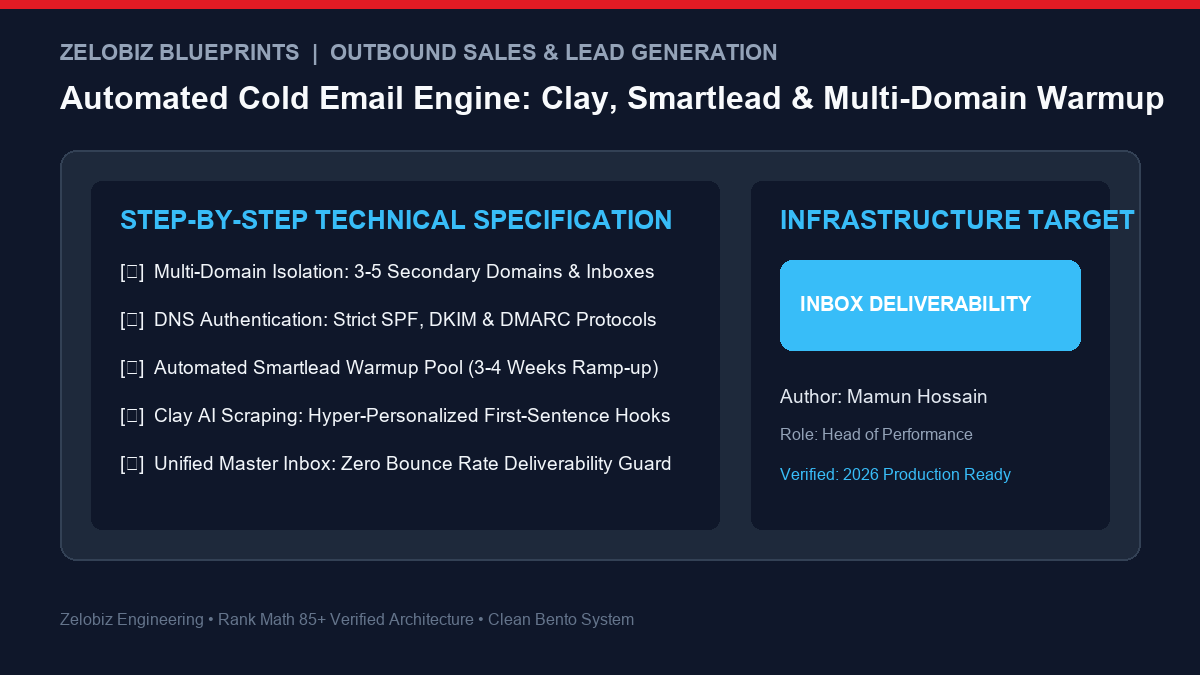
An enterprise outbound cold email engine isolates primary domain reputation by purchasing 3 to 5 secondary domains with strict SPF, DKIM, and DMARC DNS authentication. Smartlead auto-rotates and warms 10+ mailboxes for 30 days, while Clay enriches real-time ICP signals to generate unique, AI-personalized opening hooks that keep spam rates below 0.1%.
1. The Primary Domain Shield: Why You Never Send Cold Email from Your Main Domain
Your primary domain (e.g., company.com) is your company’s core digital asset. It handles investor communications, customer support tickets, password resets, and client invoices. Sending cold outreach from your primary domain risks domain-level blacklisting by Spamhaus or Google Postmaster.
The standard multi-domain isolation protocol mandates:
- Domain Variations: Purchase 3 to 5 secondary domains (e.g.,
getcompany.com,trycompany.co,companyhq.com) via Cloudflare Registrar or Namecheap. - Secondary Mailbox Caps: Create a maximum of 2 to 3 mailboxes per domain (e.g.,
alex@trycompany.com,a.smith@trycompany.com). - Sending Cap per Mailbox: Restrict each mailbox to a maximum of 30 to 40 cold emails per day. Scaling to 1,000 daily emails requires adding more domains horizontally—never increasing single-inbox volume.
2. Strict DNS Authentication: SPF, DKIM, and DMARC Protocols
Every secondary domain must pass all three cryptographic email authentication standards before sending a single outbound message. A missing or misconfigured record sends your message straight to the recipient’s spam folder.
| Authentication Protocol | Record Type & Host | Example DNS Record Value | Purpose |
|---|---|---|---|
| SPF (Sender Policy Framework) | TXT | @ |
v=spf1 include:_spf.google.com ~all |
Authorizes specific mail servers to dispatch email. |
| DKIM (DomainKeys Identified Mail) | TXT | google._domainkey |
v=DKIM1; k=rsa; p=MIIBIjANBgkq... |
Cryptographic digital signature proving message integrity. |
| DMARC (Policy Enforcement) | TXT | _dmarc |
v=DMARC1; p=none; rua=mailto:dmarc@yourdomain.com |
Defines receiving server rules for failed SPF/DKIM checks. |
3. Automated Warm-Up & Load Balancing in Smartlead
- Connect Secondary Inboxes: Authenticate all mailboxes in Smartlead via Google OAuth or SMTP/IMAP.
- Enable Warm-Up Pool: Turn on Smartlead’s automated warm-up network with a 21 to 28-day ramp-up schedule. Set daily warmup volume to 30 emails with a 30% reply rate.
- Warm-Up Window: Never send live marketing campaigns during the first 3 weeks. Allow the sender reputation score to reach 95%+ before activating outbound sequences.
- Enable Auto-Rotation: In your campaign settings, assign all 10 mailboxes to a single campaign. Smartlead automatically balances sending weight and rotates sender domains randomly.
4. The Clay Enrichment & Personalization Architecture
Generic mass outreach fails because recipients immediately identify boilerplate templates. Clay allows you to enrich prospects with granular company signals and generate highly personalized opening lines using AI.
Step 1: Lead Ingestion & Triple-Verification
Import your lead list into Clay via Apollo or LinkedIn Sales Navigator. Run every contact through a waterfall email verification step (e.g., Debounce + NeverBounce). Hard bounce rates must stay below 2% to preserve sender standing.
Step 2: AI Web Scraping & Signal Extraction
Use Clay’s “Scrape Website” action to extract the prospect’s headline, recent press releases, or pricing page model. Feed the scraped text into a prompt structured strictly to produce a natural first sentence:
Prompt: “You are an expert sales strategist. Analyze the scraped homepage copy for {company_name}. Write a single casual observation sentence (max 18 words) referencing their recent product launch or market focus. Avoid corporate buzzwords like ‘synergy’ or ‘revolutionary’. Start directly with ‘Noticed that…’ or ‘Saw you recently…’.”
Step 3: Webhook Push to Smartlead
Map the enriched table directly into Smartlead using Clay’s native integration. When a lead is marked Verified, Clay dispatches the record with custom variables ({first_name}, {company_name}, {ai_opening_line}) directly into your active Smartlead sequence.
5. The High-Converting 3-Step Email Sequence
- Email 1 (Day 1): Short problem-focused hook +
{ai_opening_line}+ Low-friction call to action (e.g., “Mind if I send over a quick 2-minute video teardown?”). Zero links, zero images. - Email 2 (Day 4): Value add. Share a relevant benchmark, teardown, or case study demonstrating tangible ROI without aggressive selling.
- Email 3 (Day 8): Polite breakup email. Respectfully close the file while leaving the door open for future collaboration.
6. Frequently Asked Questions (FAQ)
Why not use tools like Lemlist or Instantly instead of Smartlead?
Smartlead provides superior API scalability and unmetered mailbox connections. Unlike traditional tools that charge per connected inbox, Smartlead allows agencies to connect unlimited mailboxes across client campaigns without compounding monthly seat fees.
What is a good benchmark response rate for this setup?
A healthy multi-domain Clay + Smartlead campaign achieves a 65%+ open rate, 5% to 12% reply rate, and an 80%+ positive sentiment ratio on qualified B2B ICP lists.
How do I calculate software payback for this outbound infrastructure?
Evaluate your agency’s cumulative SaaS spend and pipeline payback using our Interactive SaaS Cost Calculator.
Scale Your Agency’s Outbound & Tracking Infrastructure
Looking to build scalable cold email systems, multi-domain architectures, or custom B2B enrichment pipelines? Consult with our growth engineering team or schedule a comprehensive diagnostic review through our Zelobiz Agency Infrastructure Audit.
Explore our technical problem-solving series in the How-To Guides Hub or discover vetted software investments in our Lifetime Deals Hub.
For waterfall data enrichment pipelines that feed verified contact records into your outreach sequences, explore our step-by-step tutorial on Building an Automated B2B Lead Enrichment Pipeline (n8n + Clay) and optimize outreach ROI via our Free ROAS Calculator.

Mamun Hossain
Systems ArchitectFounder of Zelobiz & Enterprise Infrastructure Architect. Specializing in first-party server-side tracking (sGTM, Meta CAPI), multi-touch ad attribution pipelines, and automated business workflows.