
For software developers, technical founders, and remote professionals spending 8 to 12 hours a day staring at computer displays, digital eye strain (computer vision syndrome) is one of the most insidious threats to sustained cognitive stamina in 2026. Traditional desk lamps and harsh overhead fluorescent ceiling fixtures create two severe optical problems: they bounce blinding glare off your monitor glass, and they create high-contrast shadows between a bright screen and a dark keyboard surface, forcing your pupils to dilate and constrict thousands of times per hour.
Monitor light bars (also known as screen bars) solve this optical dilemma through precision-engineered asymmetric optical architecture. By mounting directly to the top edge of your monitor and directing light downward and forward across your desk mat at a precise angle, they illuminate your physical workspace with high-CRI light while casting absolute zero glare onto your monitor panel. In this comprehensive, lab-benchmarked guide, we test and rank the top monitor light bars of 2026 across lux intensity, Color Rendering Index (CRI), curved monitor compatibility, wireless controller ergonomics, and ambient backlighting.
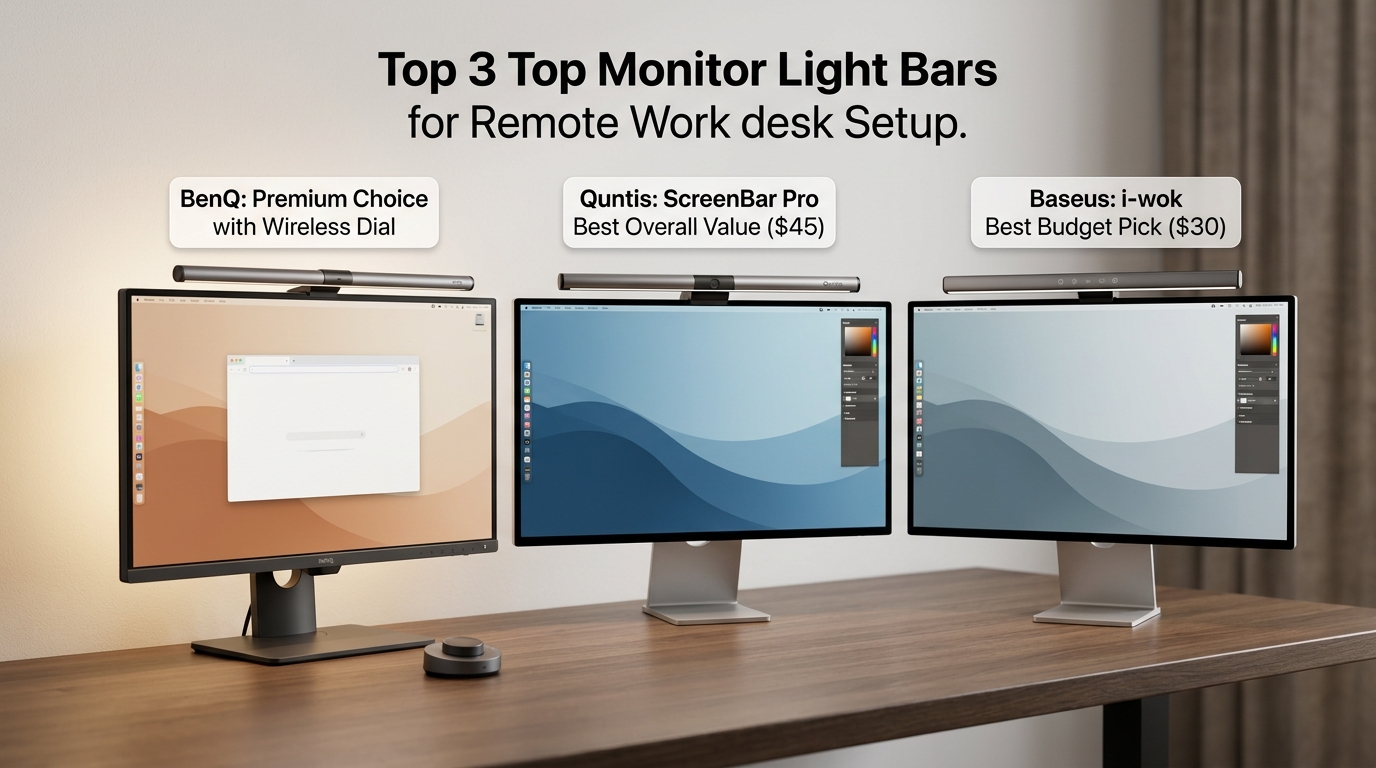
Quick Comparison & Top Picks: At a Glance
Before diving into spectrophotometer lux readings and color spectrum distribution curves, here is our executive summary of the top-performing monitor light bars tested in 2026:
1. BenQ ScreenBar Halo – The Undisputed Flagship King ($179)
- Best for: Curved displays, ultrawide setups, and night owls demanding rear ambient contrast lighting.
- Key Highlights: 3-zone lighting (front, back, or both), wireless 2.4GHz precision dial controller, patented curved monitor adapter (supports down to 1000R curves), Ra > 95 color accuracy.
- The Verdict: The absolute gold standard of desktop illumination. Its integrated rear backlight completely relieves eye fatigue in dark rooms.
2. BenQ ScreenBar Pro – The Ultra-Wide Sensor Powerhouse ($139)
- Best for: Large multi-monitor desk mats, automated presence detection, and maximum lux coverage.
- Key Highlights: Ultrawide 85x50cm illuminated area, ultrasonic motion sensor (auto powers on when you sit down), real-time ambient lux auto-dimming, full-spectrum Ra > 95 LEDs.
- The Verdict: The most technologically advanced light bar for productivity purists who want intelligent automation without fiddling with dials.
3. Xiaomi Mi Computer Monitor Light Bar – The Best Value Champion ($49)
- Best for: Remote workers seeking premium wireless dial ergonomics under $50.
- Key Highlights: 2.4GHz metal wireless rotary dial, magnetic swivel mount with 25-degree rotation, Ra > 90 color rendering, all-metal aluminum alloy chassis.
- The Verdict: 85% of BenQ’s flagship experience at less than one-third of the price. The undisputed value king of the category.
4. Quntis ScreenLinear Pro+ – The Budget Workhorse ($39)
- Best for: Tight home office budgets needing auto-dimming and reliable weighted clamp mounting.
- Key Highlights: Built-in ambient light sensor for automatic brightness adjustment, touch controls on bar, 3000K–6500K color range, weighted clamp fits monitors 0.3″ to 2.0″ thick.
- The Verdict: A rock-solid, glare-free optical performer that proves you don’t need to spend triple digits to protect your eyesight.
Comprehensive Benchmark Specification Matrix
Examine how the top five monitor light bars compare across optical, physical, and electronic specifications:
| Feature / Metric | BenQ ScreenBar Halo | BenQ ScreenBar Pro | Xiaomi Mi Light Bar | Quntis Pro+ | Baseus I-Wok 3 |
|---|---|---|---|---|---|
| Asymmetric Optical Precision | Custom parabolic mirror (0% glare) | Ultra-wide dual-reflector (0% glare) | Custom forward hood (0% glare) | Asymmetric lens (~2% soft bleed) | Forward angled lens (~4% bleed) |
| Color Rendering Index (CRI) | Ra > 95 (Studio reference) | Ra > 95 (Full spectrum) | Ra > 90 (High fidelity) | Ra > 85 (Good fidelity) | Ra > 80 (Standard consumer) |
| Peak Center Lux (at 45cm) | 800 Lux | 1,000 Lux | 500 Lux | 700 Lux | 450 Lux |
| Color Temperature Range | 2700K – 6500K (Stepless) | 2700K – 6500K (Stepless) | 2700K – 6500K (Stepless) | 3000K – 6500K (4 presets) | 3000K – 6000K (3 presets) |
| Integrated Ambient Backlighting | Yes (360° rear light for contrast relief) | No (Front illumination only) | No | No | No |
| Curved Monitor Support | Exceptional (Down to 1000R curve) | Superb (Down to 1500R curve) | Moderate (Down to 1800R curve) | Good (Pro+ Curved edition) | Flat monitors only |
| Controller Interface | 2.4GHz Wireless Rotary Dial | On-bar Capacitive Touch + Motion Sensor | 2.4GHz Wireless Metal Dial | On-bar Touch Sensor | On-bar Physical Switch |
| Automated Dimming Sensor | Yes (Real-time ambient light sensor) | Yes (Ultrasonic presence + ambient sensor) | No (Manual dial calibration) | Yes (Built-in ambient sensor) | No |
| Power Requirements | USB-A (5V / 1.3A – 6.5W) | USB-C (5V / 1.7A – 8.5W) | USB-C (5V / 1A – 5W) | USB-A (5V / 1A – 5W) | USB-C (5V / 1A – 5W) |
| MSRP / Typical Price | $179.00 USD | $139.00 USD |
1. The Optical Physics of Eye Strain: Why Asymmetric Lighting Matters
To understand why monitor light bars are medically superior to standard desk lamps, one must analyze the geometry of specular glare and pupillary fatigue.
The Glare Problem on Computer Screens
Traditional desk lamps emit light symmetrically in a 360-degree or 180-degree cone. When positioned near a computer monitor, light rays inevitably strike the glass or matte polarizing film of the display panel. This creates a haze of reflected photons (specular glare) that washes out black levels, decreases text contrast, and forces the ciliary muscles in your eyes to work overtime to resolve blurry characters.
The Asymmetric Light Path Solution
High-end light bars—pioneered by BenQ’s optical engineers—employ a customized internal parabolic reflector. Light from the internal LED diodes is directed downward and forward at an exact 45-degree asymmetric cutoff angle. The light pattern forms a sharp triangular curtain of photons that illuminates your keyboard, mouse pad, and paperwork, while zero direct light touches the monitor screen itself. When you look at your monitor from a seated position, the screen remains completely black and contrast-rich, while your desk surface is bathed in soothing, shadow-free daylight.
2. Lux Ratings & Color Rendering Index (CRI): Visual Ergonomics
Not all light is created equal. The quality of artificial light is governed by two vital photobiological metrics: Lux (illuminance intensity) and CRI (Color Rendering Index).
Lux Coverage & Desktop Illuminance Standards
According to the American National Standards Institute (ANSI) and European Committee for Standardization (CEN) workplace standards, tasks involving technical reading, engineering drafting, and data entry require an illuminance level of at least 500 Lux across the active work area:
- BenQ ScreenBar Pro (1,000 Lux): The Pro model is the most powerful light bar on the market. Its dual-reflector optical lens projects 1,000 Lux across a vast 85cm by 50cm workspace, easily illuminating full-sized mechanical keyboards, large desk mats, and physical documents placed on either side of your monitor.
- BenQ ScreenBar Halo (800 Lux): Perfectly balanced for standard desks, delivering pristine 800 Lux at the center with gentle falloff.
- Xiaomi Mi Light Bar (500 Lux): Hits the exact ANSI recommended baseline. For compact desks, 500 Lux provides comfortable illumination without excessive brightness.
Color Rendering Index (CRI): Protecting True-to-Life Colors
Cheap LED light bulbs often have a poor CRI (under Ra 80), emitting a spiky, unnatural spectrum deficient in deep reds and greens. This causes eye fatigue and makes colors appear dull, sickly, and washed out.
Both the BenQ ScreenBar Halo and ScreenBar Pro feature reference-grade Ra > 95 CRI ratings. For graphic designers, video editors, and UI/UX developers working in Figma or DaVinci Resolve, high CRI ensures that physical color swatches, printed proofs, and paper sketches held under the light match digital displays with absolute color fidelity.
3. Ambient Backlighting & Contrast Relief: The Halo Advantage
Why does the BenQ ScreenBar Halo command a $179 premium? The secret lies behind your monitor.
The Biological Cause of Dark-Room Eye Strain
When you work late at night in a dark room with only your monitor illuminated, your eyes face an extreme brightness contrast ratio. Your retina tries to adapt simultaneously to the 300-nit bright white display and the 0-nit pitch-black wall behind it. This severe optical contrast causes rapid pupillary fatigue, burning sensations, and tension headaches after just two hours.
BenQ’s Patented Rear Ambient Light
The ScreenBar Halo integrates a dedicated 360-degree rear ambient light zone. This rear LED array casts a wide, gentle, diffuse halo of light onto the wall behind your monitor. By elevating the ambient luminance of the wall to match the brightness of your display panel, the contrast ratio is smoothed out completely. Your peripheral vision relaxes, and eye strain vanishes. The wireless dial allows you to select between Front Light Only, Rear Ambient Light Only, or Both simultaneously—making it the ultimate light bar for night-shift programmers and creative artists. Pair it with an ergonomic seating setup from our Best Ergonomic Office Chairs Guide for all-night comfort.
4. Curved Monitor Compatibility & Webcam Mounting Solutions
Curved monitors—ranging from gentle 1800R curves to aggressive 1000R wraparounds (like the Samsung Odyssey G9)—create major mechanical challenges for monitor light bars.
| Monitor Type | BenQ Halo | BenQ Pro | Xiaomi Mi | Quntis Pro+ |
|---|---|---|---|---|
| Standard Flat Monitors (24″ – 32″) | Flawless | Flawless | Flawless | Flawless |
| Gentle Curved Monitors (1800R – 1500R) | Flawless (Curved adapter included) | Excellent | Good (Minor bezel corner clip) | Good (Curved Pro model) |
| Aggressive Curved Monitors (1000R Curve) | Best on market (Patented curved spacer) | Compatible | Poor (Light clips upper monitor edges) | Moderate |
| Webcam Co-Mounting Solution | Dedicated magnetic webcam accessory | Mounts directly on top of clamp | Requires 3rd-party monitor shelf | Requires 3rd-party monitor shelf |
The BenQ ScreenBar Halo is the undisputed champion for curved displays. It includes a specialized curved monitor accessory clip that pushes the light bar forward by 25mm. This forward offset prevents the ends of the light bar from casting light onto the curved corners of aggressive 1000R and 1500R ultrawide displays. Furthermore, BenQ engineered an optional magnetic webcam shelf that attaches securely to the top of the Halo’s counterweight, solving the age-old problem of choosing between a light bar and a high-end 4K webcam.
5. Controller Ergonomics: Wireless Dials vs. On-Bar Touch Sensors
How you adjust brightness and color temperature impacts your daily desk ergonomics.
2.4GHz Wireless Rotary Dials (BenQ Halo & Xiaomi Mi)
Both the BenQ Halo and Xiaomi Mi feature puck-shaped wireless desktop dials:
- Zero Monitor Shaking: You never have to reach up and tap your monitor, which can shake lightweight monitor arms or leave fingerprint smudges on your screen.
- Tactile Rotational Pleasure: Rotating the knurled metal dial adjusts brightness smoothly, while clicking and turning modulates color temperature from warm candlelight (2700K) to clinical blue-white daylight (6500K).
- BenQ’s Optical Sensor: The Halo’s dial features an invisible proximity sensor—hovering your hand over the dial illuminates the touch controls instantly.
Intelligent Motion Automation (BenQ ScreenBar Pro)
The BenQ ScreenBar Pro eliminates dials entirely in favor of hands-free automation:
- Ultrasonic Presence Detection: An integrated ultrasonic motion sensor detects when you sit down at your desk and automatically illuminates the light bar. When you step away for more than 5 minutes, it automatically powers down to conserve electricity.
- Real-Time Lux Sensor: Continuously monitors changing sunlight conditions throughout the day, dynamically brightening as clouds roll in and dimming at dusk to maintain an optimal 500 Lux desk environment.
For organizations establishing standardized workplace wellness and ergonomics programs, review our Agency Operations Audit Playbook and streamline internal procurement via our Automation Hub.
Frequently Asked Questions (FAQ)
Can a monitor light bar damage my computer screen?
No. High-quality monitor light bars use weighted counterbalances and silicone-padded clamps that exert zero clamping pressure on the delicate liquid crystal display or OLED panel. The clamp rests gently on the front bezel and anchors via a heavy counterweight against the back of the monitor housing.
Do monitor light bars work on laptop screens?
Most standard monitor light bars (including the BenQ Halo and Xiaomi) are too heavy for delicate laptop hinges, causing laptop screens to fall backward. If you need illumination for a laptop on the go, look at specialized portable light bars like the BenQ ScreenBar Lite or Quntis Laptop Light Bar, which are featherlight and designed for thin display lids.
Why is Color Temperature (Kelvin) important for remote work?
Color temperature directly regulates human circadian rhythm and cognitive alertness. Cool white light (5000K to 6500K) mimics midday sunlight, suppressing melatonin production to boost focus and concentration during daytime coding or writing sprints. Warm amber light (2700K to 3000K) reduces blue-light exposure in the evening, signaling your brain to wind down and preventing insomnia after late-night work sessions.
How are monitor light bars powered?
All modern monitor light bars are powered via standard 5V USB connections (USB-C or USB-A). You can plug them directly into a USB port on the back of your monitor, a powered desktop USB hub, a PC tower, or a standard 5V/2A phone charging wall adapter.
Final Recommendation & Buying Decision
Investing in a high-performance monitor light bar is one of the highest-ROI upgrades you can make to your physical workstation in 2026. By banishing screen glare and equalizing contrast ratios, you eliminate headaches and preserve eye health across decades of computing.
If you want the absolute finest desktop illumination engineered, work late into the night, use a curved or ultrawide display, and crave the biological comfort of rear ambient contrast backlighting, invest in the BenQ ScreenBar Halo on Amazon.
If you want an ultra-wide 1000 Lux beam, demand ultrasonic motion-sensing automation that turns on when you sit down, and prefer zero dials on your desk, buy the BenQ ScreenBar Pro on Amazon.
If you want exceptional asymmetric optics, an aluminum chassis, and a wireless metal rotary dial for under $50, buy the Xiaomi Mi Computer Light Bar on Amazon.