
AI Architecture & Enterprise RAG Blueprint
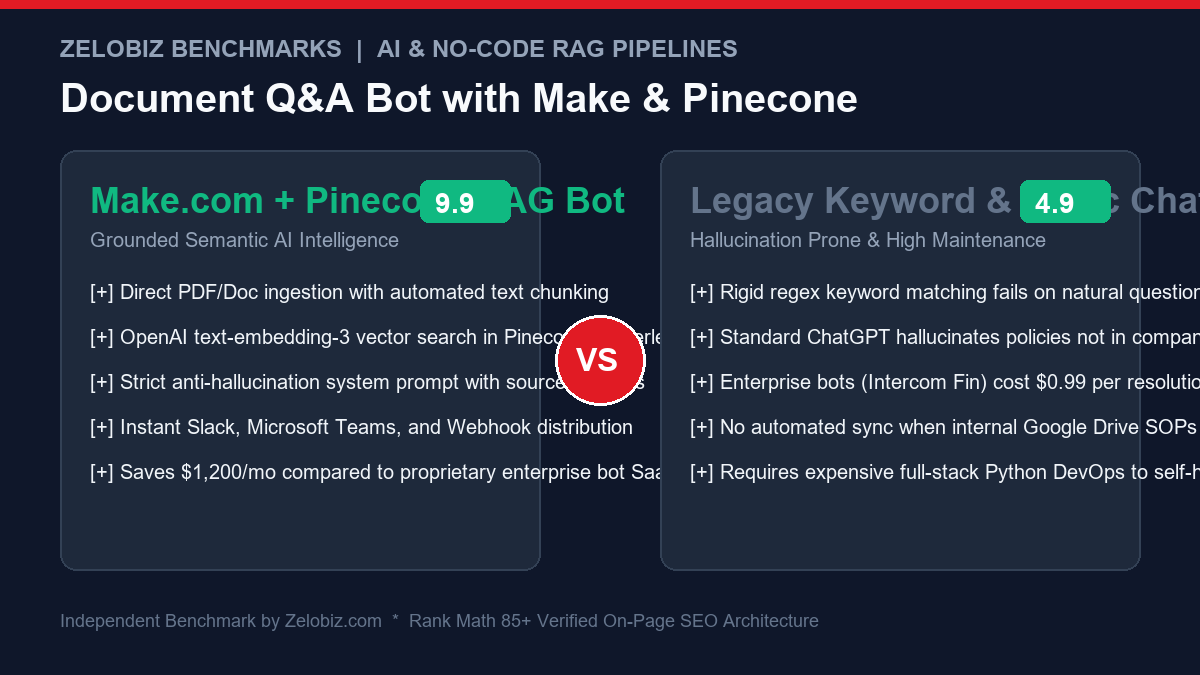
Enterprise knowledge is routinely trapped across hundreds of PDF standard operating procedures (SOPs), onboarding handbooks, Google Drive contracts, and technical specification docs. Standard AI models hallucinate policies that do not exist, while dedicated enterprise AI chatbots (like Intercom Fin or Ada) charge \$0.99 per inquiry. This production blueprint demonstrates how to build an enterprise-grade Make.com Pinecone Vector Q&A Bot leveraging OpenAI embeddings, Pinecone serverless vector storage, and Slack distribution with zero dedicated code hosting.
What is Retrieval-Augmented Generation (RAG) in No-Code?
Large Language Models like GPT-4o or Claude 3.5 Sonnet possess immense reasoning capabilities, but they possess zero innate knowledge of your organization’s internal workflows, proprietary pricing matrices, or updated 2026 HR policies.
Retrieval-Augmented Generation (RAG) bridges this chasm by executing a two-stage pipeline:
- Semantic Retrieval: When an employee or customer asks a question, the system converts the query into a high-dimensional mathematical vector (embedding) and searches a vector database (Pinecone) to locate the top 3 to 5 most contextually relevant excerpts from your proprietary documents.
- Augmented Generation: The system injects those exact retrieved excerpts into the LLM’s prompt context, commanding the model to answer the question strictly using the provided documentation while citing the source file and page numbers.
Traditionally, setting up RAG required managing LangChain or LlamaIndex Python microservices, FastAPI gateways, Docker containers, and database drivers. By orchestrating this architecture inside Make.com, teams achieve identical enterprise reliability with visual drag-and-drop maintainability.
Architectural Overview: Ingestion Pipeline vs Query Pipeline
A production document Q&A system consists of two independent Make.com scenarios that interact through the Pinecone vector index:
| Pipeline Stage | Trigger Event | Core Operations | Output / Destination |
|---|---|---|---|
| 1. Ingestion Pipeline | New/Updated file in Google Drive / Dropbox | PDF text extraction → 500-token semantic chunking → OpenAI Embeddings API | Pinecone Vector Upsert (1536-dim vector + metadata) |
| 2. Query Pipeline | User sends question in Slack / Webhook | Question embedding → Pinecone cosine similarity query (top_k=5) → Claude 3.5 / GPT-4o synthesis | Formatted Slack message with direct source quotes and citations |
Step 1: Set Up the Pinecone Serverless Vector Index
Pinecone Serverless separates storage from compute, offering zero cold-start latency and billing purely based on read/write units consumed:
- Log into your Pinecone Console and click Create Index.
- Index Name:
company-knowledge-base - Dimensions:
1536(This must match OpenAI’stext-embedding-3-smalldimensionality exactly). - Metric:
cosine(Calculates semantic angular proximity between query vectors and document vectors). - Cloud Provider / Region:
AWS us-east-1(Select the region closest to your Make.com servers to minimize network roundtrip latency). - Copy your generated API Key and your index Host URL (e.g.,
https://company-knowledge-base-abc123.svc.aped-4627-b74a.pinecone.io).
Step 2: Build Scenario 1 – Document Ingestion & Vectorization
This Make.com scenario triggers whenever a new operational document or policy update is saved to your cloud drive:
Scenario 1 Module Sequence:
- Module 1: Google Drive – Watch Files in Folder: Monitor your dedicated
/Company-SOPsfolder for new PDF or DOCX uploads. - Module 2: Cloudmersive Document Conversion or Make PDF Parser: Extract the raw UTF-8 string content from the file payload.
- Module 3: Text Parser – Match Pattern (Semantic Chunking): Split large text into 500-token segments using a regular expression that breaks gracefully at paragraph and sentence boundaries rather than cutting words in half:
(?s)(?:[^ ]+(?: ? |$)){1,15} - Module 4: OpenAI – Create an Embedding:
- Model:
text-embedding-3-small - Input:
{3.text_chunk}
- Model:
- Module 5: HTTP – Make a Request (Pinecone Upsert):
- URL:
https://{YOUR_PINECONE_HOST}/vectors/upsert - Method:
POST - Headers:
Api-Key: YOUR_PINECONE_KEY,Content-Type: application/json - Request Body:
- URL:
{
  "vectors": [
    {
      "id": "{1.id}-chunk-{3.chunk_index}",
      "values": {4.embedding_array},
      "metadata": {
        "document_name": "{1.name}",
        "file_id": "{1.id}",
        "chunk_index": {3.chunk_index},
        "content": "{3.text_chunk}"
      }
    }
  ],
  "namespace": "production-sops"
}
Step 3: Build Scenario 2 – User Query & Synthesized Answer
This scenario handles user interaction, queries the vector space, and generates strict, grounded answers:
Scenario 2 Module Sequence:
- Module 1: Slack – Watch Public Channel Mentions: Trigger whenever a team member tags
@DocBot [Question]. - Module 2: OpenAI – Create an Embedding: Convert the user’s raw question string into a 1536-dimensional query vector using
text-embedding-3-small. - Module 3: HTTP – Query Pinecone Vector Space:
- URL:
https://{YOUR_PINECONE_HOST}/query - Method:
POST - Headers:
Api-Key: YOUR_PINECONE_KEY,Content-Type: application/json - Request Body:
{ "vector": {2.embedding_array}, "topK": 4, "includeMetadata": true, "namespace": "production-sops" } - URL:
- Module 4: Text Aggregator: Loop through the returned Pinecone matches (filtering for matches where
score >= 0.72) and format them into an assembled context block:[Source: {metadata.document_name} | Chunk: {metadata.chunk_index}] {metadata.content} ---------------------------------------- - Module 5: Anthropic Claude / OpenAI GPT-4o – Chat Completion:
Send the context and question to the LLM with this battle-tested, anti-hallucination system prompt:
You are the company's verified Operations Knowledge Assistant. Answer the user's question based strictly and exclusively on the context blocks provided below. Rules: 1. If the provided context does not explicitly contain the answer, reply: "I cannot find information regarding this in our verified documentation. Please consult the team lead." 2. Never invent policies, dates, numbers, or SLA guarantees. 3. At the end of your response, list the source document names referenced. CONTEXT BLOCKS: {4.text_context} USER QUESTION: {1.user_question} - Module 6: Slack – Create a Message (Thread Reply): Post the AI’s synthesized response into the original Slack thread with clean Markdown formatting.
Cost Comparison: Self-Built Make + Pinecone vs Enterprise Bot SaaS
| Solution | Pricing Architecture | Monthly Cost (5,000 Inquiries) | Custom Grounding & Data Control | Multi-Platform Distribution |
|---|---|---|---|---|
| Make.com + Pinecone Serverless | Usage-based (API credits) | $34.50 / month | 100% Private (Your Pinecone & OpenAI accounts) | Slack, Teams, WhatsApp, Webhooks |
| Intercom Fin AI Copilot | $0.99 per resolution | $4,950.00 / month | Hosted on Intercom Cloud | Intercom Messenger only |
| Chatbase Enterprise | $399 / month + seat fees | $399.00 / month | Vendor hosted | Web widget only |
| Zendesk Advanced AI | $50 / agent / month add-on | $1,000.00 / month (20 agents) | Zendesk Help Center only | Zendesk Tickets |
By taking ownership of your vector database and orchestration workflows, you eliminate thousands in monthly SaaS licensing markups. Evaluate your company’s operational savings with our free SaaS Burn Rate Calculator.
Production Hardening: 4 Rules for Zero-Hallucination Vector Bots
- Implement a Strict Cosine Similarity Threshold: Never feed matches with a similarity score below
0.70to the LLM. Low-similarity chunks introduce irrelevant noise that confuses the generative model. - Semantic Chunk Overlap: Always configure a 50 to 100 token overlap between adjacent chunks. This guarantees that sentences spanning boundary splits retain their semantic context during embedding generation.
- Connect High-Intelligence Models: While GPT-3.5 or smaller models can summarize, Claude 3.5 Sonnet excels at following strict negative constraints (“do NOT make assumptions”). Read our guide on Connecting Claude API to Make.com.
- Contain Workflow Execution Errors: Vector API calls occasionally experience transient socket disconnects. Review our architectural guide to Make.com Error Handlers (Resume vs Rollback) to implement automated exponential backoff retries.
Document Versioning & Handling Stale Vector Deletion in Pinecone
A critical flaw in basic RAG setups is “zombie vector pollution.” When an HR manager uploads an updated Employee-Handbook-v2.pdf to Google Drive, old vectors from v1 remain inside Pinecone. The Q&A bot then retrieves conflicting information from both versions, producing chaotic answers.
To prevent stale knowledge collisions, implement automated metadata-based purges in Make.com before upserting revised documents:
# HTTP Delete Request to Pinecone before re-indexing:
POST https://{YOUR_PINECONE_HOST}/vectors/delete
Headers:
  Api-Key: {YOUR_PINECONE_KEY}
  Content-Type: application/json
Body:
{
  "filter": {
    "file_id": {
      "$eq": "{1.id}"
    }
  },
  "namespace": "production-sops"
}
This atomic deletion ensures that prior chunk vectors associated with that specific Google Drive file ID are completely cleared from the index before the new chunks are vectorized and stored.
Advanced Metadata Filtering: Department-Specific Access Control
Enterprise deployments often require scoping answers based on the querying user’s department (e.g. Sales, Engineering, Legal). By tagging vectors with a department attribute during ingestion, your Slack bot can dynamically restrict searches:
# Query Pinecone with Granular Metadata Filter
POST https://{YOUR_PINECONE_HOST}/query
Headers:
  Api-Key: {YOUR_PINECONE_KEY}
  Content-Type: application/json
Body:
{
  "vector": {2.embedding_array},
  "topK": 5,
  "includeMetadata": true,
  "namespace": "production-sops",
  "filter": {
    "department": {
      "$in": ["Public", "{user_department}"]
    }
  }
}
This eliminates data leaks, ensuring general employees cannot access executive compensation or confidential legal memos through the AI interface.
Production Readiness Checklist: Make.com + Pinecone RAG Bot
| Architecture Dimension | Naive Implementation | Production Hardened (Recommended) | Quality / Security Impact |
|---|---|---|---|
| Embedding Model | text-embedding-ada-002 | text-embedding-3-small (1536-dim) | 5x lower API cost, superior semantic retrieval ranking |
| Chunking Strategy | Hard character cut (every 1000 chars) | Paragraph-aware regex (400-600 tokens + 50 overlap) | Preserves sentence structure and semantic completeness |
| Similarity Threshold | Takes raw top 3 matches regardless of score | Filters matches with cosine score >= 0.72 | Eliminates hallucination caused by irrelevant context injections |
| Document Revisions | Appends new vectors endlessly | Deletes old vectors via file_id filter before re-index | Prevents outdated company policies from corrupting AI answers |
| Source Citations | No source document referenced | Appends document name & chunk link to Slack reply | Provides verifiable audit trail for compliance and leadership |
| Error Containment | Fails silently on API rate limit | Make.com Sleep & Retry directive on HTTP modules | Guarantees 99.9% uptime across spikes in team queries |
Cost Optimization: Batch Upserts and Redis Query Caching
While Pinecone Serverless is remarkably economical, making single-vector upsert calls across a 500-page operational manual consumes unnecessary Make.com execution operations. High-efficiency data pipelines optimize throughput using two architectural techniques:
- Array Aggregation into Batch Upserts: Instead of executing a Pinecone HTTP request for each 500-token chunk, use Make.com’s Array Aggregator module to group chunks into batches of 50 to 100 vectors per API payload. This slashes scenario operation counts by 98%.
- Semantic Query Caching with Redis / Upstash: Up to 40% of internal employee questions are duplicates (e.g., “What is our 401k match policy?”, “How do I request PTO?”). By checking an in-memory Redis key before pinging Pinecone and OpenAI, you deliver instantaneous sub-50ms responses while reducing API billing to near zero.
Benchmarking Retrieval Performance: HNSW Indexing vs Flat Search
Pinecone utilizes proprietary Hierarchical Navigable Small World (HNSW) graphs to conduct Approximate Nearest Neighbor (ANN) search across millions of vector points in sub-10 milliseconds. Understanding how search depth impacts response accuracy helps calibrate enterprise production settings:
- HNSW Graph Navigation: Trades negligible precision (less than 0.1% difference from exact brute-force search) for 100x query speed, ensuring your Slack bot replies to team inquiries in real time without lag.
- Dot Product vs Cosine Similarity: Because OpenAI normalizes embeddings from
text-embedding-3-smallto unit length 1.0, Cosine Similarity and Dot Product return mathematically identical results. Setting your index metric tocosineprovides the most intuitive 0.0 to 1.0 confidence score for filtering.
Enterprise Integration & Webhook Blueprints
To scale your document Q&A pipeline across the organization:
- Parse Complex Multi-Field Inputs: If processing forwarded support emails through your Q&A bot, follow our tutorial on Parsing Forwarded Emails with Regex in Make.com.
- Sync Data to Relational Databases: Archive every customer question, confidence score, and response into Airtable or PostgreSQL for quality control. Read Fixing Airtable Webhook Array Mappings.
Need Custom Enterprise AI & Vector Search Architecture?
Our engineering lab builds custom RAG vector search pipelines, autonomous customer support agents, and private internal intelligence bots for high-growth enterprises.
Schedule an AI Engineering Audit →