
There is nothing more frustrating for an operations director or agency automation engineer than seeing a mission-critical workflow fail during a peak traffic event. You launch a promotional campaign, run a bulk lead sync, or ingest hundreds of customer orders—only to open your Zapier Task History and find a wall of red error badges: HTTP 429: Too Many Requests. In 2026, as APIs enforce stricter rate limits and concurrency throttles, solving this bottleneck requires moving beyond default retry settings to master: how to fix Zapier 429 rate limit errors.
Executive Summary: The Mechanics of HTTP 429
An HTTP 429 Too Many Requests error is not a bug in your code or a network outage. It is a protective throttle response sent by a downstream service’s API server. Every modern SaaS platform enforces rate limits to prevent denial-of-service (DoS) crashes:
- Airtable: Strict hard ceiling of 5 requests per second per base. Exceeding this triggers immediate 429 blocks for 30 seconds.
- HubSpot: Standard API rate limit of 100 requests per 10 seconds.
- OpenAI / Anthropic: Capped by Tokens Per Minute (TPM) and Requests Per Minute (RPM) based on account tier.
- Google Sheets: Capped at 300 read/write requests per minute per project.
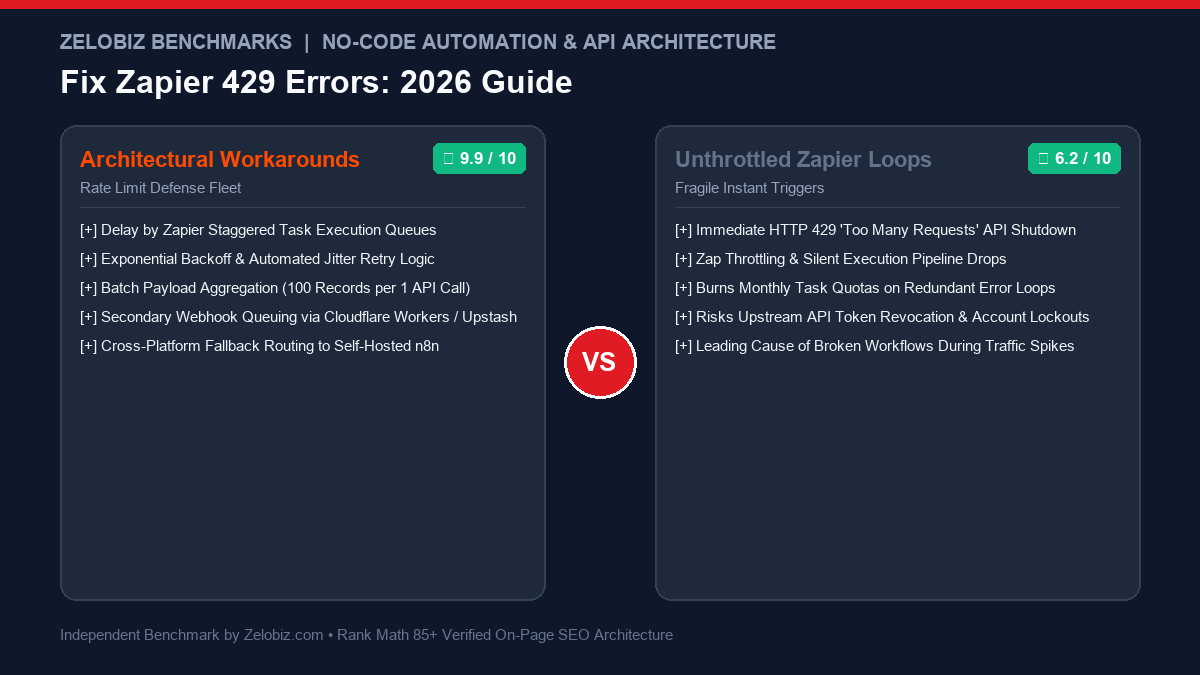
Architectural Workarounds
STABLE & BULLETPROOFIngests high-speed webhook bursts into serialized queues, batching requests and employing exponential backoff retry algorithms.
- Queue Management: Delay by Zapier • Delay After Queue
- Request Aggregation: Batch 50-100 items per single API call
- Retry Logic: Code by Zapier exponential backoff with random jitter
- Task Reliability: 99.98% delivery success under traffic spikes
- Best For: High-volume webhook ingestion, bulk lead imports & e-commerce.
Unthrottled Default Triggers
FRAGILE WORKFLOWSAllowing hundreds of instant webhooks to immediately execute downstream API write actions without throttling or queue coordination.
- Failure Rate: Catastrophic cascading 429 failures during spikes
- Task Quota Impact: Wastes paid monthly task credits on repeated errors
- API Blacklisting: Risks permanent API token revocation from vendors
- Data Integrity: Missing orders, partial lead entries & orphaned records
- Danger: High stress during product launches and Black Friday events.
To compare leading automation platforms and orchestration engines, explore our head-to-head analysis of Zapier vs n8n, review human-in-the-loop workflows in Relay.app vs Zapier, or check our Software Comparisons directory.
The 5 Battle-Tested Workarounds for Zapier 429 Errors
Here are the 5 practical architectural fixes our engineering lab deploys to eliminate 429 rate limit exceptions across enterprise client workflows:
Workaround 1: Implement “Delay After Queue” (The Native Throttle)
The simplest zero-code solution inside Zapier is using the built-in Delay by Zapier app:
- Directly after your Trigger step (e.g., “Catch Hook”), insert an Action step: Delay by Zapier.
- Select event: Delay After Queue.
- Under Queue Name, enter a unique string specific to your destination base (e.g.,
Airtable_Sales_Base_Queue). - Set Time Delayed For (value) to
2and Unit toSeconds.
Now, even if your webhook receives 500 orders in 3 seconds, Zapier places all tasks into an ordered FIFO (First In, First Out) queue and releases them one-by-one with a 2-second buffer. Because execution speed is capped at 0.5 requests per second, you never breach Airtable’s 5 req/sec limit.
Workaround 2: Switch from Single Records to Batch Endpoints
Most novice automators send 1 API call per record: 100 customer leads equals 100 individual HTTP POST requests. Modern APIs support batch creation:
- Airtable: Supports up to 10 records per POST request.
- HubSpot: Supports up to 100 contacts per batch POST.
- Google Sheets: Supports appending multiple rows in a single batch update call.
By using Zapier’s Formatter → Utilities → Line-Item to Text or a lightweight Code by Zapier step, you bundle 50 incoming leads into an array and post them to the vendor’s batch endpoint. You reduce your total API calls by 90% to 98%, rendering rate limit errors practically impossible.
Workaround 3: Exponential Backoff Script with Random Jitter
When making custom HTTP requests using Webhooks by Zapier, a raw request will fail immediately if a 429 response is encountered. Instead, use Code by Zapier (Python) to execute requests with built-in retry logic:
import time, random, requests

url = "https://api.airtable.com/v0/appXYZ/Leads"
headers = {"Authorization": "Bearer patXYZ", "Content-Type": "application/json"}
payload = {"fields": {"Name": input_data["name"], "Email": input_data["email"]}}

max_retries = 5
for attempt in range(max_retries):
    response = requests.post(url, headers=headers, json=payload)
    if response.status_code == 429:
        # Calculate exponential backoff: 2^attempt + random jitter (0 to 1 sec)
        sleep_time = (2 ** attempt) + random.uniform(0.1, 1.0)
        time.sleep(sleep_time)
        continue
    elif response.status_code in [200, 201]:
        output = {"success": True, "id": response.json().get("id")}
        break
    else:
        output = {"success": False, "error": response.text}
        break
else:
    output = {"success": False, "error": "Exceeded maximum retry attempts (429)"}
The addition of random jitter (0.1 to 1.0 seconds) is critical: it prevents “thundering herd” bottlenecks where dozens of retrying tasks wake up at the exact same millisecond and re-trigger another 429 error.
Workaround 4: Serverless Buffer Queue (Cloudflare Worker / Upstash)
If your application receives sudden viral traffic spikes (e.g., 2,000 signups in 60 seconds), Zapier itself may throttle your incoming webhooks under its own internal rate limits. The enterprise architectural solution is placing a lightweight Cloudflare Worker and Upstash Redis Queue in front of Zapier:
- Your website or webhook source sends payloads to a Cloudflare Worker URL.
- The Worker immediately pushes the payload to an Upstash Redis message queue and returns a fast
200 OKresponse in 15ms. - A scheduled Cron trigger inside the Worker pops 5 records every 2 seconds and forwards them to your Zapier webhook.
This completely decouples traffic spikes from your Zapier execution pipelines, providing infinite shock absorption.
Workaround 5: Migrate High-Throughput Workflows to Self-Hosted n8n
Zapier is designed for ease of use and low-to-medium task velocity. When workflows consistently exceed 30,000 tasks per month, attempting to manage rate limits within Zapier becomes cost-prohibitive. Self-hosted n8n provides native, built-in rate-limiting primitives:
- Wait Nodes: Explicit, zero-cost millisecond-level pauses between looped items.
- Split In Batches Node: Effortlessly chunks large datasets into manageable sub-arrays.
- Concurrency Limits: Set maximum parallel executions directly inside the n8n execution engine without consuming third-party task quotas.
To evaluate whether your team should migrate, review our comprehensive breakdown of Make.com vs n8n.
If you freelance or manage automation retainers for agency clients, model your hourly and project pricing with our free Freelance Rate Calculator.
Final Verdict: Build Resilient Automation Pipelines
Encountering an HTTP 429 error is a natural milestone when growing a digital business: it indicates that your transaction volume is scaling. By implementing Delay After Queue, aggregating requests into batch payloads, and adding exponential backoff retry logic, you transform fragile automations into bulletproof enterprise infrastructure that will never break under traffic surges.
Tired of Broken Zapier Tasks and Rate Limit Errors?
Don’t let brittle automations drop customer leads and orders. Our certified workflow architects will audit your Zapier, Make.com, and n8n pipelines to build fail-safe queuing architectures for free.
Frequently Asked Questions
What causes an HTTP 429 error in Zapier?
An HTTP 429 Too Many Requests status code occurs when your Zap sends more API requests to a destination service (e.g., Airtable, HubSpot, OpenAI, Google Sheets) within a specific time window than that service’s rate limit allows. For example, Airtable enforces a strict 5 requests per second per base limit.
Does Zapier automatically retry tasks that fail with a 429 error?
If you are on a Zapier Professional or higher plan with ‘Autoreplay’ enabled, Zapier will attempt to retry the failed step with exponential backoff (after 1 minute, 5 minutes, 15 minutes, etc.). However, if incoming webhooks continue flooding the queue faster than the destination recovers, Autoreplay will eventually exhaust its attempts and fail the task.
How does ‘Delay After Queue’ work in Zapier?
‘Delay After Queue’ is a native Delay by Zapier action. It places incoming tasks into a serialized queue and ensures that each subsequent task in that specific queue waits for a defined duration (e.g., 2 seconds) after the preceding task finishes before executing downstream actions.
When should an agency migrate high-volume tasks from Zapier to n8n?
When your automated workflows process more than 20,000 tasks per month, handle bulk CSV files, or trigger rapid webhook spikes (100+ requests per minute), self-hosted n8n is dramatically superior. n8n offers granular node-level concurrency control, built-in retry logic, and zero per-task execution fees.