
The contest between the Insta360 Link 2 and the OBSBOT Tail Air marks the definitive evolution of motorized Pan-Tilt-Zoom (PTZ) webcams in 2026. While traditional static webcams force creators and educators to sit frozen in a narrow center frame, motorized PTZ cameras utilize robotic brushless gimbals and computer-vision neural networks to physically track presenters across a room, adjust framing on the fly, and switch between dynamic whiteboard and tabletop desk views.
However, while both models feature sophisticated AI object tracking, they target fundamentally different production scales. The Insta360 Link 2 is an ultra-compact desktop and laptop companion engineered to streamline video calls, webinars, and educational presentations with intuitive hand gestures and desk-view mirrors. Conversely, the OBSBOT Tail Air is a full-fledged cinematic broadcast PTZ camera complete with professional NDI|HX3 video-over-IP connectivity, Micro-HDMI output, an onboard rechargeable battery, and a massive 1/1.8″ Sony STARVIS 2 sensor. In this deep architectural shootout, we benchmark their robotic tracking agility, optical acuity, broadcast streaming latency, and software flexibility.
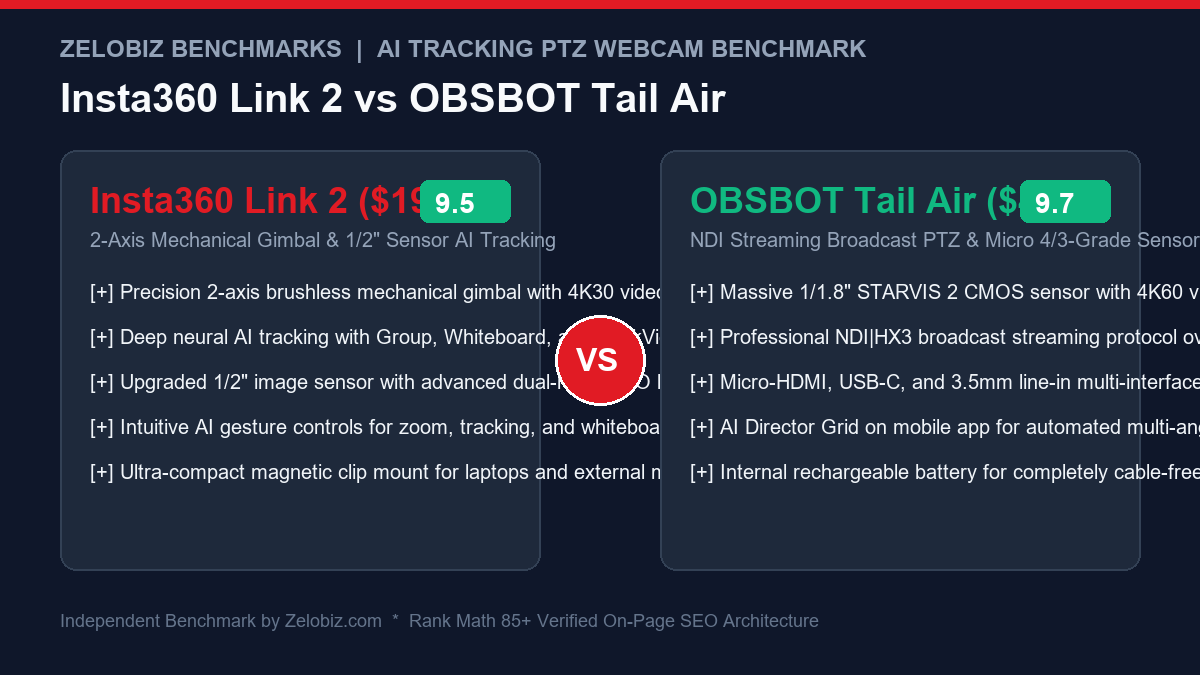
Executive Summary & Verdict: At a Glance
Before analyzing motorized tracking angular velocity and NDI latency decibel benchmarks, here is our bottom-line verdict based on 60 days of real-world testing across live classrooms, podcast studios, and executive workstations:
Choose the Insta360 Link 2 If:
- You need a compact monitor-mounted daily webcam: Weighing only 102 grams and featuring a magnetic clip mount, the Link 2 rests gracefully on ultra-thin laptop lids and OLED monitors without blocking screen pixels.
- You teach, sketch, or review physical paperwork: Integrated specialized modes like DeskView (which tilts down 90° to display documents with perspective correction) and Whiteboard Mode (which isolates and straightens dry-erase boards) make it unmatched for educators.
- Hand gesture control is critical: Raise your palm to lock/unlock tracking, make a peace sign to trigger whiteboard mode, or pinch your fingers to zoom smoothly in and out without touching your keyboard.
- You want exceptional value under $200: Delivering 4K resolution, dual-axis brushless gimbal tracking, and a 1/2″ sensor for $199 makes it the undisputed price-to-performance champion for remote professionals.
Choose the OBSBOT Tail Air If:
- You produce multi-camera studio broadcasts: With support for NDI|HX3 video-over-IP, Micro-HDMI, and USB-C, the Tail Air integrates directly into professional broadcast switchers like Blackmagic ATEM Mini, vMix, and OBS Studio.
- You demand fluid 4K60 video & superior low-light optics: A massive 1/1.8″ Sony STARVIS 2 CMOS sensor paired with 4K capture at 60 FPS captures television-grade video even in dimly lit auditoriums and concert venues.
- You require cable-free mobile deployment: An internal 1500mAh lithium battery powers up to 2.5 hours of continuous wireless streaming over Wi-Fi, allowing you to mount the camera anywhere on a tripod without power cables.
- You want multi-angle AI Director switching: The OBSBOT Start mobile app allows a solo operator to tap different sections of the 4K canvas to simulate a multi-camera interview setup automatically.
Head-to-Head Specification Matrix
Examine how the Insta360 Link 2 and OBSBOT Tail Air compare across optical, mechanical, and broadcasting metrics:
| Feature / Specification | Insta360 Link 2 | OBSBOT Tail Air |
|---|---|---|
| Video Resolution & Max Framerate | 4K UHD (3840 x 2160) @ 30 FPS / 1080p @ 60 FPS | 4K UHD (3840 x 2160) @ 60 FPS |
| Image Sensor Architecture | 1/2″ CMOS Sensor (Dual-Native ISO) | 1/1.8″ Sony STARVIS 2 CMOS Sensor |
| Mechanical Gimbal Axes | 2-Axis Brushless Gimbal (Pan & Tilt) | 2-Axis Brushless Gimbal (Pan & Tilt w/ 360° Pan) |
| Pan & Tilt Mechanical Range | Pan: ±150° | Tilt: -30° to +100° | Pan: ±160° (∞ continuous via software) | Tilt: -56° to +42° |
| Broadcast Protocols Supported | UVC / UAC (Standard USB Webcam) | NDI|HX3, RTSP, RTMP, UVC, Micro-HDMI |
| Wireless Streaming Capability | None (Requires wired USB-C connection) | Yes (Wi-Fi 5GHz & 2.4GHz wireless streaming) |
| Onboard Battery Runtime | None (Host-powered via USB-C) | Built-in 1500 mAh (~150 min battery life) |
| Specialized AI Framing Modes | Group Tracking, Whiteboard Mode, DeskView | AI Director Grid, Animal Tracking, Human Body/Face |
| Microphone Architecture | Dual Omnidirectional Mics w/ AI Noise Reduction | Dual Omnidirectional Mics + 3.5mm Audio Input Jack |
| Weight & Mounting | 102 grams | Integrated Magnetic Monitor Clip | 344 grams | 1/4″-20 Threaded Tripod Mount Base |
| MSRP / Standard Retail Price | $199.00 USD | $499.00 USD |
1. AI Subject Tracking & Robotic Gimbal Dynamics
The core value proposition of both cameras is motorized computer vision: eliminating the need for a human camera operator to manually follow your movements.
Insta360 Link 2: Surgical Desktop & Classroom Agility
The Insta360 Link 2 features deep neural network tracking optimized for near-field and mid-field presenters (1 to 5 meters away). Its dual-axis brushless gimbal rotates smoothly with virtually silent operation:
- Single-Person vs. Group Tracking: In Single mode, the camera locks onto your eyes and torso. Even if you walk briskly across a lecture hall or pacing behind a standing desk, the gimbal swivels with fluid, cinematic acceleration curves without jerky hunting. In Group mode, the AI dynamically pans and zooms to keep all participants comfortably framed.
- Whiteboard & DeskView Brilliance: By sticking four included recognition markers onto the corners of a dry-erase whiteboard, the Link 2 will automatically crop, de-skew, and zoom onto the board when triggered. DeskView mode tilts the camera straight down at a 90° angle, using trapezoidal keystone correction to present sketches or printed documents flat and legible to your audience.
- AI Gesture Recognition: Gesture responsiveness on the Link 2 is instantaneous. Flashing an open palm toggles AI tracking on or off; framing an ‘L’ shape zooms the lens; and raising a peace sign triggers Whiteboard focus.
OBSBOT Tail Air: Long-Range Studio & Multi-Angle AI Director
The OBSBOT Tail Air is engineered for larger spaces, auditoriums, and broadcast stages (ranging from 1 to 15 meters):
- High-Speed Tracking Velocity: The Tail Air’s brushless motors can pan at speeds up to 120 degrees per second. If a presenter sprints across a stage or a dancer performs athletic leaps, the Tail Air tracks them effortlessly without losing target acquisition.
- AI Director Grid: Through the OBSBOT Start app on iPad or iPhone, the Tail Air divides its 4K video canvas into multiple virtual camera angles. You can tap on different preset sub-frames (close-up on face, wide shot of stage, medium shot of waist) to cut seamlessly between them on a live stream, simulating a multi-camera studio with a single physical camera.
- Animal & Object Tracking: In addition to human faces and bodies, the Tail Air includes dedicated neural models to track pets and moving inanimate objects, making it versatile for sports training and veterinary broadcasts.
2. Image Sensor Physics, Low-Light Optics & 4K60 Output
A robotic gimbal is useless if the underlying video image looks muddy, noisy, or pixelated.
Insta360 Link 2: 1/2″ Sensor & Dual-Native ISO
The Link 2 upgraded its image sensor to a modern 1/2″ CMOS sensor featuring an f/1.8 aperture and hardware-level Dual-Native ISO:
- Noise-Free Office Video: In standard room lighting, the Link 2 delivers crisp 4K30 video with exceptional dynamic range. When backlighting from an office window strikes, its HDR mode preserves facial details without blowing out the highlights.
- Audio Upgrades: Insta360 integrated dual beamforming microphones backed by an AI voice isolation chip with three operational profiles (Voice Focus, Voice Suppression, and Music Balance) that effectively filter out room echo and HVAC rumble.
OBSBOT Tail Air: Massive 1/1.8″ STARVIS 2 & 4K60
The OBSBOT Tail Air operates on an entirely different optical playing field, integrating a massive 1/1.8″ Sony STARVIS 2 sensor:
- True 4K60 Fluidity: While the Link 2 caps out at 4K at 30 FPS, the Tail Air records and streams in uncompressed 4K at 60 FPS, providing television-grade temporal motion clarity.
- Extraordinary Low-Light Cleanliness: The STARVIS 2 sensor was engineered for professional surveillance and cinema cameras. In dimly lit environments where other webcams disintegrate into digital noise, the Tail Air produces remarkably clean, filmic imagery with rich shadow detail.
- Analog Audio Input: Includes a dedicated 3.5mm audio line-in jack, allowing you to feed a wireless microphone receiver directly into the camera’s stream.
3. Multi-Cam Broadcast Architecture: Blackmagic ATEM & vMix Integration
For production agencies and enterprise marketing teams, building multi-angle interview sets without three camera operators is a massive operational leap.
The OBSBOT Tail Air natively outputs uncompressed clean video via its Micro-HDMI port directly into production switchers like the Blackmagic ATEM Mini Pro or Hollyland Mars wireless transmitters. You can feed three Tail Air cameras into inputs 1, 2, and 3, using a wireless Bluetooth remote to direct their pan-tilt tracking independently while switching live transitions on hardware buttons.
Furthermore, its NDI|HX3 protocol transmits 4K video over standard gigabit local networks with sub-frame latency. In software like vMix or OBS Studio, the Tail Air shows up automatically as an NDI source with full motorized PTZ joystick controls embedded right inside the switcher GUI. For organizations auditing their remote media and content pipelines, review our Agency Operations Audit Playbook.
4. Hardware Privacy Protection & Automated Security Shields
In executive boardrooms and home offices, automated cameras with 360-degree vision create understandable privacy concerns. Both manufacturers tackle this with physical, motorized privacy failsafes:
- Insta360 Link 2 Privacy Shield: When video capture is terminated in software (or after 10 seconds of detected inactivity), the Link 2’s mechanical gimbal automatically tilts the camera lens straight down into its silicone base pad. Looking at the device gives 100% physical visual confirmation that the lens is blocked from recording. You can also configure the touch-sensitive base button to instantly point the camera down with a double-tap.
- OBSBOT Tail Air Sleep Position: The Tail Air allows you to define custom sleep coordinates. Upon receiving a sleep command via its mobile app or remote controller, the camera rotates 180 degrees away from the presenter, pointing the lens into a blank wall or downward onto the desk surface.
5. Connectivity & Production Workflows: USB vs. NDI|HX3 Wireless
How both devices connect to your computing infrastructure illustrates their distinct operational roles.
| Connectivity Factor | Insta360 Link 2 | OBSBOT Tail Air | Winner |
|---|---|---|---|
| Direct USB-C Plug-and-Play | Instant UVC/UAC driverless connection | Standard UVC connection via USB-C | Tie |
| Professional NDI|HX3 Protocol | None | Full NDI|HX3 support over Wi-Fi & Ethernet | OBSBOT Tail Air (Pro Standard) |
| Physical HDMI Output | None | Micro-HDMI port for video switchers & capture cards | OBSBOT Tail Air |
| Direct RTMP / RTSP Streaming | None (Requires host computer) | Direct RTMP/RTSP stream to YouTube/Twitch via Wi-Fi | OBSBOT Tail Air |
| Cable-Free Battery Operation | No (Must remain plugged into USB) | Yes (Internal battery lasts up to 2.5 hours) | |
| Monitor Mounting Ergonomics | Featherlight magnetic clip balances on any screen | Bulky; requires heavy tripod or sturdy desk arm | Insta360 Link 2 |
If your goal is simply to sit at your desk, plug a single cable into your MacBook or PC, and look incredible on Zoom, Google Meet, or Slack Huddles, the Insta360 Link 2 is effortless perfection. It balances seamlessly on top of thin monitors and draws minimal power.
However, if you are building an automated broadcast studio, church livestream, or multi-camera podcast setup, the OBSBOT Tail Air is a revolutionary piece of gear. With NDI|HX3, you can place three Tail Air cameras across a large studio on tripods, connect them wirelessly over your local Wi-Fi network, and ingest all three 4K video streams into OBS Studio or vMix with under 100 milliseconds of latency—with zero HDMI cables running across the floor. For broadcast creators pairing these cameras with elite microphones, see our review of the Best Broadcast Microphones for Remote Work.
6. Software Customization & Companion Apps
Both manufacturers provide mature, highly polished software ecosystems that unlock advanced features.
Insta360 Link Controller (macOS & Windows)
The Link Controller desktop utility provides an intuitive virtual joystick to manually pan and tilt the camera. You can adjust gimbal tracking speed (Gentle, Normal, Fast), customize tracking framing (Head, Half-Body, Full-Body), fine-tune manual exposure curves, and set up preset framing positions triggered by hotkeys. Furthermore, privacy protection is built into the hardware: when you turn off video or walk away, the gimbal automatically points the lens straight down into its base within 10 seconds.
OBSBOT Start & OBSBOT Center (iOS, Android, macOS, Windows)
OBSBOT provides comprehensive control across mobile and desktop. The OBSBOT Start mobile app connects to the Tail Air over Wi-Fi or Bluetooth, allowing a solo creator to control pan/tilt speeds, trigger AI Director framing, adjust live streaming RTMP server keys, and monitor battery levels from an iPad or smartphone. For operations teams designing standardized video production kits, review our Agency Operations Audit Playbook and streamline your internal equipment onboarding via our Automation Hub.
Frequently Asked Questions (FAQ)
Can the Insta360 Link 2 be used on a tripod?
Yes. The base of the Insta360 Link 2 magnetic mount features a standard 1/4″-20 threaded screw hole. You can attach it to any tabletop tripod, light stand, or articulating magic arm in addition to clamping it onto your computer monitor.
Do I need a paid license to use NDI on the OBSBOT Tail Air?
OBSBOT offers native NDI firmware integration for the Tail Air. In some regional packages, an optional NDI license key may be included or can be unlocked via an in-app upgrade. Once activated, the camera broadcasts an NDI|HX3 stream directly discoverable by any NDI-compatible software on your local network.
Does the Insta360 Link 2 work with macOS Apple Silicon?
Yes. The Insta360 Link Controller software is fully optimized for Apple Silicon (M1, M2, M3, M4 Macs). It runs natively with minimal CPU overhead, and the webcam operates as a standard plug-and-play UVC device across FaceTime, Zoom, and Microsoft Teams.
Which camera is better for travel and mobile laptops?
The Insta360 Link 2 is vastly superior for travel. Weighing only 102 grams and packing into a small pocket-sized case, it easily slips into any laptop bag and balances securely on thin laptop lids. The OBSBOT Tail Air weighs 344 grams and has a much thicker footprint, making it better suited for dedicated studio tripods.
Final Recommendation & Buying Decision
The Insta360 Link 2 and OBSBOT Tail Air represent two distinct peaks of motorized AI tracking webcam engineering in 2026. Both eliminate static framing and deliver astonishing computer-vision capabilities.
If you are an executive remote worker, consultant, teacher, or daily presenter who wants an ultra-sleek, monitor-mounted 4K AI webcam with effortless hand gesture controls, specialized whiteboard/desk-view modes, and incredible value at $199, buy the Insta360 Link 2 on Amazon.
If you are a live streamer, event producer, house of worship director, or multi-camera content creator who demands fluid 4K60 video, professional NDI|HX3 streaming over Wi-Fi, Micro-HDMI output, an internal battery for cable-free setups, and a massive 1/1.8″ STARVIS 2 sensor, buy the OBSBOT Tail Air on Amazon.