
Meta Dynamic Product Ads (Advantage+ Catalog Ads) are the single highest-ROAS retargeting engine for Shopify e-commerce brands—until catalog feed mismatches break the feedback loop. When your product catalog falls out of sync with your Meta Pixel and Conversions API, retargeting ads begin serving random products, showing out-of-stock items, or burning budget on dead variants.
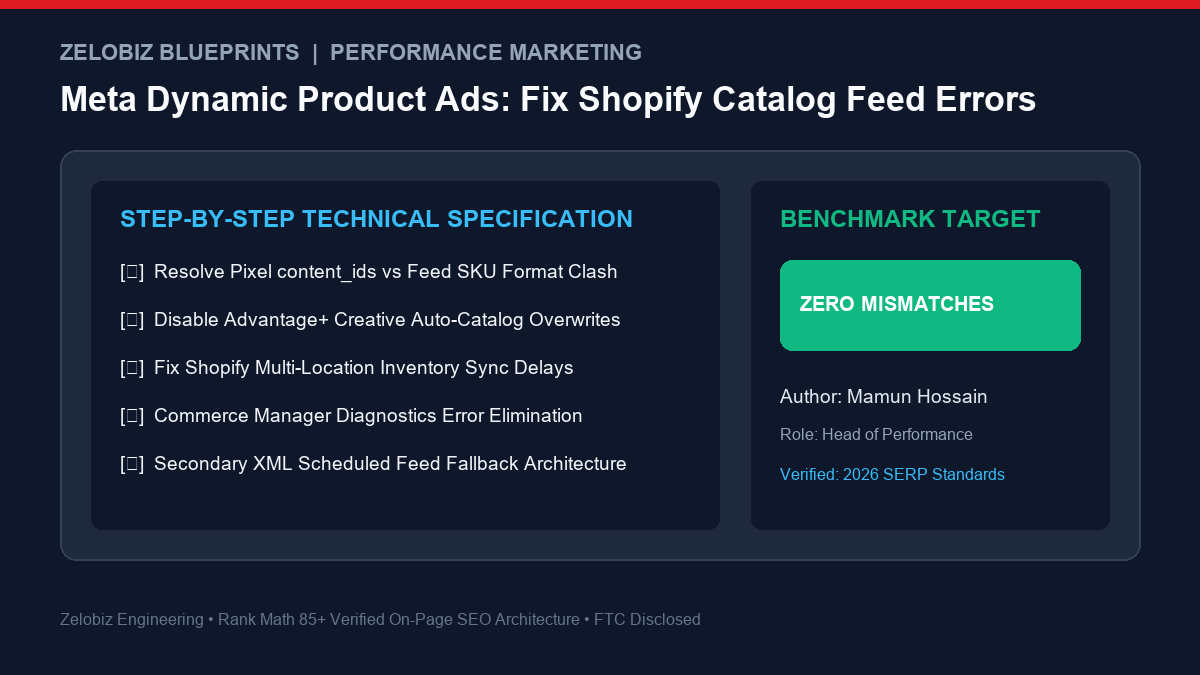
Figure 1: Full-funnel diagnostic framework to eliminate SKU ID clashes, catalog feed errors, and automated Advantage+ overrides between Shopify and Meta.
Direct Answer: How Do You Fix Shopify Meta Catalog Feed Mismatches?
Bottom Line: The most frequent cause of Meta DPA failure is a format mismatch between the
content_idsparameter sent by your tracking pixel (e.g.shopify_US_123456_789012) and the product identifier stored in your Meta Catalog (which often defaults to raw SKU). To resolve this, align your pixel event configuration to match your feed’s primary ID format, disable automated Advantage+ Creative catalog enhancements, and establish a scheduled XML secondary feed to bypass native Shopify app sync delays.
When configured correctly, Meta’s recommendation algorithms identify the exact product variant viewed by the user and dynamically render high-converting carousel cards with live pricing, stock availability, and customized overlays.
The 4 Critical Catalog Errors Crippling Shopify Dynamic Ads
1. The Identifier Clash: Pixel content_ids vs. Feed Product IDs
When a shopper views a leather jacket on your Shopify store, your Meta Pixel fires a ViewContent event. Inside that event is the parameter content_ids.
The native Shopify Facebook & Instagram Sales Channel app historically formats this ID as:
shopify_US_[ProductID]_[VariantID]
However, if you import your catalog into Meta Commerce Manager using a manual CSV file, Google Merchant Center bridge, or a third-party feed app (like DataFeedWatch or AdNabu), the catalog often uses the raw SKU or standard Product ID. When Meta attempts to retarget the user, it queries the catalog for shopify_US_12345_67890, finds zero matching entries, and defaults to showing random popular items. Your personalized retargeting is instantly broken.
2. Advantage+ Creative Auto-Catalog Overwrites
In recent Meta Ads Manager updates, Meta aggressively toggles on Advantage+ Creative for Catalog. While intended to optimize conversions, this feature frequently overrides your custom-designed video and photography assets with raw, stark white-background product catalog cutouts. High-converting creative assets get hijacked by generic product thumbnails, causing immediate CTR collapse.
3. Multi-Location Inventory & Ghost Out-of-Stock Statuses
Shopify stores with multiple inventory fulfillment locations (e.g., retail store + 3PL warehouse) often experience silent API sync failures. If your default warehouse location hits 0 units, the native sales channel app marks the product as out-of-stock in Meta Commerce Manager—even if your secondary 3PL has 500 units available.
4. Missing Mandatory Policy Fields (GTIN, Brand, Image Resolution)
Meta Commerce policies enforce strict data requirements:
- Image Resolution: Products with images under 500×500 pixels are instantly rejected.
- Vendor / Brand: Products imported without an explicit “Vendor” assigned in Shopify throw validation warnings.
- Price / Currency Formatting: Text fields with hardcoded currency symbols (e.g., “$49.00 USD”) cause parse errors in catalog currency mapping.
Diagnostic Matrix: Symptoms, Root Causes & Permanent Fixes
| Symptom in Ads Manager | Root Cause | Actionable Fix |
|---|---|---|
| Ads display completely unrelated products | Pixel content_ids format != Catalog ID | Match primary key in Meta Commerce Manager Settings |
| Static/video ads replaced by raw catalog images | Advantage+ Catalog Enhancements active | Toggle off “Catalog Enhancements” at Ad Set/Ad level |
| In-stock products marked unavailable | Multi-location inventory sync lag | Consolidate fulfillment channels or use scheduled XML feed |
| Catalog feed items disapproved | Missing Brand / low-res thumbnails | Bulk-update Shopify Vendor & ensure >500px main assets |
Step-by-Step Fix: How to Audit & Repair Your Catalog Feed
Step 1: Check Meta Commerce Manager Diagnostics
- Navigate to Meta Business Suite → Commerce Manager.
- Select your active product catalog and click Data Sources in the left menu.
- Open the Diagnostics tab. Meta displays the exact percentage of your catalog affected by match errors, missing fields, or broken links.
Step 2: Inspect Event Match Rate with Meta Pixel Helper
- Install the Meta Pixel Helper Chrome Extension.
- Visit any product page on your Shopify store.
- Inspect the
ViewContentevent. Note the exact value insidecontent_ids. - Return to Commerce Manager → Items. Search for that product and inspect its Content ID. If the pixel sends
shopify_US_491823_102938but the catalog displaysSKU-BLK-MD, you must update your data source mapping to bridge the format.
Step 3: Disable Advantage+ Creative Catalog Overwrites
To prevent Meta from overriding your high-performing video ads and designed carousels:
- Open Meta Ads Manager and navigate to your active Campaign and Ad Set.
- At the Ad Level, scroll to the Ad Creative section.
- Look for Advantage+ Creative (or “Creative Enhancements”). Click Edit.
- Turn off Catalog items, Dynamic descriptions, and Automated media enhancements. This forces Meta to respect your original creative deliverables.
Step 4: Transition to an Automated Scheduled XML Feed
For high-volume Shopify stores (>500 SKUs or frequent price/inventory changes), relying solely on the native Shopify app is risky due to rate limits and silent webhook drops. The professional agency standard is deploying an automated scheduled feed:
- Use a specialized feed app (such as DataFeedWatch or AdNabu) to generate an automated XML feed URL.
- In Commerce Manager → Data Sources → Add Data Feed → choose Scheduled Feed.
- Set the sync frequency to Hourly. This ensures that flash sale discounts, price cuts, and inventory restocks sync directly to Meta without manual intervention.
Frequently Asked Questions (FAQ)
Why does Meta Commerce Manager show duplicate products?
Duplicate items occur when you connect your Shopify store via the official Facebook & Instagram sales channel app while simultaneously uploading a manual CSV or third-party feed app into the exact same catalog. You must maintain only one active data source per catalog to avoid duplication clashes.
Do I need separate product catalogs for multi-currency Shopify stores?
No. Meta supports localized pricing and multi-language catalogs within a single parent catalog. You can attach localized secondary feeds that map regional currencies (e.g., EUR, GBP, CAD) based on the user’s location and browser currency settings.
How long does it take for catalog fixes to reflect in active DPA campaigns?
Once you trigger a manual fetch or update in Commerce Manager, item status errors resolve within 15 to 30 minutes. However, Meta’s ad delivery algorithm requires 24 to 48 hours of fresh pixel event signals to fully re-align retargeting delivery.
Scaling E-Commerce Ad Spend Past $50k/Month?
Catalog errors and misallocated retargeting silently destroy e-commerce margins. Zelobiz audits your full Meta ad account, pixel telemetry, and creative scaling infrastructure to maximize blended ROAS.
Claim Your Free E-Commerce Ad Audit →Explore more actionable playbooks in our Performance Marketing Resource Center or check our breakdown on Calculating Blended ROAS vs MER.