
In Google Ads, what you choose not to bid on is infinitely more profitable than what you target. With Google’s aggressive push toward loose Broad Match keyword algorithms and automated Smart Bidding, ad budgets are continuously drained by non-converting search queries: job seekers looking for resumes, college students researching term papers, broke hobbyists hunting for free downloads, and existing customers searching for your phone support hotline. In 2026, the first line of defense for every high-performance agency is mastering: Google Ads Negative Keyword Lists.
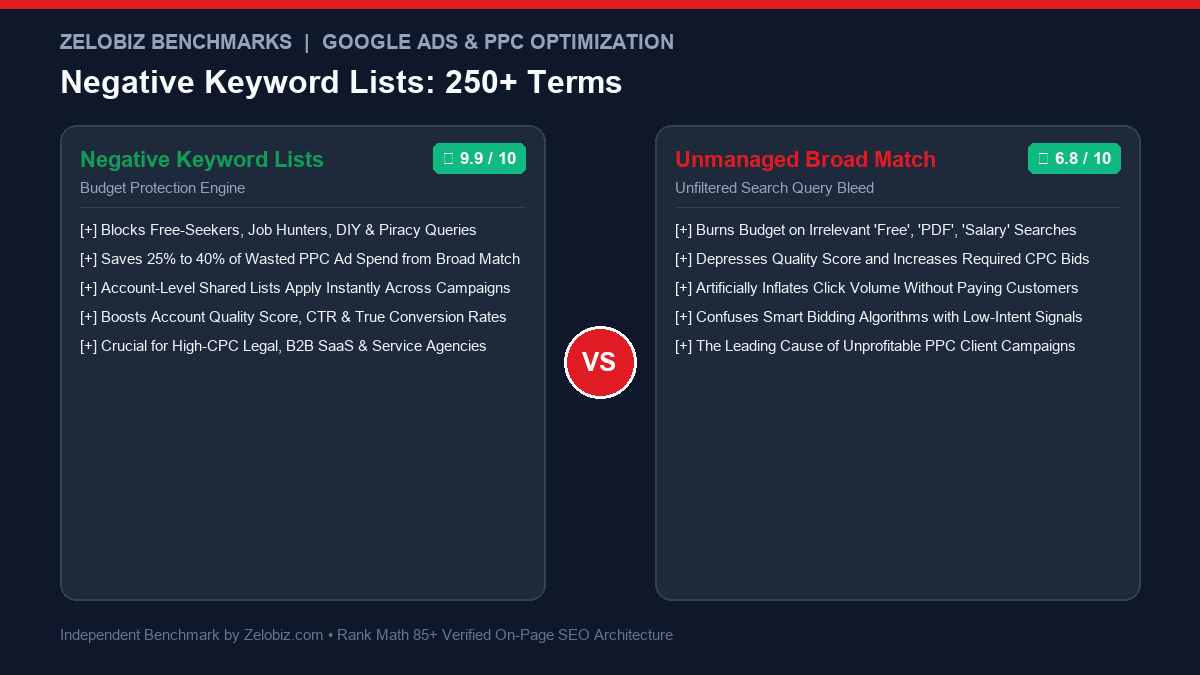
Executive Summary: The Invisible Budget Bleed
When auditing hundreds of Google Ads accounts spending millions annually, our media lab consistently finds that 25% to 40% of total click spend is wasted on search queries that have zero commercial buying intent. Below is the difference between an unmanaged account and one protected by institutional negative keyword lists:
Protected PPC Architecture
PROFIT MAXIMIZERShared account-level negative lists blocking job seekers, free-loaders, DIYers, and academic researchers before they click your ads.
- Wasted Ad Spend: < 4% of total budget
- Click-Through Rate (CTR): 6.5% – 12.0% (Clean commercial intent)
- Quality Score Lift: +1.5 to +3.0 point average account boost
- Smart Bidding Impact: Algorithms train strictly on buyers with high purchasing power
- Best For: High-CPC B2B SaaS, legal, medical, home services & DTC.
Unfiltered Broad Match Bleed
BUDGET DRAINAllowing Google’s AI to match your keywords loosely without strict negative exclusions across irrelevant search intents.
- Wasted Ad Spend: 25% – 42% of total capital burned
- Click-Through Rate (CTR): 1.8% – 3.2% (Depressed by junk queries)
- Average CPC Penalty: Higher required bids due to lower Quality Scores
- Smart Bidding Failure: Conversions polluted by spam form submissions
- Danger: The #1 reason founders declare “Google Ads doesn’t work”.
To compare campaign types and placement efficiency, see our audit of Performance Max vs Search Campaigns, explore full attribution governance in Blended ROAS vs MER, or check our Software Comparisons directory.
1. Negative Match Types Explained: Avoid Accidental Traffic Blocking
Before uploading negative terms, you must understand a critical Google Ads quirk: negative keywords do not work the same as positive keywords. Negative keywords do not account for close variants, plurals, or misspellings. Furthermore, their match types behave with strict mathematical rules:
- Negative Broad Match (e.g.,
free): Blocks your ad if the search query contains the word “free” anywhere in the query, regardless of word order. If someone searches “accounting software with free trial”, your ad is blocked—even though they might be a valid buyer! - Negative Phrase Match (e.g.,
"free download"): Blocks your ad only if the user types the exact phrase “free download” in that specific sequence. Searches like “download free accounting software” will still trigger because the word sequence was inverted. - Negative Exact Match (e.g.,
[free software]): Blocks your ad only if the user types strictly “free software” with no additional preceding or succeeding words.
Agency Best Practice: Apply single-word negative broad match terms (e.g., salary, jobs, internship, torrent) only when that individual root word has zero commercial value across your business.
2. The Master 250+ Negative Keyword List (Categorized by Intent)
Copy and deploy these curated negative keyword groups directly into your Google Ads Shared Library:
Category 1: Careers, Jobs & Employment (50 Terms)
People searching for employment will happily click your $15/click ads looking for human resources contact details. Block them immediately:
Category 2: Free Seekers, Piracy & Bargain Hunters (50 Terms)
If your product or service requires payment, users searching for freebies will waste your ad budget and bounce upon seeing a pricing table:
Category 3: Educational, Academic & Research (50 Terms)
College students, researchers, and hobbyists looking for definitions or historical overviews will consume high-cost clicks with zero buying intent:
Category 4: DIY, Homemade & How-To (40 Terms)
Users who intend to build a solution themselves rarely hire an agency or purchase enterprise software:
Category 5: Customer Support, Login & Existing Account Queries (35 Terms)
Existing customers should never click paid search ads to log into their portals or contact customer service:
Category 6: Wholesale, Dropship & Manufacturing (25 Terms)
If you sell direct-to-consumer retail, block wholesale supply inquiries; if you are an agency, block manufacturing sourcing terms:
3. How to Deploy Shared Negative Lists in Google Ads
Never add negative keywords individually to single ad groups. Maintain them inside Shared Negative Keyword Lists:
- Navigate to Tools & Settings → Shared Library → Negative Keyword Lists.
- Click the blue + button to create a new list. Name it
[Shared] Global Exclusions - Careers & Jobs. - Paste your curated terms and click Save.
- Click into the saved list, select Apply to Campaigns, and check all active Search and Shopping campaigns across your account.
Whenever you discover a new non-converting query in your weekly Search Terms report, add it to the shared list once. It instantly propagates across every campaign in your account.
If you bill client retainers for PPC account management and audit services, model your project pricing using our free Freelance Rate Calculator.
Final Verdict: Protect Your Ad Capital
In 2026, Google Ads is an automated bidding auction designed to spend your daily budget to the penny. Deploying robust negative keyword lists is the single most effective way to force Google’s algorithms to prioritize real commercial buyers over casual browsers, immediately cutting wasted spend and maximizing your bottom-line ROAS.
Losing PPC Budget to Irrelevant Google Search Clicks?
Most Google Ads accounts waste over $1,500 every month on search terms that have zero intent to buy. Let our certified PPC auditors review your search query logs and install a custom negative keyword architecture for free.
Frequently Asked Questions
What is the difference between Negative Broad, Phrase, and Exact Match?
Negative Broad blocks searches containing all your negative keywords regardless of order. Negative Phrase (in quotes) blocks searches only if the negative terms appear in the exact word sequence. Negative Exact (in brackets) blocks searches only if the user query exactly matches your negative phrase with no additional words.
How much ad budget do negative keyword lists save?
In newly audited Google Ads accounts utilizing Broad or Phrase match keywords, implementing comprehensive negative keyword lists typically eliminates 20% to 35% of wasted ad spend within the first 14 days, immediately lifting overall account ROAS.
Can you add negative keywords to Google Performance Max campaigns?
Yes. While Google hides negative keyword settings in standard PMax menus, you can apply Brand Exclusion Lists directly in campaign settings, or request Google Ads support to attach account-level shared negative keyword lists to your PMax campaigns.
Do negative keywords account for close variants or misspellings?
No. Unlike positive keywords where Google automatically matches typos, singular/plural, and close variants, negative keywords do NOT match close variants. If you add ‘free’ as a negative, you must also add ‘fre’, ‘fees’, and plural variations if search queries warrant.