
Affiliate disclosure: This post contains an affiliate link. If you buy through it, Zelobiz may earn a commission at no extra cost to you. That doesn’t change what we say below.

MimicPC runs AI image, video, and audio generation tools entirely in the cloud, letting you use Stable Diffusion, ComfyUI, and similar open-source creative AI software directly from a browser without owning a powerful, expensive graphics card yourself. It sold as an AppSumo lifetime deal in 2025, and we checked back in 2026 on whether it’s still purchasable, what it costs, and what buyers actually experienced after a year or more of use.
What MimicPC actually does
Generative AI tools like Stable Diffusion and ComfyUI are powerful but demanding, typically requiring a high-end graphics card most people don’t own to run at usable speed. MimicPC’s pitch is to move that computing load to the cloud: the actual model runs on MimicPC’s servers, and you interact with it through a browser interface, meaning a laptop with no dedicated GPU can still generate images or video at full speed. The platform comes with Stable Diffusion, ComfyUI, WebUI Forge, and AudioCraft pre-installed and ready to use, rather than requiring you to install and configure each one yourself, which for these particular tools is often the hardest part of getting started at all.
The gap between simply wanting to try Stable Diffusion and actually having it up and running smoothly on your own machine is a well-known, long-standing frustration across this entire space of open-source generative AI tools. A local install typically means dealing with Python environments, CUDA driver versions, and dependency conflicts that can eat an entire afternoon before generating a single image, and that’s before accounting for the cost of a graphics card capable of running these models at a reasonable speed in the first place. MimicPC’s entire value proposition rests on skipping that whole setup phase completely and immediately, trading a subscription or one-time lifetime payment for real time saved on configuration rather than money saved specifically on hardware purchases.
Beyond basic image generation, MimicPC includes face-swapping tools (FaceFusion and Roop-Unleashed) and supports training custom LoRA models, a technique for teaching an AI model a specific style, character, or subject from your own reference images. Ready-to-use workflow templates are meant to shortcut the more complex, fiddlier parts of tools like ComfyUI specifically, which has a notably steep learning curve for anyone new to its particular style of node-based, visually connected AI workflows.
Is the AppSumo deal still available?
No. MimicPC shows “This deal is unavailable” on AppSumo, the standard notice for a sold-out lifetime deal. There’s no active purchase path, only an email signup for restock notifications.
The deal sold across three lifetime plans, each combining a flat monthly credit allowance with a cap on active usage hours:
| Plan | Monthly credit | Usage hours/month | Storage |
|---|---|---|---|
| Plan 1 | $10 | 20 hours | 50 GB |
| Plan 2 | $20 | 40 hours | 50 GB |
| Plan 3 (3 codes) | $35 | 70 hours | 50 GB |
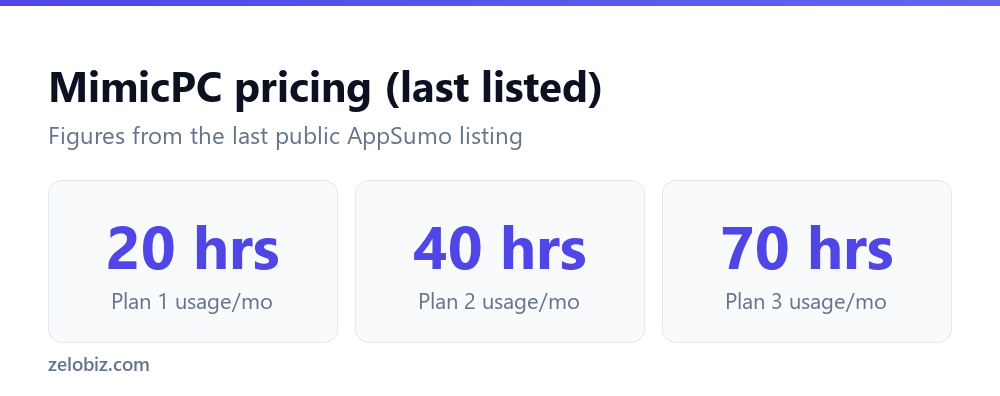
The monthly credit is essentially a compute allowance, spent gradually as you generate images, train custom models, or run other GPU-intensive tasks, layered on top of a separate, hard cap on total active usage hours allowed per calendar month regardless of remaining credit. All plans carried the standard 60-day AppSumo refund window.
Setting it up in practice
Getting started is faster than a local install of the same tools would be, since there’s no driver configuration or dependency conflicts to work through, just log in and open one of the pre-installed applications. Reviewers consistently described the platform itself as fast, stable, and responsive, which matters a lot for cloud-hosted GPU tools, since a laggy or unreliable remote session defeats the purpose entirely. The workflow templates help newcomers get a usable result faster than starting from ComfyUI’s blank node canvas, though several reviewers noted that when something inside a pre-made workflow breaks or produces an unexpected error, troubleshooting it without existing coding or ComfyUI knowledge is a real, sometimes frustrating challenge. The platform hands you working templates, but debugging one when it stops working is closer to a technical task than a point-and-click one.
That distinction matters for setting expectations correctly before buying. MimicPC solves the infrastructure problem, no GPU to buy, no drivers to configure, but it doesn’t solve the underlying complexity of tools like ComfyUI itself, which was designed as a flexible, node-based system for people comfortable thinking in terms of connected processing steps rather than a single simple prompt box. Someone expecting an experience as simple as typing a single prompt into a consumer AI image app like Midjourney should calibrate their expectations accordingly before purchasing, since MimicPC is fundamentally a hosting layer for existing, more technical open-source tools rather than a simplified product built from scratch around ease of use for total beginners.
Key features
LoRA model training is one of the more advanced, genuinely useful features here for anyone doing repeated, consistent creative work, training a model on a specific character design or art style once, then generating unlimited new variations of that same subject afterward, rather than trying to recreate consistency through prompting alone every single time. Face-swapping tools serve a narrower but real use case, useful for certain kinds of creative and entertainment content, though this whole category of software understandably invites more scrutiny around consent and appropriate use than a straightforward, subject-agnostic image generator typically does. Anyone using it should stay mindful of that distinction and the platforms and audiences they’re sharing generated content with.
An automatic shutdown feature that pauses idle sessions is a smaller but practical detail, saving both cost and energy by not leaving GPU compute running against your usage hours while you’re not actually at the keyboard using it.
Community support through Discord is worth calling out as a feature in its own right, even though it’s not a formal product feature listed in the marketing. Several reviewers specifically credited the Discord community, and an engaged team responding inside it, with helping them work through the exact kind of workflow troubleshooting that a written help doc can’t always anticipate. For a tool whose primary complaint is that debugging broken workflows is hard without coding knowledge, having a responsive community filling that gap in real time is a meaningful, if informal, part of the overall value proposition that a simple feature list on a sales page never fully captures.
How it compares to the alternatives
| Tool | Pricing model | Best for |
|---|---|---|
| MimicPC | One-time payment (when available) | Budget-friendly cloud access to open-source AI tools |
| RunDiffusion | Hourly/monthly subscription | More powerful hardware tiers for heavier workloads |
| ThinkDiffusion | Monthly subscription, tiered | Similar cloud ComfyUI hosting, ongoing cost |
| Local install (own GPU) | One-time hardware cost | Heavy, frequent users who justify owning a GPU |
RunDiffusion and ThinkDiffusion are the closest direct competitors, both offering similar cloud-hosted access to Stable Diffusion and ComfyUI, both running on ongoing subscription pricing that scales with usage. MimicPC’s lifetime pricing undercut both for a light-to-moderate user whose monthly usage stayed within the hour caps. For someone generating AI images and video constantly as a full-time part of their work, owning a dedicated GPU and running everything locally eventually becomes cheaper than any cloud option, MimicPC included, though that requires a real, non-trivial upfront hardware investment most casual users aren’t looking to make right now. A mid-range GPU suitable for running Stable Diffusion at a reasonable, usable speed typically runs several hundred dollars on its own, well before accounting for the rest of a capable machine built around it, so the actual breakeven point against any cloud subscription depends heavily on exactly how many hours a month someone realistically spends generating images or video in practice, not just in theory.
What users say
MimicPC holds a solid rating around 4.33 out of 5 from 79 verified AppSumo reviews. Positive reviews consistently described the platform as fast, robust, and stable, with an engaged team providing genuinely useful support through Discord. The most substantive complaints came from two different directions: beginners found pre-made workflows harder to troubleshoot than expected when something broke, since fixing a ComfyUI node error without any coding background is a real skill gap regardless of which platform is hosting it, and some lifetime deal buyers felt the day-to-day experience was too similar to what a free-tier user gets, with lifetime credits limited specifically to open-source models rather than unlocking any premium or proprietary models beyond what was freely available anyway.
Pros
- Solid review score (4.33/5) from a meaningful sample of verified buyers
- Pre-installed Stable Diffusion, ComfyUI, WebUI Forge, and AudioCraft, no local setup required
- Fast, stable performance reported consistently across reviews
- LoRA model training and face-swapping tools included
- One-time payment undercut ongoing cloud GPU subscription competitors for lighter users
Cons
- Currently sold out, with no confirmed restock date
- Troubleshooting broken workflows requires technical knowledge some beginners don’t have
- Lifetime credits are limited to open-source models, not premium or proprietary ones
- Some lifetime buyers felt the experience was too close to the free tier day to day
- Hard monthly usage-hour caps limit how much heavy, sustained use a plan can absorb
Who it’s for
MimicPC made the most sense for someone who wants occasional-to-moderate access to Stable Diffusion and ComfyUI without buying a powerful GPU, comfortable working with existing workflow templates and willing to accept some technical troubleshooting when something breaks. It was a weaker fit for a complete beginner expecting a fully guided, error-proof experience with no troubleshooting required, and for a heavy daily user whose usage would consistently bump against the monthly hour caps, at which point a dedicated hourly cloud GPU service or eventually local hardware starts to make more financial sense over the long run. Somewhere in between those two extremes, a hobbyist generating images a few times a week for a personal project or a small side business, is where MimicPC’s pricing and feature set line up best with actual day-to-day usage patterns.
Verdict: is MimicPC worth it?
With the deal sold out, this is mainly useful for people deciding whether a restock is worth waiting for. The 4.33 rating and consistent praise for platform stability are genuine positives, and the pricing math favored a light-to-moderate user over an ongoing subscription competitor. The realistic caveat is that this tool assumes some comfort with the underlying technology, ComfyUI’s node-based workflows aren’t point-and-click simple for anyone, cloud-hosted or not, and MimicPC doesn’t remove that learning curve entirely, just the hardware barrier to accessing it. If it returns and that tradeoff fits your skill level and usage pattern, it remains a reasonable, budget-friendly way into this category of tool without having to gamble several hundred dollars on a graphics card first to find out whether you’ll actually stick with generative AI as a hobby or a business tool.
Frequently asked questions
How much would a comparable GPU cost to run these tools locally instead?
A mid-range graphics card suitable for Stable Diffusion at usable speed typically costs several hundred dollars on its own, before the rest of a capable machine, making a cloud option like MimicPC cheaper for lighter, occasional use.
Is MimicPC still available on AppSumo?
No, the deal is marked unavailable on AppSumo with no confirmed restock date.
Do I need a powerful computer to use MimicPC?
No, that’s the core value proposition: the AI processing runs on MimicPC’s cloud servers, so a basic laptop with a browser is enough to access it.
Why did some lifetime buyers feel disappointed with MimicPC?
Some reviewers felt the day-to-day experience was too similar to what a free-tier user already gets, since lifetime credits are restricted to open-source models rather than unlocking premium ones.
Is MimicPC beginner-friendly?
Partially. Pre-built workflow templates help beginners get started, but troubleshooting an error inside one of those workflows typically requires some technical or ComfyUI-specific knowledge.
What’s a comparable alternative while this is sold out?
RunDiffusion and ThinkDiffusion both offer similar cloud-hosted Stable Diffusion and ComfyUI access on ongoing monthly subscriptions.
Check the live status of the deal on AppSumo’s MimicPC page before assuming it has returned.