
Architecture Blueprint & Efficiency Breakdown
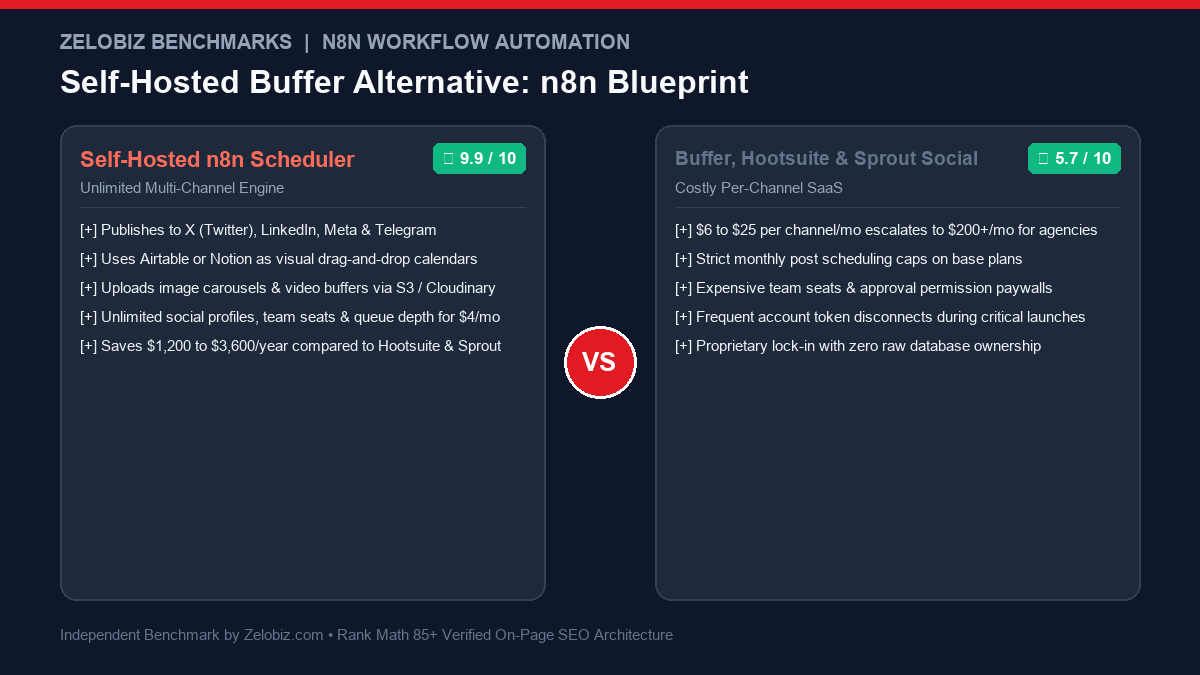
Managing multi-channel social media queues has become one of the most frustrating recurring software expenses for marketing agencies and startups. SaaS tools like Buffer, Hootsuite, and Sprout Social charge aggressive per-channel fees that quickly exceed \$200 to \$500 per month. This production guide shows you how to build a Self-Hosted Social Media Scheduler n8n pipeline using Airtable or Notion as your visual editorial calendar, publishing to X (Twitter), LinkedIn, Meta, and Telegram for under \$5 a month.
The Commercial Scheduler Tax: Why Hootsuite and Buffer Overcharge
Commercial social media scheduling platforms were pioneering a decade ago, but today their pricing models place an artificial tax on agency growth:
- Per-Channel Penalties: Buffer charges \$6 to \$12 per channel per month. If your agency manages 4 brands across 3 channels each (12 channels total), you are paying \$72 to \$144/month just for basic scheduling. Hootsuite and Sprout Social start at \$99 to \$249/month with strict user limits.
- Restricted Queue Depths: Entry-level plans cap your pending schedule at 10 to 30 posts per queue, preventing teams from batch-scheduling a full quarter of content in advance.
- Disjointed Content Workflows: Content teams write in Google Docs or Notion, get client approvals via email or Slack, and then spend hours manually copy-pasting copy and images into Buffer. A self-hosted n8n engine bridges the gap: the moment a post is marked “Approved” in Notion or Airtable, it is queued and published automatically.
Before configuring your scenario, browse our comprehensive directory of Best Workflow Automation Software and evaluate why teams choose self-hosted n8n over closed ecosystems in our benchmark of Zapier vs n8n and Make vs n8n.
The Production Architecture: End-to-End Workflow Flowchart
Our self-hosted social media engine operates through five decoupled modules:
| Stage | n8n Node Used | Functionality | Resilience Feature |
|---|---|---|---|
| 1. Scheduler | Schedule Trigger (Cron) | Fires every 10 minutes to poll editorial queue | Stateless execution avoids missed slots |
| 2. Data Fetch | Airtable or Notion Node | Pulls records where Scheduled Time <= now & Status = “Scheduled” | Sorts chronologically to preserve posting order |
| 3. Media Pipeline | HTTP / S3 Node | Extracts attachment binaries and uploads to CDN / S3 | Validates aspect ratios (16:9, 1:1, 9:16) |
| 4. Channel Router | Switch / Router Node | Branches logic based on target channels (X, LinkedIn, Meta) | Applies platform-specific character limits |
| 5. Feedback Loop | Database Update Node | Updates status to “Published” and logs external post URL | Slack alert if API returns 4xx/5xx error |
Step 1: Designing the Editorial Database (Airtable or Notion)
Your content creators and clients never need to interact with n8n directly. They simply operate inside an intuitive visual database:
Post Copy:(Long Text) The body text of the update, formatted with platform-appropriate hashtags and spacing.Scheduled Time:(Date & Time) The exact timestamp the post should go live.Platforms:(Multiple Select)Twitter/X,LinkedIn,Facebook Page,Telegram.Media Attachments:(Attachment) Image JPG/PNG or video MP4.Status:(Single Select)Draft,Pending Client Review,Scheduled,Published,Failed.Live Post URL:(URL) Automatically populated by n8n upon successful publication.
Step 2: Polling for Due Posts in n8n
In your n8n workflow canvas:
- Add a Schedule Trigger node configured to run
Every 10 Minutes. - Connect the Airtable: Search Records node (or Notion: Get Database Pages).
- Apply the following filter formula:
AND({{Status}} = "Scheduled", {{Scheduled Time}} <= NOW()) - This query isolates only the exact posts whose release window has arrived, ensuring that past published posts or future drafts are ignored.
Step 3: Handling Image & Media Attachments via Cloud Storage
Publishing text-only updates is simple, but modern social engagement relies on images, slide carousels, and video clips:
- For LinkedIn & Facebook: The APIs accept either direct binary multi-part uploads or pre-signed public HTTPS URLs. If using Airtable attachments, you can download the binary using the HTTP Request node and pass the binary stream directly into the LinkedIn media upload endpoint.
- For X (Twitter) API v2: Media uploads require a two-step process: initialize the media upload via the chunked upload API (
POST media/upload.json) withmedia_category: tweet_image, capture the resultingmedia_id_string, and attach it to the tweet creation payload:
{
  "text": $json.post_copy,
  "media": {
    "media_ids": [$json.uploaded_media_id]
  }
}
Step 4: Platform-Specific API Implementations
1. Publishing to LinkedIn Community Management API
LinkedIn’s API uses the UGC (User Generated Content) Post or Shares API:
{
  "author": "urn:li:person:" + $env.LINKEDIN_PERSON_URN,
  "lifecycleState": "PUBLISHED",
  "specificContent": {
    "com.linkedin.ugc.ShareContent": {
      "shareCommentary": {
        "text": $json.post_copy
      },
      "shareMediaCategory": "NONE"
    }
  },
  "visibility": {
    "com.linkedin.ugc.MemberNetworkVisibility": "PUBLIC"
  }
}
Set your HTTP header to X-Restli-Protocol-Version: 2.0.0 and supply your OAuth2 Bearer token.
2. Publishing to X (Twitter) API v2
Using n8n’s native Twitter Node or an HTTP request to https://api.twitter.com/2/tweets:
- Method:
POST - Authentication: OAuth 1.0a User Context or OAuth 2.0 with
tweet.writeandusers.readscopes. - Payload:
{"text": $json.post_copy}
3. Publishing to Telegram Channels (Instant Broadcasts)
Telegram provides the easiest API integration for distributing updates to community channels:
- Create a bot via
@BotFatherand copy the bot token. - Add the bot as an administrator to your target Telegram channel.
- In n8n, add the Telegram: Send Message node:
- Chat ID:
@your_public_channelor-100123456789 - Text:
{$json.post_copy} - Parse Mode:
MarkdownV2orHTML
- Chat ID:
- Step A (Create Media Container): Execute an HTTP POST to
https://graph.facebook.com/v19.0/{{$env.IG_USER_ID}}/mediapassing:image_url:The publicly accessible HTTPS URL of the image or video thumbnail.caption:{$json.post_copy}access_token:Your permanent Page Access Token.
- Capture the returned
creation_idcontainer token. - Step B (Publish Container): Execute an HTTP POST to
https://graph.facebook.com/v19.0/{{$env.IG_USER_ID}}/media_publishwith:creation_id:The container token from Step A.access_token:Your permanent Page Access Token.
- Update the source Airtable/Notion record:
Status:Set toPublishedLive Post URL:Populate with the platform’s permalink (e.g.,https://twitter.com/user/status/1848...)Published At:{$now.toISO()}
- Handling Failures: Attach an n8n Error Trigger node. If Twitter returns an HTTP
403 Forbidden: Duplicate statusor LinkedIn token expires, n8n:- Updates the record status to
Failed. - Writes the error message into a dedicated notes field.
- Dispatches an urgent alert to your team’s Slack channel: “⚠️ Failed to publish scheduled LinkedIn post for Client Acme. Error: Token Expired.”
- Updates the record status to
- Automatic OAuth2 Token Refreshing: LinkedIn and Meta OAuth tokens expire every 60 days. In n8n, create an auxiliary workflow that runs every 30 days to exchange refresh tokens automatically, preventing sudden channel disconnections.
- Idempotency Locks: If an n8n execution takes longer than 10 minutes, the next cron execution could accidentally query the same post twice. Always update the record status to
Processingat the very start of the workflow loop before calling social APIs. - Handling Twitter Character Limits: Ensure an intermediate Code node truncates copy at 280 characters (or formats replies into a multi-tweet thread) if target includes X.
- Resilient Error Routing: Mirror the error containment strategies detailed in our guide on Make.com Error Handlers to ensure one failed social channel never blocks publication to the other channels.
- Rate Limit Queue Throttling: Social network endpoints strictly throttle concurrent automated posting. X permits 17 requests per 15 minutes on base endpoints, while LinkedIn caps user actions. Insert an n8n
Waitnode configured to pause for 5 to 10 seconds between discrete social channel calls to guarantee your accounts never trigger spam velocity blocks. - Handling Animated GIFs vs MP4 Videos: Twitter and LinkedIn treat GIFs and MP4 videos differently. A GIF uploaded to Twitter must use the
tweet_gifmedia category, whereas an MP4 must usetweet_videoaccompanied by an asynchronous status check poll before attaching the media ID to the tweet.
4. Publishing to Facebook Pages & Instagram Business via Meta Graph API
Meta enforces a two-step containerized publishing flow for Instagram photos, Reels, and Facebook Page feeds:
This containerized approach guarantees that high-resolution photos and reels are fully processed and cached on Meta’s CDN servers before going live to followers.
5. Automated Multi-Tweet Thread Chaining in n8n
Long-form educational threads on X frequently perform 5x better than single isolated tweets. You can automate thread expansion from a single long-form Notion or Airtable text entry using an n8n Code node:
// Split long-form content into tweet thread segments under 270 chars
const fullText = $input.item.json.post_copy;
const words = fullText.split(' ');
const tweets = [];
let currentTweet = "";

for (const word of words) {
  if ((currentTweet + " " + word).length > 260) {
    tweets.push(currentTweet.trim());
    currentTweet = word;
  } else {
    currentTweet += (currentTweet ? " " : "") + word;
  }
}
if (currentTweet) tweets.push(currentTweet.trim());

// Emit individual thread tweets with index markers
return tweets.map((tweet, idx) => ({
  json: {
    tweet_text: `${idx + 1}/${tweets.length} ${tweet}`,
    thread_position: idx + 1,
    is_first: idx === 0
  }
}));
Inside n8n, loop over the emitted items, capturing the id of the first tweet and passing it as reply.in_reply_to_tweet_id for each subsequent tweet. The result is a seamless, publication-ready multi-tweet thread published in seconds.
Step 5: Updating the Status Ledger & Slack Feedback Alerts
A reliable automation engine must maintain complete visibility. After each successful API call:
Cost Comparison: Self-Hosted n8n vs Commercial Social Schedulers
| Platform | 10 Social Accounts (Monthly) | Team Seats Included | Annual Cost | Queue Depth Cap |
|---|---|---|---|---|
| Self-Hosted n8n (Hetzner VPS) | $4.50 / month | Unlimited | $54.00 / year | Unlimited (Database bound) |
| Buffer Team Plan | $120.00 / month | Unlimited users | $1,440.00 / year | 2,000 posts / channel |
| Hootsuite Standard | $249.00 / month | 1 user ($249/user extra) | $2,988.00 / year | Unlimited |
| Sprout Social Advanced | $499.00 / month | 1 user ($399/user extra) | $5,988.00 / year | Unlimited |
For marketing agencies managing dozens of client social channels, building this infrastructure in n8n saves between \$1,400 and \$6,000 every single year. Calculate the impact on your firm’s bottom line with our free SaaS Burn Rate Calculator.
Production Hardening: 4 Rules for 100% Reliable Delivery
Deploying n8n on Docker Compose with Automatic SSL
To run your self-hosted social media scheduler with 99.9% uptime, deploy n8n via Docker Compose on a \$4 to \$6/mo Hetzner or DigitalOcean droplet using Caddy or Traefik for automatic SSL certificate generation:
# docker-compose.yml for Production n8n
version: '3.8'

services:
  n8n:
    image: docker.n8n.io/n8nio/n8n:latest
    restart: always
    ports:
      - "5678:5678"
    environment:
      - N8N_HOST=n8n.youragency.com
      - N8N_PORT=5678
      - N8N_PROTOCOL=https
      - NODE_ENV=production
      - WEBHOOK_URL=https://n8n.youragency.com/
      - GENERIC_TIMEZONE=UTC
    volumes:
      - n8n_data:/home/node/.n8n

volumes:
  n8n_data:
This provides an isolated, persistent container environment that automatically restarts on system reboot and retains all active OAuth tokens, webhook endpoints, and scheduled crons.
Need Custom Social Media & Content Pipelines for Your Agency?
Our automation engineers design, build, and support enterprise-grade social media schedulers, multi-account distribution engines, and automated content syndication workflows.
Request a Social Architecture Audit →