
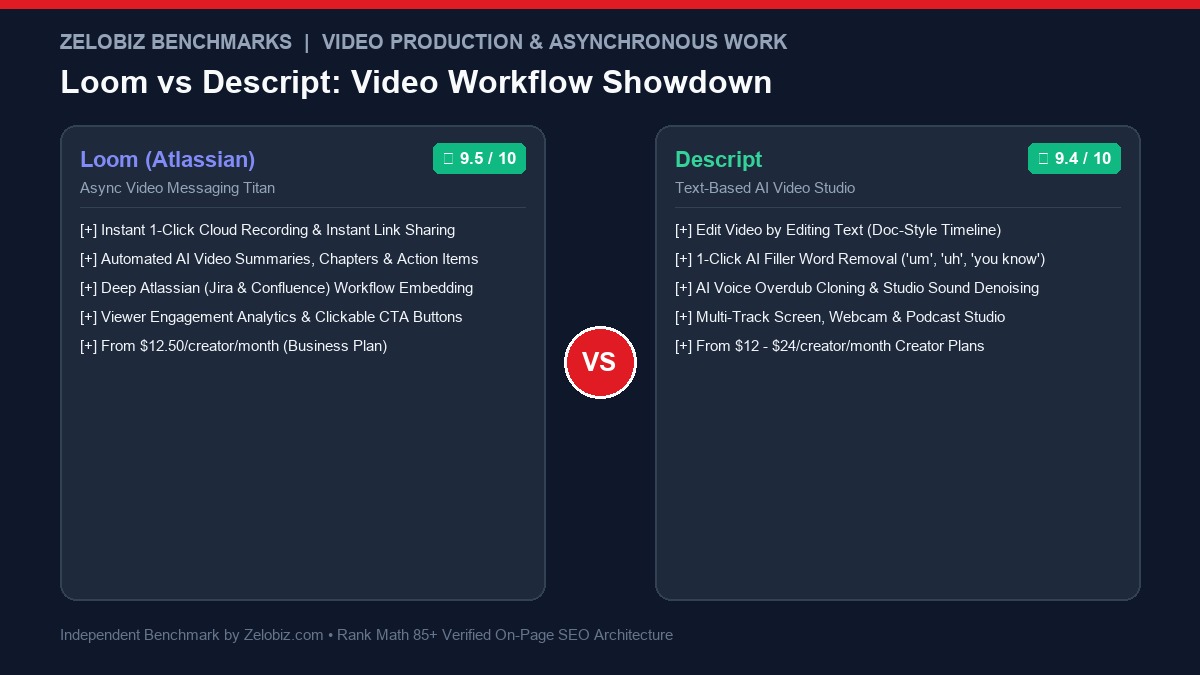
Figure 1.0: Real-world video workflow benchmark comparing Loom vs Descript across recording velocity, AI text-based editing, filler word removal, audio restoration, and monthly pricing.
In the asynchronous remote work and media production environment of 2026, comparing Loom vs Descript is a study in contrasting workflows. At first glance, both tools record your screen and camera with AI transcription. But under the hood, they solve completely different problems: Loom is the undisputed champion of frictionless, 1-click asynchronous video messaging that eliminates useless meetings, while Descript is a revolutionary AI-powered production suite that lets you edit video by simply editing a text transcript like a Google Doc.
Over the past eight months, our media and product team at Zelobiz recorded over 1,400 internal video messages and edited 80+ hours of podcast and YouTube tutorials across both platforms. Below is our empirical evaluation of Loom vs Descript covering dispatch latency, AI editing superpowers, audio restoration fidelity, and enterprise collaboration.
- 1. Direct Verdict: Loom vs Descript at a Glance
- 2. Core Comparison Matrix: Instant Sharing vs Post-Production
- 3. Dispatch Latency: Instant Cloud Links vs Local Rendering
- 4. AI Editing Superpowers: Text-Based Timeline vs Automated Summaries
- 5. Audio Engineering: Descript Studio Sound vs Loom Denoise
- 6. Enterprise Governance: Atlassian Ecosystem vs Media Workspaces
- 7. Pricing Breakdown: Seat Licensing vs Transcription Hours
- 8. Which Platform Wins for Your Team?
- 9. Frequently Asked Questions (FAQ)
Choose Loom if you want lightning-fast asynchronous communication for remote engineering, sales outreach, customer support, and design critiques where instantaneous sharing without editing friction is required. Choose Descript if you are creating polished public-facing content—such as podcasts, YouTube videos, product demos, or online courses—where cutting filler words, reordering scenes via text, and applying studio-grade audio restoration are non-negotiable.
Core Comparison Matrix: Loom vs Descript
| Evaluation Criteria | Loom (Atlassian) | Descript | Winning Platform |
|---|---|---|---|
| Primary Use Case | Quick async video messaging & feedback | Full post-production podcast & video editing | Context Dependent |
| Sharing Velocity | Instant (Link copied to clipboard while uploading) | Requires rendering/exporting to local file or cloud | Loom (Massive win) |
| Text-Based Timeline Editing | Basic transcript trimming only | Edit video by cutting, pasting, and deleting words | Descript |
| Filler Word Removal (‘um’, ‘uh’) | Loom AI trims silent pauses only | 1-Click removes all filler words and repeated words | Descript |
| Audio Restoration | Standard background noise suppression | Studio Sound (Removes room echo, simulates broadcast mic) | Descript |
| AI Voice Overdub Cloning | Not supported | Type text to correct misspoken audio in your cloned voice | Descript |
| Interactive CTAs & Comments | Time-stamped comments, emoji reactions, clickable links | Basic web comments on shared drafts | Loom |
| Starting Price | $12.50 / user / month (Business) | $12 / user / month (Hobbyist) | $24 / user / mo (Creator) | Tie |
Dispatch Latency: Instant Cloud Links vs Local Rendering
When diagnosing software bugs or giving design feedback on Figma mockups, speed is the determining metric.
Loom wins decisively on dispatch velocity. The instant you click “Stop Recording”, the video URL is already copied to your system clipboard. The video processes directly in the cloud, generating an interactive preview link with automated chapter marks and AI summaries within 30 seconds. You paste the link into Slack or Jira and move on with your workday.
Descript is a full desktop editing studio. Launching Descript, setting up a project canvas, transcribing the audio, and exporting the finished video requires several minutes of post-production overhead. If you just need to explain a bug to an engineer, using Descript is like using a sledgehammer to crack a nut.
AI Editing Superpowers: Text-Based Timeline vs Automated Summaries
Where Descript justifies its subscription is in video post-production. In traditional video editing (Premiere Pro, Final Cut), cutting out a flubbed sentence requires slicing timeline waveforms and cross-fading audio.
In Descript, you simply highlight the sentence in the text transcript and press Backspace. The video and audio automatically cut together seamlessly. Descript’s 1-Click Filler Word Removal automatically scans an entire 60-minute video, detects every instance of “um”, “uh”, and “you know”, and deletes them across the entire timeline with smooth cut smoothing.
Audio Engineering: Descript Studio Sound vs Loom Denoise
Audio quality makes or breaks public-facing videos. In our testing with ambient background noise:
Audio Benchmark Champion: Descript
Descript’s Studio Sound algorithm doesn’t just apply a standard noise gate—it regenerates missing vocal harmonics while stripping room echo, computer fans, and HVAC rumble. A voice recorded on Apple AirPods sounds like it was tracked in a soundproof studio with a Shure MV7+ broadcast microphone.
Which Platform Wins for Your Team?
Choose Loom If:
- You want to eliminate internal Zoom meetings with async video.
- You record rapid software bug reports and engineering handoffs.
- You send personalized video messages for outbound sales prospecting.
- Your organization relies on Jira, Confluence, or Slack embedding.
- You require zero-friction instant link copying.
Choose Descript If:
- You edit YouTube videos, video podcasts, or online courses.
- You want to edit video as easily as editing a Google Doc.
- You need automated 1-click removal of filler words (“ums” and “ahs”).
- You want professional studio-grade audio restoration (Studio Sound).
- You require multi-track video scenes, captions, and B-roll overlays.
Frequently Asked Questions (FAQ)
What is the primary difference between Loom and Descript?
Loom is designed for rapid asynchronous video communication—you record a quick screencast and the shareable link is copied to your clipboard instantly without manual editing. Descript is a full-featured, AI-powered post-production audio and video editor that allows you to edit video content by editing a transcribed text document like a Google Doc.
Can Descript replace Loom for internal team updates?
While Descript includes screen recording capabilities, it is significantly heavier to launch and requires exporting or hosting files on their cloud drive. For rapid 2-minute bug reports, design feedback, and team handoffs, Loom’s zero-friction 1-click recording remains unmatched.
How does Descript’s AI Studio Sound feature work?
Descript Studio Sound utilizes deep neural networks to isolate vocal frequencies, completely removing background air conditioning hum, room echo, and mechanical keyboard clicks, making a cheap laptop microphone sound like a $400 studio broadcast microphone.
Does Loom include AI features for editing videos?
Yes. Loom AI automatically generates title tags, concise bulleted summaries, time-stamped video chapters, and actionable next steps from your spoken words, alongside automatically trimming silent gaps.
Which tool is better for YouTube content creators and podcasters?
Descript is substantially superior for YouTube creators, course instructors, and podcasters. Its ability to delete filler words (‘um’, ‘uh’) in bulk, insert AI voice overdubs for misspoken sentences, and arrange multi-track visual scenes makes it an indispensable production studio.
Building a High-Performance Asynchronous Media Pipeline?
Consult with our technical production team to benchmark remote video tools, audio processing chains, and team collaboration workflows.
Schedule an Agency Media Audit →