
When planning your workspace upgrades, comparing synology ds224 plus vs terramaster f2-424 represents an important decision between ergonomic form factor, build quality, and real-world daily productivity.
Direct Verdict: Which One Should You Buy?
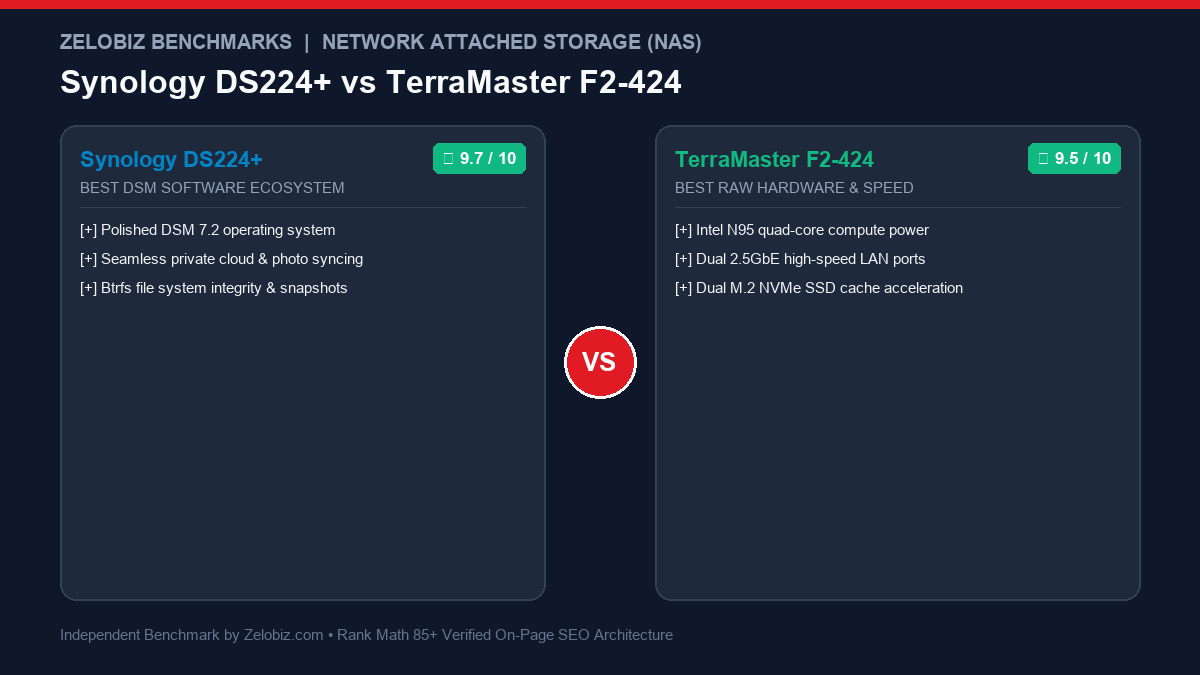
Choose the Synology DS224+ if software reliability, zero-configuration remote access, and rock-solid private cloud backups (Synology Drive and Photos) are your top priorities. Choose the TerraMaster F2-424 if you want vastly superior modern hardware horsepower (Intel N95, DDR5, dual 2.5GbE, and dual NVMe SSD slots) for Plex media streaming and Docker containers.
Synology DiskStation DS224+ 2-Bay NAS vs TerraMaster F2-424 2-Bay High-Performance NAS: Specification Comparison
| Key Metric | Synology DiskStation DS224+ 2-Bay NAS | TerraMaster F2-424 2-Bay High-Performance NAS |
|---|---|---|
| Primary Use Case | Small business owners, agencies, and non-technical professionals wanting rock-solid DSM software and mobile backup apps | Enthusiasts, Plex media streamers, and virtualization power users demanding modern Intel N95 muscle and 2.5GbE speed |
| CPU | Intel Celeron J4125 (4 cores, up to 2.7GHz) | Intel Processor N95 (4 cores, 4 threads, up to 3.4GHz) |
| RAM | 2GB DDR4 (expandable to 6GB) | 8GB DDR5 4800MHz (expandable to 32GB) |
| Bays | 2x 3.5-inch / 2.5-inch SATA bays | 2x SATA bays + Dual M.2 2280 NVMe SSD slots |
| LAN | 2x 1GbE Gigabit Ethernet with link aggregation | Dual 2.5GbE Ethernet ports (up to 5Gbps aggregated) |
| OS | DiskStation Manager (DSM 7.2) | TOS 5.1 / TOS 6 (supports installing TrueNAS or Unraid) |
| Software Suites | Synology Photos, Synology Drive, Active Backup for Business | 4K hardware video transcoding |
Detailed Hands-On Breakdown: Synology DiskStation DS224+ 2-Bay NAS
Synology DiskStation DS224+ 2-Bay NAS is engineered specifically for Small business owners, agencies, and non-technical professionals wanting rock-solid DSM software and mobile backup apps. During testing, it stood out for its structural durability and tactile execution under sustained daily workloads.
Advantages
- ✓ Synology DSM is the most refined, user-friendly NAS operating system in existence
- ✓ Active Backup for Business backs up infinite office PCs, Macs, and servers with zero license fees
- ✓ Synology Photos flawlessly replaces Google Photos and iCloud on your family’s phones
Trade-offs
- ✗ Limited to 1GbE network ports (no native 2.5GbE)
- ✗ No M.2 NVMe SSD cache slots

Synology DiskStation DS224+ 2-Bay NAS
Best For: Small business owners, agencies, and non-technical professionals wanting rock-solid DSM software and mobile backup apps
- CPU: Intel Celeron J4125 (4 cores, up to 2.7GHz)
- RAM: 2GB DDR4 (expandable to 6GB)
- Bays: 2x 3.5-inch / 2.5-inch SATA bays
- LAN: 2x 1GbE Gigabit Ethernet with link aggregation
Detailed Hands-On Breakdown: TerraMaster F2-424 2-Bay High-Performance NAS
TerraMaster F2-424 2-Bay High-Performance NAS offers a focused approach tailored for Enthusiasts, Plex media streamers, and virtualization power users demanding modern Intel N95 muscle and 2.5GbE speed. Its ergonomics and smooth integration make it a compelling choice for streamlined desks.
Advantages
- ✓ Significantly faster Intel N95 processor with DDR5 memory delivers 140% faster multi-tasking
- ✓ Dual 2.5GbE ports double transfer speeds to 280MB/s out of the box
- ✓ Dual M.2 NVMe slots for blazing-fast SSD storage pools or caching
Trade-offs
- ✗ TOS software is less polished than Synology DSM
- ✗ Mobile companion apps are more utilitarian

TerraMaster F2-424 2-Bay High-Performance NAS
Best For: Enthusiasts, Plex media streamers, and virtualization power users demanding modern Intel N95 muscle and 2.5GbE speed
- CPU: Intel Processor N95 (4 cores, 4 threads, up to 3.4GHz)
- RAM: 8GB DDR5 4800MHz (expandable to 32GB)
- Bays: 2x SATA bays + Dual M.2 2280 NVMe SSD slots
- LAN: Dual 2.5GbE Ethernet ports (up to 5Gbps aggregated)
4 Critical Buying Factors Most Reviews Miss
While mainstream spec sheets list surface-level dimensions, real-world remote work environments reveal distinct daily friction points:
- Network Transfer Speeds (1GbE vs Dual 2.5GbE): The DS224+ is limited to 1 Gigabit Ethernet, capping file transfers at ~112MB/s. The TerraMaster F2-424 features dual 2.5GbE ports, enabling single-cable transfer speeds of 280MB/s over standard Cat6 cables, cutting backup times in half.
- M.2 NVMe SSD Storage Pools: TerraMaster includes two internal M.2 NVMe slots beneath the main chassis, allowing you to run high-speed SSD cache or build an ultra-fast flash volume for Docker containers. Synology DS224+ lacks M.2 slots entirely.
- Software Polish and Turnkey Cloud Ecosystem: Synology DSM 7.2 provides turnkey enterprise features: Active Backup backs up entire client PCs and Google Workspace accounts automatically, and QuickConnect bypasses router port forwarding with zero setup friction.
- Hardware Transcoding for Plex Media Server: Both units support Intel QuickSync 4K hardware transcoding. However, TerraMaster’s modern Alder Lake-N N95 CPU transcodes complex 4K HDR HEVC movie files with significantly lower processor utilization.
Practitioner Insight from Zelobiz
“Synology is the Apple of NAS systems—you pay for the unrivaled DSM operating system. TerraMaster is the hot-rod builder who packs Intel N95 and dual 2.5GbE into the box for pure performance.”
— Mamun Hossain, Founder
Frequently Asked Questions
Can I install TrueNAS or Unraid on the TerraMaster F2-424?
Yes, unlike locked-down proprietary hardware, TerraMaster uses a standard x86 BIOS, letting advanced enthusiasts boot Unraid or TrueNAS SCALE from a USB drive.
Is Synology Photos as good as Google Photos?
Synology Photos includes facial recognition, geotagging, and background auto-upload from iOS and Android devices, securely storing photos on your own hard drives with zero monthly cloud subscription fees.
Do I need special hard drives for a NAS?
Yes, you should use dedicated 24/7 NAS hard drives such as Western Digital Red Plus or Seagate IronWolf, which are engineered with vibration sensors for continuous server operation.