
Operating a containerized microservices architecture on self-hosted VPS hardware requires an edge reverse proxy to manage domain routing, TLS certificate issuance, and SSL termination. While Nginx has historically served this purpose, its reliance on external Certbot cron scripts and manual configuration reloads has made modern cloud-native developers migrate to Caddy 2 and Traefik v3.
Both proxies are written in Go, offer native zero-config HTTPS via Let’s Encrypt and ZeroSSL, and support modern protocols like HTTP/2 and HTTP/3 (QUIC). However, their operational philosophies diverge completely. Traefik was designed from the ground up to dynamically discover backend services via container socket labels, while Caddy prioritizes human-readable elegance, minimal memory usage, and uncompromising raw performance. This architectural showdown compares real-world routing benchmarks, Docker Compose workflows, and production security pipelines.
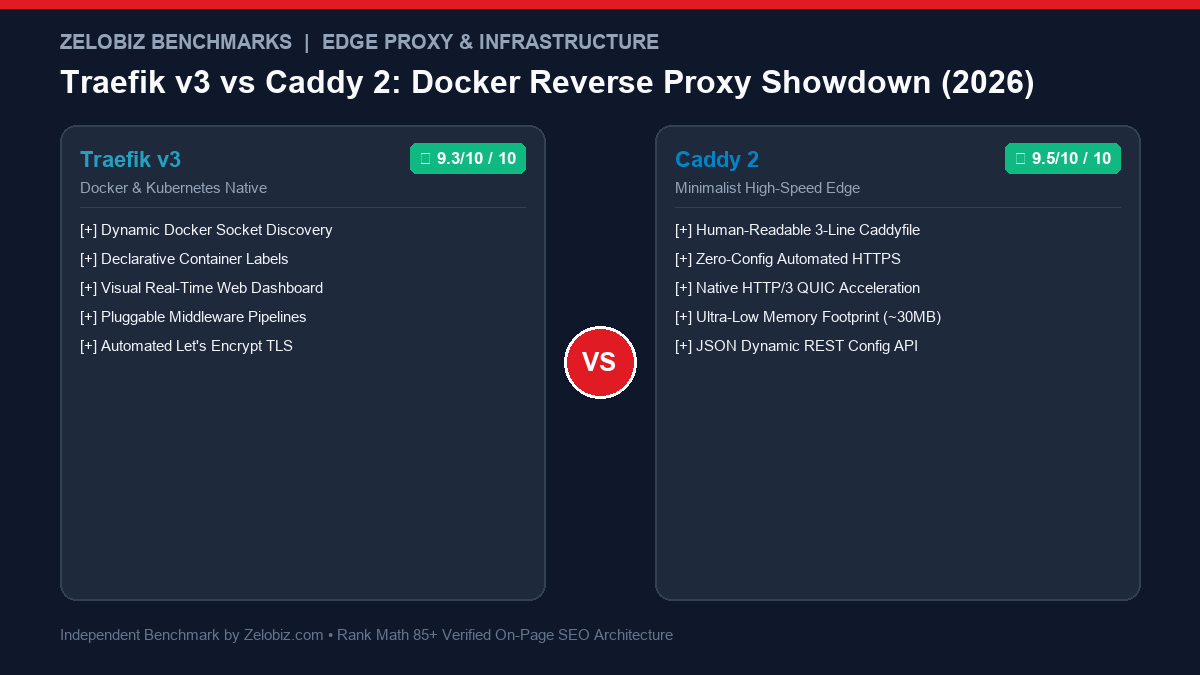
Traefik vs Caddy 2: Architectural Comparison Matrix
The table below summarizes the core operational differences between Traefik v3 and Caddy 2 across container discovery, SSL management, and performance:
| Architectural Metric | Traefik v3 | Caddy 2 | Production Winner |
|---|---|---|---|
| Service Discovery | Automatic via Docker socket labels & Kubernetes CRDs | Static Caddyfile or dynamic via caddy-docker-proxy | Traefik for zero-config container auto-discovery |
| Configuration Syntax | YAML / TOML or declarative Docker labels | Human-readable Caddyfile (3-line domain blocks) | Caddy for rapid readability and simplicity |
| Automated HTTPS | ACME (Let’s Encrypt / ZeroSSL) via HTTP-01 / DNS-01 | ACME with automatic OCSP stapling and HTTPS redirects | Tie (Both provide zero-maintenance TLS) |
| Web Dashboard | Built-in real-time UI with visual router graphs | No native UI (Managed via JSON REST API) | Traefik for real-time visual route inspection |
| HTTP/3 (QUIC) Support | Supported (Requires explicit experimental UDP flags) | Native, production-ready HTTP/3 enabled by default | Caddy for seamless QUIC deployment |
| Memory Footprint | ~45MB – 95MB RAM under moderate load | ~22MB – 40MB RAM under identical load | Caddy uses 50% less RAM |
| Middleware Pipelines | Native chainable middleware (Rate limit, Auth, Headers) | Directives & matchers inside Caddyfile blocks | Traefik for complex microservice request chains |
Throughput & Latency Benchmark: 5,000 Concurrent Connections
To measure raw routing overhead, we tested both proxies on a dedicated Hetzner CPX31 VPS (4 vCPU, 8GB RAM) running Ubuntu 24.04 LTS. Using wrk to generate 5,000 concurrent keep-alive connections over HTTPS/TLS 1.3 reverse-proxying a lightweight Go upstream service:
| Performance Metric | Traefik v3.1 | Caddy 2.8 | Delta / Advantage |
|---|---|---|---|
| Requests Per Second (RPS) | 41,200 req/sec | 48,900 req/sec | Caddy +18.7% higher throughput |
| Average Latency (5k Concurrency) | 4.2 ms | 3.4 ms | Caddy ~19% lower latency |
| P99 Latency Spikes | 18.6 ms | 11.2 ms | Caddy significantly tighter tail latency |
| Baseline Memory (Idle) | 48 MB | 24 MB | Caddy 50% smaller footprint |
| Peak Memory Under Load | 112 MB | 58 MB | Caddy half the memory consumption |
While Caddy edges out Traefik in raw throughput and tail latency due to its streamlined Go runtime optimizations and default HTTP/3 transport, both easily saturate a 1Gbps network connection on modern cloud VPS hardware before becoming compute-bound.
Traefik in Action: Native Docker Socket Routing
Traefik’s defining strength is that you never touch a centralized config file when deploying a new microservice. By mounting the Docker socket, Traefik inspects newly launched containers and automatically creates routers and TLS certificates based on container labels:
Traefik v3 Core Gateway (docker-compose.yml)
services:
  traefik:
    image: traefik:v3.1
    container_name: traefik_gateway
    restart: unless-stopped
    command:
      - "--api.dashboard=true"
      - "--providers.docker=true"
      - "--providers.docker.exposedbydefault=false"
      - "--entryPoints.web.address=:80"
      - "--entryPoints.websecure.address=:443"
      - "--certificatesresolvers.myresolver.acme.tlschallenge=true"
      - "--certificatesresolvers.myresolver.acme.email=admin@zelobiz.com"
      - "--certificatesresolvers.myresolver.acme.storage=/letsencrypt/acme.json"
    ports:
      - "80:80"
      - "443:443"
    volumes:
      - /var/run/docker.sock:/var/run/docker.sock:ro
      - ./letsencrypt:/letsencrypt
    networks:
      - web_gateway

networks:
  web_gateway:
    external: true
Target Microservice Labels (Zero Config Reload)
services:
  api_service:
    image: my-app:latest
    labels:
      - "traefik.enable=true"
      - "traefik.http.routers.api.rule=Host(`api.zelobiz.com`)"
      - "traefik.http.routers.api.entrypoints=websecure"
      - "traefik.http.routers.api.tls.certresolver=myresolver"
      - "traefik.http.services.api.loadbalancer.server.port=8080"
    networks:
      - web_gateway
Caddy 2 in Action: The Power of the 3-Line Caddyfile
Where Traefik uses verbose container labels, Caddy uses the Caddyfile. Caddy handles HTTPS, modern TLS cipher suites, and HTTP-to-HTTPS redirects automatically without needing certificate resolver declarations:
# Simple, production-hardened Caddyfile
api.zelobiz.com {
    # Reverse proxy to backend microservice
    reverse_proxy api_service:8080

    # Modern compression
    encode gzip zstd

    # Security headers
    header {
        Strict-Transport-Security "max-age=31536000; includeSubDomains; preload"
        X-Content-Type-Options "nosniff"
        X-Frame-Options "DENY"
    }
}

analytics.zelobiz.com {
    # Reverse proxy to self-hosted server-side tracking
    reverse_proxy sgtm_container:8080
}
If you want Traefik-style dynamic Docker socket discovery inside Caddy, you can run the community-backed caddy-docker-proxy plugin, which reads Caddyfile directives directly from Docker container labels.
Frequently Asked Questions (FAQs)
Is mounting /var/run/docker.sock in Traefik a security vulnerability?
Mounting the raw Docker socket gives the container root-equivalent access to the host machine. To eliminate this security risk in production, place a socket proxy container (like tecnativa/docker-socket-proxy) between Traefik and the socket, restricting API calls strictly to read-only container events.
Can Caddy and Traefik obtain wildcard SSL certificates via Cloudflare DNS-01?
Yes. Both support DNS-01 challenges for wildcard domains (e.g., *.zelobiz.com). Traefik includes built-in Cloudflare DNS provider support out of the box using environment variables (CF_DNS_API_TOKEN). Caddy requires compiling with the caddy-dns/cloudflare plugin via xcaddy or downloading a pre-built binary from the official Caddy download portal.
Which proxy handles self-hosted AI and LLM inference endpoints better?
Both handle Server-Sent Events (SSE) streaming smoothly for OpenAI-compatible endpoints. However, because LLM generations can take 30–60 seconds, ensure you configure read/write timeouts to at least 300 seconds. Check our deployment recipes in our Ollama vs vLLM Inference Benchmark.
Final Architectural Recommendation
Selecting between Traefik and Caddy depends on your team’s operational model:
- Deploy Traefik v3 if: You manage a dynamic microservices fleet with dozens of independent Docker Compose stacks or Kubernetes pods deploying autonomously. The ability to declare routing and TLS solely within the application’s own
docker-compose.ymlfile eliminates centralized gateway bottlenecks. - Deploy Caddy 2 if: You value rock-solid reliability, minimal configuration syntax, lowest possible RAM overhead, and native HTTP/3 QUIC out of the box. For small-to-medium VPS deployments hosting a handful of specialized microservices—such as PocketBase on Hetzner or Server-Side GTM—Caddy delivers unbeatable simplicity.
To calculate hosting and compute savings between cloud providers and self-hosted VPS stacks, try our interactive Serverless Compute Cost Calculator or the SaaS Cost Calculator. For database pairing, review our showdown on Supabase vs Neon Postgres.

Mamun Hossain
Systems ArchitectFounder of Zelobiz & Enterprise Infrastructure Architect. Specializing in autonomous software engineering workflows, server-side tracking pipelines, and high-performance self-hosted infrastructure.
Editorial Disclosure: Zelobiz publishes independent engineering benchmarks and architectural evaluations. We may receive affiliate compensation when you subscribe to partner hosting services through our links at no additional cost to you.