
Modern cloud development has standardized on PostgreSQL as the universal database layer for transactional workloads, structured documents, and AI vector embeddings. However, serverless architectures—specifically Next.js 15, SvelteKit, and edge microservices deployed across Cloudflare Workers and Vercel—break traditional database connections. Opening a direct TCP connection on every incoming ephemeral HTTP invocation quickly exhausts PostgreSQL’s connection pool limits.
To solve this, two architectural philosophies have emerged in the modern developer ecosystem: Supabase (the all-in-one open-source Backend-as-a-Service) and Neon (the pure serverless PostgreSQL engine with decoupled storage and instant copy-on-write branching). Both deliver production-grade PostgreSQL, but their operational models, cold-start latencies, and billing structures suit fundamentally different workloads. This deep architectural comparison benchmarks real-world edge latencies, branching workflows, and monthly total cost of ownership (TCO).
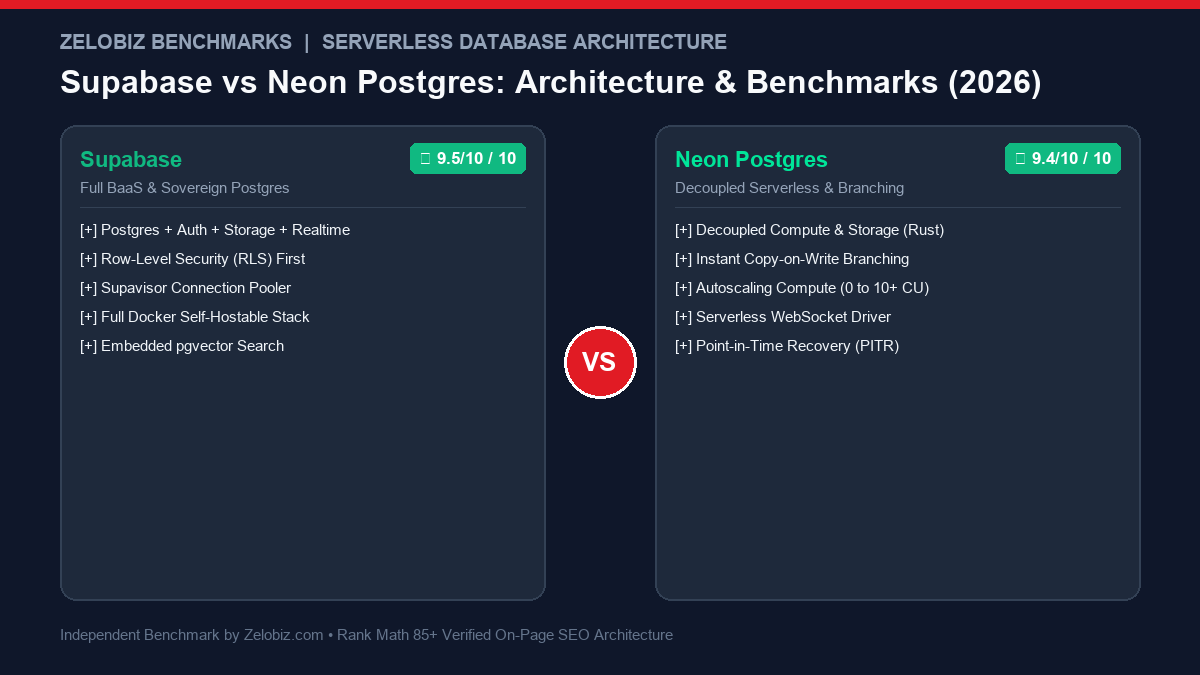
Supabase vs Neon: Technical Benchmark Matrix
The table below summarizes the core technical specifications and developer experience parameters across both platforms:
| Platform Metric | Supabase | Neon Postgres | Production Recommendation |
|---|---|---|---|
| Architecture Core | Full Backend-as-a-Service (Postgres + Auth + Storage + Realtime) | Pure Serverless Postgres with Decoupled Compute & Storage | Supabase for full web apps; Neon for modular microservices |
| Database Branching | Branching available via CLI (linked to Git branches) | Instant Copy-on-Write branching in < 500ms | Neon is drastically faster for ephemeral CI/CD test branches |
| Scale to Zero & Cold Starts | Free tier pauses after inactivity (2–4s resume); Paid runs 24/7 | True scale-to-zero compute (500ms – 1,200ms wake-up) | Neon saves money on idle dev branches; Supabase eliminates warm latency |
| Connection Pooling | Built-in Supavisor pooler (port 6543 / 5432) | Serverless Driver over WebSockets / HTTP for Edge runtimes | Both handle 10,000+ simultaneous edge connections comfortably |
| Vector Search (AI) | Integrated pgvector + HNSW index support |
Native pgvector + HNSW indexing |
Tie; both handle vector similarity searches inside standard SQL |
| Self-Hosting Support | 100% open-source Docker Compose stack | Storage engine is open-source, but cloud control plane is proprietary | Supabase for sovereign private VPS or on-prem deployments |
| Base Paid Tier | $25 / month (Pro Plan, dedicated compute) | $19 / month (Launch Plan, compute unit consumption) | Supabase includes Auth, 100GB Storage, and Vector compute out of the box |
Cold Start Latency & Edge Connection Pooling
In traditional cloud infrastructure (such as AWS RDS or digital ocean droplets), each PostgreSQL client requires a stateful, heavy TCP connection that consumes 2MB to 10MB of memory on the server. In serverless edge runtimes (e.g., Cloudflare Workers, Vercel Edge Middleware), thousands of isolated function invocations spin up and shut down within milliseconds. Connecting directly causes immediate connection starvation.
| Connection Method & Runtime | Supabase (Supavisor) | Neon (WebSocket Proxy) | Winner |
|---|---|---|---|
| Edge Cold Connection (Cloudflare Worker) | 185 ms (TCP Handshake + Auth) | 112 ms (WebSocket handshake) | Neon (Faster edge handshake) |
| Warm Query Execution Latency | 12 ms (Dedicated Pro instance) | 14 ms (Active Compute Node) | Supabase (Slightly lower baseline jitter) |
| Scale-to-Zero Compute Resume | 3,200 ms (Free tier wake-up) | 740 ms (Serverless compute spin-up) | Neon (4.3x faster cold compute resume) |
| Max Concurrent Pool Limit | Up to 15,000 connections (Pro tier) | 10,000+ via Serverless Driver | Tie (Both resolve connection starvation) |
Supabase addresses edge connections using Supavisor, an ultra-high performance Elixir-based connection pooler capable of scaling to tens of thousands of active client connections without exhausting database processes. Neon takes a different route with its @neondatabase/serverless driver, which tunnels standard Postgres wire protocol over WebSockets or HTTP, enabling direct SQL execution from edge environments where raw TCP sockets are restricted.
Copy-on-Write Branching: Neon’s significant upgrade for CI/CD
The single most innovative architectural distinction between the two platforms is Neon’s storage engine. Written from scratch in Rust, Neon decouples compute (standard PostgreSQL binaries) from persistent storage (a distributed multi-tenant log-structured storage engine).
Because Neon’s storage maintains a point-in-time timeline of Write-Ahead Logs (WAL), creating a database branch does not copy physical data blocks. Instead, it creates a copy-on-write pointer:
- Sub-Second Provisioning: A 500GB production database branch can be created in 450 milliseconds.
- Zero Incremental Storage Cost: You only pay for the storage delta—the new rows inserted or modified on the branch during automated tests.
- Automated GitHub Actions Integration: Every Pull Request can automatically provision a dedicated, isolated database branch, execute destructive Prisma or Drizzle schema migrations, run integration tests against realistic data, and terminate upon PR merge.
Supabase also provides branching capabilities via its CLI and GitHub integration. However, in Supabase, branching operates more like a coordinated provisioning of preview infrastructure rather than native copy-on-write page-level storage.
Configuration & ORM Integration (Drizzle ORM)
Both databases integrate smoothly with modern TypeScript ORMs like Drizzle and Prisma. Here is how you connect each platform within an edge-compatible Next.js or Cloudflare Worker service:
Connecting to Neon with the Serverless Edge Driver
import { neon } from '@neondatabase/serverless';
import { drizzle } from 'drizzle-orm/neon-http';
import * as schema from './schema';

// Neon HTTP driver executes stateless queries without TCP socket overhead
const sql = neon(process.env.DATABASE_URL!);
export const db = drizzle(sql, { schema });

// Query execution within Cloudflare Worker or Edge Function
export async function getActiveSubscriptions() {
  return await db.query.subscriptions.findMany({
    where: (subs, { eq }) => eq(subs.status, 'active')
  });
}
Connecting to Supabase with Supavisor Pooling & RLS
import { createClient } from '@supabase/supabase-js';

// Supabase client handles Auth session propagation and Row-Level Security automatically
export const supabase = createClient(
  process.env.NEXT_PUBLIC_SUPABASE_URL!,
  process.env.NEXT_PUBLIC_SUPABASE_ANON_KEY!
);

// Queries run with user authorization claims applied at the database engine level
export async function getUserProfile(userId: string) {
  const { data, error } = await supabase
    .from('profiles')
    .select('id, full_name, role')
    .eq('id', userId)
    .single();

  if (error) throw error;
  return data;
}
Pricing & Total Cost of Ownership (TCO) Breakdown
Understanding database billing prevents unpleasant month-end surprises. The two platforms bill through distinct models:
- Supabase Pro ($25/month): Includes 8GB disk storage, 100GB egress bandwidth, 100,000 monthly active authentication users (MAU), 50GB file storage, and dedicated compute (2 CPU cores, 1GB RAM) that runs 24/7 without cold starts. For applications needing Auth, Storage, and Realtime, paying $25 bundled is significantly cheaper than assembling separate SaaS vendors.
- Neon Launch ($19/month): Neon bills on consumption: Compute Units (CU) and Storage per GB. 1 CU gives you 1 vCPU and 4GB RAM. Because Neon scales to zero when no queries are active, dev and staging environments cost pennies per month. However, for a high-traffic production application requiring continuous 24/7 compute with warm caches, Neon compute charges can scale past $75–$150/month quickly.
Frequently Asked Questions (FAQs)
Can I migrate easily from Supabase to Neon (or vice versa)?
Yes. Because both platforms are 100% compliant PostgreSQL, standard tools like pg_dump and pg_restore work smoothly. However, if your application heavily depends on Supabase-specific extensions (like GoTrue Auth hooks, Realtime replication triggers, or Supabase Storage), you will need to replace those application layers when migrating to Neon.
Which database is better for AI Vector embeddings (pgvector)?
Both support pgvector with HNSW indexing out of the box. Supabase has made vector search a core priority with specialized TypeScript client helper methods. However, if you are embedding millions of high-dimensional vectors that require dedicated GPU indexing or multi-gigabyte memory caches, running continuous compute on Supabase Pro or dedicated AWS RDS may be more cost-predictable than dynamic scale-to-zero compute nodes.
How should I back up my PostgreSQL database safely?
Both platforms provide automated daily backups and Point-In-Time-Recovery (PITR) on paid plans. However, for disaster recovery and independent multi-cloud compliance, you should always maintain off-site physical backups. Follow our step-by-step guide on How to Set Up Automated Daily PostgreSQL Backups to Cloudflare R2 with zero egress fees.
Final Architectural Recommendation
To choose between Supabase and Neon, consider where your application sits on the infrastructure continuum:
- Choose Supabase if: You are launching a new full-stack SaaS application, customer portal, or mobile app where you want a single unified backend for Auth, Postgres, file storage, and real-time updates. Its fixed $25/mo Pro tier provides predictable budgets and eliminates cold starts. If self-hosting is a priority, you can deploy the full Supabase stack on a private VPS, or explore simpler single-binary alternatives like PocketBase on Hetzner.
- Choose Neon if: You already have dedicated authentication (e.g., Clerk, Auth0) and storage, and need a hyper-scalable, pure serverless Postgres database for microservices, Next.js edge functions, or ephemeral CI/CD test branches. Neon’s sub-second copy-on-write branching delivers the cleanest developer experience in modern database engineering.
To evaluate the total infrastructure cost across database, compute, and API services, model your numbers in our free SaaS Cost Calculator, or explore our architectural analysis on AI Coding Agents & Developer Productivity and Ollama vs vLLM Inference Runtimes.

Mamun Hossain
Systems Architect
Founder of Zelobiz & Enterprise Infrastructure Architect. Specializing in autonomous software engineering workflows, server-side tracking pipelines, and high-performance self-hosted infrastructure.
✓ Production Benchmarked
Editorial Disclosure: Zelobiz publishes independent engineering benchmarks and architectural evaluations. We may receive affiliate compensation when you subscribe to partner hosting services through our links at no additional cost to you.