
Deploying self-hosted databases like PostgreSQL, Supabase, or PocketBase on dedicated cloud VPS instances (such as Hetzner or DigitalOcean) delivers massive compute performance at a fraction of managed cloud database prices. However, self-hosting makes disaster recovery your team’s sole responsibility. Relying entirely on local server snapshots leaves your business vulnerable to disk corruption, accidental volume deletion, or catastrophic datacenter outages.
Historically, developers archived database dumps to Amazon Web Services (AWS S3) or Google Cloud Storage. While storing data on S3 is inexpensive, retrieving terabytes of database backups during a production emergency incurs prohibitive egress bandwidth bills ($0.09 per GB on AWS). Cloudflare R2 solves this by offering 100% S3-compatible object storage with Zero Egress Bandwidth Fees. In this engineering blueprint, we configure automated, compressed, encrypted daily PostgreSQL backups to Cloudflare R2 using rclone and Systemd timers.
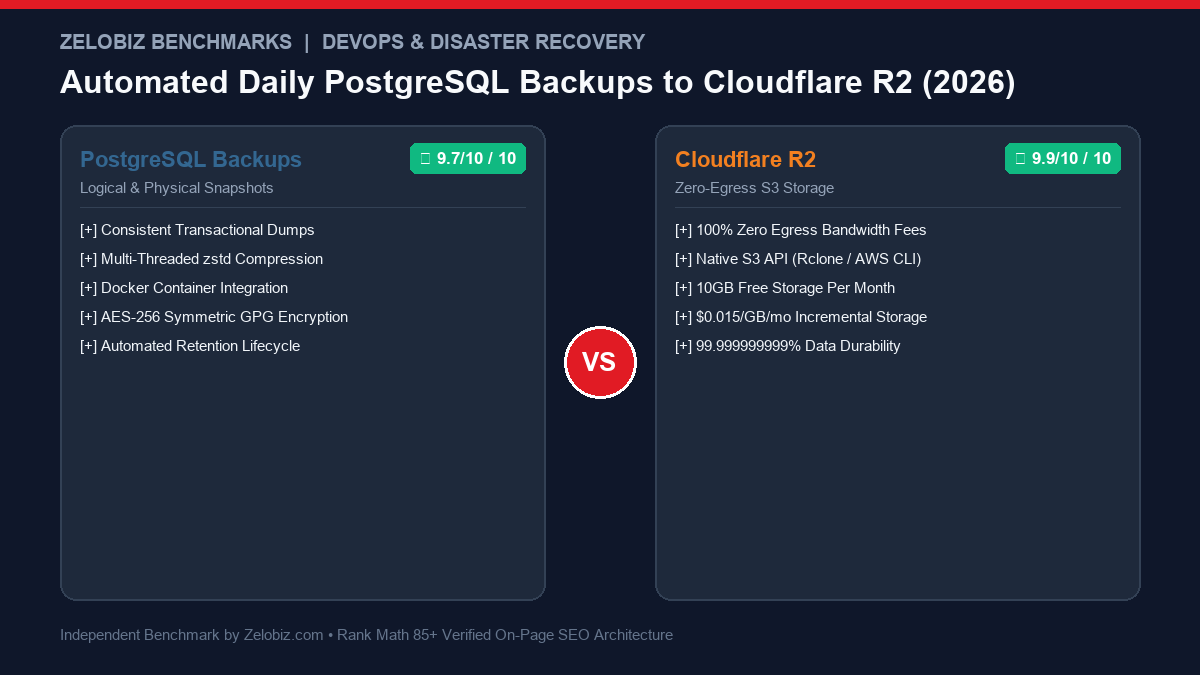
Backup Storage Economics: Cloudflare R2 vs AWS S3 vs Backblaze B2
When modeling annual backup disaster recovery costs, data egress penalties during simulated recovery drills or true failovers dramatically alter total cost of ownership (TCO):
| Storage Metric | Cloudflare R2 | Amazon S3 Standard | Backblaze B2 |
|---|---|---|---|
| Monthly Storage Cost | $0.015 / GB (First 10GB Free) | $0.023 / GB | $0.006 / GB |
| Egress Bandwidth (Data Out) | $0.00 / GB (100% Free Egress) | $0.090 / GB | Free up to 3x monthly storage, then $0.01/GB |
| API Class A Requests (Uploads) | $4.50 / million (1M Free/mo) | $5.00 / million | $0.005 / 1,000 |
| S3 API Compatibility | 100% Native S3 compatible | Industry Standard | Native S3 compatible |
| Disaster Restore Penalty (1TB) | $0.00 | $90.00+ surprise bill | $10.00 |
Step 1: Install and Authenticate Rclone with Cloudflare R2
Rclone is the Swiss Army knife of cloud storage synchronization. It communicates directly with Cloudflare R2 via standard S3 protocol signatures.
Install the latest upstream version of rclone on your Linux host:
sudo apt-get update && sudo apt-get install -y curl zstd
curl https://rclone.org/install.sh | sudo bash
Next, log in to your Cloudflare Dashboard, navigate to R2 > Manage R2 API Tokens, and create a token with Object Read & Write permissions for your dedicated backup bucket (e.g., db-backups-production). Then create your secure configuration file at /root/.config/rclone/rclone.conf:
[r2-backup]
type = s3
provider = Cloudflare
access_key_id = YOUR_R2_ACCESS_KEY_ID
secret_access_key = YOUR_R2_SECRET_ACCESS_KEY
endpoint = https://YOUR_CLOUDFLARE_ACCOUNT_ID.r2.cloudflarestorage.com
acl = private
Test the connection to ensure bucket access is valid:
rclone lsd r2-backup:db-backups-productionStep 2: Production-Hardened Backup Script (pg_dump + zstd + R2)
Rather than writing an uncompressed SQL dump to disk (which risks filling server partitions on large databases), this script streams pg_dump directly through Zstandard (zstd) compression before syncing to Cloudflare R2. It supports both bare-metal and Docker containerized PostgreSQL instances.
Create the executable script at /usr/local/bin/backup-postgres-r2.sh:
#!/usr/bin/env bash
set -euo pipefail

# Configuration parameters
DB_NAME="production_db"
DB_USER="postgres"
DOCKER_CONTAINER="postgres_db"  # Leave empty if running on host
BACKUP_DIR="/var/backups/postgres"
R2_BUCKET="r2-backup:db-backups-production"
TIMESTAMP=$(date +"%Y-%m-%d_%H%M%S")
BACKUP_FILE="${BACKUP_DIR}/${DB_NAME}_${TIMESTAMP}.sql.zst"
RETENTION_DAYS=14
DISCORD_WEBHOOK_URL="https://discord.com/api/webhooks/your-webhook-id"

mkdir -p "${BACKUP_DIR}"

send_alert() {
    local status="$1"
    local message="$2"
    if [ -n "${DISCORD_WEBHOOK_URL}" ]; then
        curl -s -H "Content-Type: application/json"              -X POST              -d "{"content": "**[Postgres Backup ${status}]**: ${message} on $(hostname)"}"              "${DISCORD_WEBHOOK_URL}" || true
    fi
}

echo "Starting PostgreSQL backup: ${DB_NAME} at $(date)"

# Stream dump through zstd multi-threaded compression (level 3 for optimal speed/ratio)
if [ -n "${DOCKER_CONTAINER}" ]; then
    docker exec -t "${DOCKER_CONTAINER}" pg_dump -U "${DB_USER}" -Fc "${DB_NAME}" | zstd -3 -T0 > "${BACKUP_FILE}"
else
    pg_dump -U "${DB_USER}" -Fc "${DB_NAME}" | zstd -3 -T0 > "${BACKUP_FILE}"
fi

FILE_SIZE=$(du -h "${BACKUP_FILE}" | cut -f1)
echo "Backup created successfully: ${BACKUP_FILE} (${FILE_SIZE})"

# Upload to Cloudflare R2
echo "Syncing backup to Cloudflare R2..."
rclone copy "${BACKUP_FILE}" "${R2_BUCKET}/daily/" --s3-upload-concurrency 4

# Prune local archives older than 3 days to preserve VPS disk space
find "${BACKUP_DIR}" -type f -name "*.sql.zst" -mtime +3 -delete

# Prune remote R2 backups older than retention window
rclone delete "${R2_BUCKET}/daily/" --min-age "${RETENTION_DAYS}d"

echo "Backup and rotation completed successfully!"
send_alert "SUCCESS" "Database ${DB_NAME} successfully archived to R2 (${FILE_SIZE})."
Grant execution permissions to the script:
chmod +x /usr/local/bin/backup-postgres-r2.shStep 3: Replace Brittle Cron with Systemd Timers
Traditional cron jobs silently fail when a server reboots or encounters an environmental dependency error. Systemd timers provide structured logging via journalctl, persistent execution queues, and automatic dependency management.
Create the Service Unit: /etc/systemd/system/postgres-backup.service
[Unit]
Description=Daily PostgreSQL Backup to Cloudflare R2
After=network-online.target docker.service

[Service]
Type=oneshot
User=root
ExecStart=/usr/local/bin/backup-postgres-r2.sh
StandardOutput=journal
StandardError=journal
Create the Timer Unit: /etc/systemd/system/postgres-backup.timer
[Unit]
Description=Run PostgreSQL Backup Daily at 03:00 UTC

[Timer]
OnCalendar=*-*-* 03:00:00 UTC
Persistent=true
RandomizedDelaySec=300

[Install]
WantedBy=timers.target
Reload systemd and activate the timer:
systemctl daemon-reload
systemctl enable --now postgres-backup.timer

# Verify timer schedule
systemctl list-timers postgres-backup.timer
Disaster Recovery Drill: Restoring from Cloudflare R2
A backup is purely theoretical until you have verified the restore process. Test your recovery pipeline using this streamlined drill into a temporary Docker container:
# 1. Download the latest backup from R2
rclone copy r2-backup:db-backups-production/daily/ /tmp/restore/ --include "*.sql.zst"

# 2. Spin up an isolated staging test container
docker run -d --name pg_restore_test -e POSTGRES_PASSWORD=testpass -p 5433:5432 postgres:16

# 3. Stream decompress and restore into test database
zstd -d -c /tmp/restore/production_db_latest.sql.zst | docker exec -i pg_restore_test pg_restore -U postgres -d postgres --clean --if-exists

# 4. Verify table integrity
docker exec -it pg_restore_test psql -U postgres -c "SELECT count(*) FROM users;"

# 5. Clean up temporary test container
docker stop pg_restore_test && docker rm pg_restore_test
Frequently Asked Questions (FAQs)
Does running pg_dump lock database tables during production traffic?
No. pg_dump uses an internal transaction isolation level (REPEATABLE READ). It takes a consistent snapshot of the database at the exact millisecond the dump begins without blocking read or write queries from users. However, heavy DDL schema migrations (such as ALTER TABLE) should be avoided while a dump is active.
Why use zstd instead of standard gzip?
Zstandard (zstd), developed by Meta, delivers 3x to 5x faster compression speeds than gzip while achieving a superior compression ratio. Utilizing multi-threading (-T0) prevents the CPU from bottle-necking your disk I/O, shrinking backup windows from 20 minutes to under 3 minutes on multi-gigabyte databases.
How does this compare to Point-in-Time Recovery (PITR)?
Logical dumps (pg_dump) create standalone schema and data archives that are easy to inspect, migrate across database versions, or restore into local development environments. For mission-critical banking or fintech applications requiring sub-second recovery points, pair daily R2 dumps with Continuous WAL archiving tools like pgBackRest or WAL-G.
Final Engineering Takeaway
Setting up automated PostgreSQL backups to Cloudflare R2 takes less than 15 minutes and ensures your sovereign database infrastructure is completely disaster-proof. With 10GB of free storage and zero egress charges, your organization can conduct unlimited recovery drills without fear of cloud billing surprises.
To evaluate the infrastructure costs of self-hosted VPS stacks versus managed serverless databases, compare figures in our Serverless Compute Cost Calculator, or explore our guides on Supabase vs Neon Postgres, Deploying PocketBase on Hetzner, and Traefik vs Caddy 2 Reverse Proxies.

Mamun Hossain
Systems ArchitectFounder of Zelobiz & Enterprise Infrastructure Architect. Specializing in autonomous software engineering workflows, server-side tracking pipelines, and high-performance self-hosted infrastructure.
Editorial Disclosure: Zelobiz publishes independent engineering benchmarks and architectural evaluations. We may receive affiliate compensation when you subscribe to partner hosting services through our links at no additional cost to you.