
Every AI tool’s pricing page leads with a headline number: prompts a month, minutes a month, generations a month. Checking two of them directly, Grammarly’s AI writing assistant and Otter.ai’s meeting transcription, turned up the same underlying pattern twice: the headline figure isn’t the constraint that actually determines whether a specific piece of work gets finished.
This isn’t a two-tool coincidence dressed up as a rule. It’s a reusable checklist, built from what these two independently verified cases actually showed, for reading any AI tool’s free plan the way it behaves in practice rather than the way its pricing page presents it.
Short answer: A tool’s headline monthly limit, like Grammarly’s 100 AI prompts or Otter.ai’s 300 transcription minutes, is rarely the full picture. Grammarly’s real constraint is a reset date tied to individual account history rather than the calendar month. Otter.ai’s real constraint is a 30-minute-per-conversation cap that cuts off a single meeting regardless of how much of the monthly total remains unused. Both were confirmed directly against each vendor’s own current pricing page on 6 September 2026, and neither hidden constraint was stated up front in the headline marketing figure.
The Pattern, Side by Side
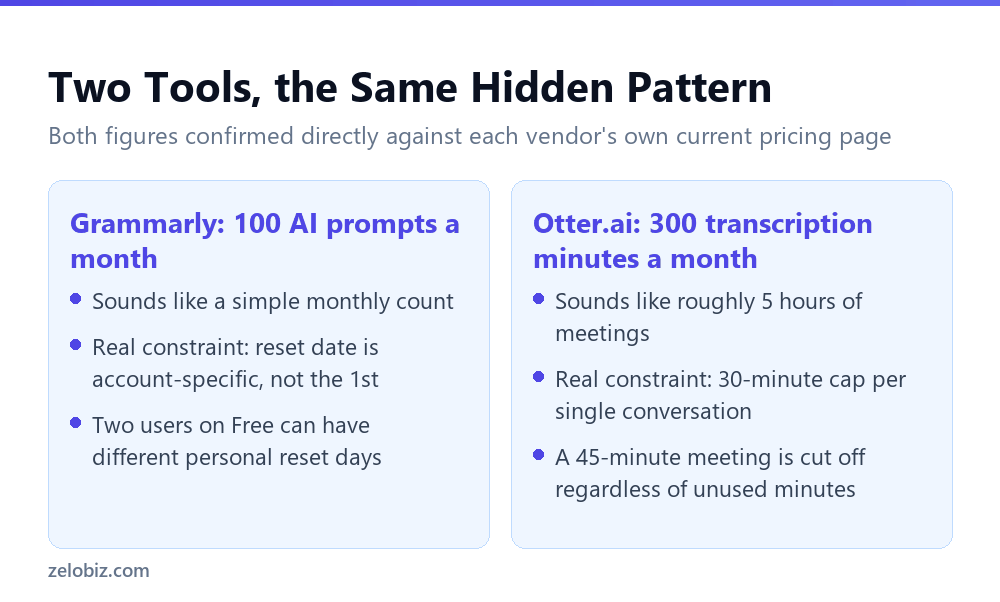
Neither hidden constraint is a secret exactly. Grammarly’s support documentation states the reset mechanism directly, and Otter’s pricing page lists the per-conversation cap alongside the monthly total. But neither vendor leads with these details in the headline framing, which is the part most people actually read before signing up.
Why the Second Limit Is Usually the One That Bites
A monthly total is designed to sound generous, and often is, on average. The problem is that real usage isn’t average. A single long meeting or a single busy writing day can hit a per-use cap that the monthly total never signaled as a risk.
⚠️ Watch out: Treat any monthly total as a ceiling for aggregate use, not a guarantee that any single task will complete. The two numbers answer different questions, and marketing pages almost always lead with the one that sounds more generous.
The Checklist
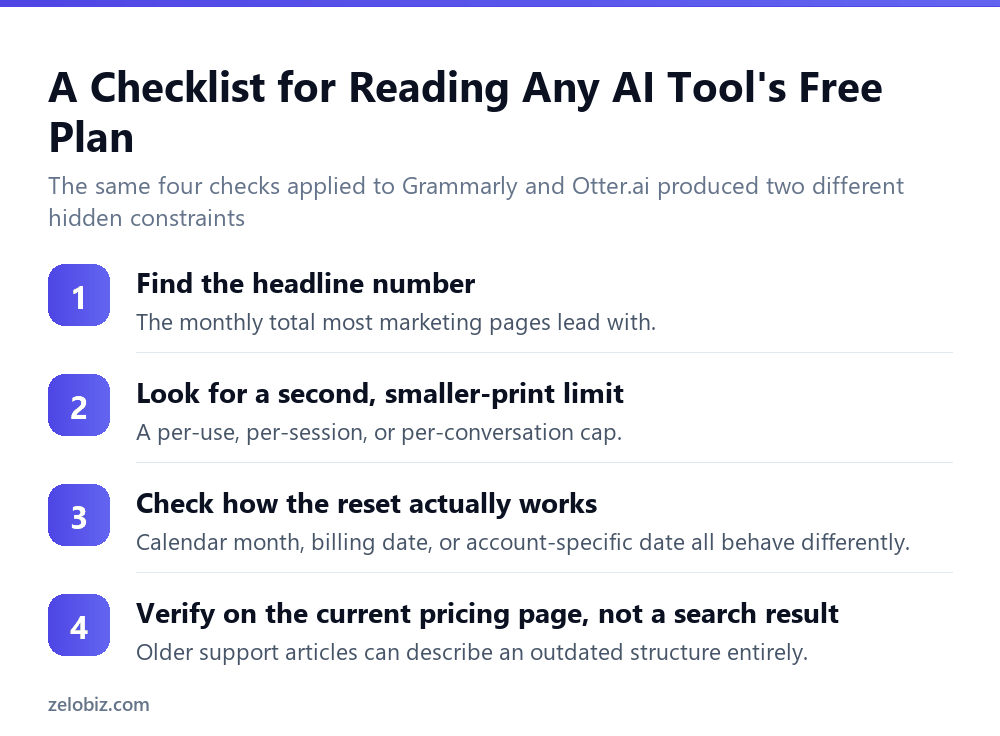
- Find the headline number. This is almost always the monthly total, and it’s what shows up in search results and marketing copy.
- Look for a second, smaller-print limit. A per-use, per-session, or per-conversation cap that applies independently of the monthly total.
- Check how the reset actually works. Calendar month, billing anniversary, and account-specific dates are three different mechanisms that behave differently in practice.
- Verify against the current pricing page, not a search result. Older support articles can describe a plan structure that no longer matches what’s actually being sold.
💡 Pro tip: Run this checklist before committing to a free plan for any recurring workflow, not just AI tools. The pattern of a generous-sounding aggregate number paired with a tighter per-use cap shows up across subscription software broadly.
Walking Through the Grammarly Case in Detail
Grammarly’s Free plan lists 100 AI prompts a month on its current pricing page, a figure that reads as a straightforward monthly quota. The mechanism behind that quota, confirmed through Grammarly’s own support documentation, complicates the simple reading: allowances refill on a monthly basis determined by the day generative AI first became available on a specific account, not by the calendar month.
The practical effect is that two Grammarly users on the identical Free plan can have completely different reset dates, purely based on when each of them started using the AI features. There’s no visible countdown warning as the allowance approaches zero, only a hard stop once it’s exhausted, surfaced through an error message and a lightbulb icon reading zero prompts. None of this is stated in the headline ‘100 AI prompts a month’ figure most people would see first.
A second layer to the Grammarly case, separate from the reset mechanism, is that its own support content and its own current pricing page don’t fully agree on what plans exist. A live support article still describes a plan called Premium with a 1,000-prompt allowance, distinct from Pro’s 2,000, even though the current pricing page lists no Premium tier at all. That’s a documentation mismatch rather than a usage-limit mechanism, but it reinforces the same underlying lesson: the number quoted first, or found first, isn’t automatically the number that applies today.
Walking Through the Otter.ai Case in Detail
Otter.ai’s free Basic plan lists 300 transcription minutes a month, a figure that sounds like roughly five hours of meeting coverage. The number that actually determines whether a specific meeting gets fully transcribed is a separate one: a 30-minute cap applied to each individual conversation, regardless of how much of the 300-minute monthly pool remains unused.
This means a single 45-minute meeting loses transcription for its last 15 minutes even on the first day of a billing cycle, with 270 minutes still sitting unused in the monthly pool. The monthly total and the per-conversation cap answer two different questions entirely: one is about aggregate usage across a month, the other is about whether any single continuous recording session completes without interruption. Reading only the monthly total answers the wrong question for anyone whose typical meeting runs close to or past 30 minutes.
Otter’s paid tiers make this concrete: Pro triples the per-meeting cap to 90 minutes alongside a larger 1,200-minute monthly pool, while Business and Enterprise remove the monthly total entirely and extend the per-meeting cap to 4 hours. The upgrade decision that actually matters for most meeting-heavy users hinges on the per-meeting cap, not the headline monthly figure.
Why Two Cases Is Enough to Take the Pattern Seriously
Two confirmed cases isn’t proof that every AI tool hides a second constraint behind its headline number. It is enough to justify spending the extra few minutes checking for one before relying on any single quoted figure, especially for a recurring workflow where hitting an unexpected cap mid-task has a real cost.
What makes both cases instructive is that neither hidden constraint was actually hard to find, once the check was made. Grammarly’s reset mechanism is documented directly in its own support article. Otter’s per-conversation cap is listed directly on its own pricing page, just not in the headline framing. Neither required digging through obscure documentation or contacting support; both were sitting on a page most people never scroll far enough to read.
Applying the Checklist to a Third Tool, Hypothetically
The four-step checklist above generalizes cleanly to any AI tool’s free plan, even one not covered in this comparison. Before trusting a headline number for any AI writing, transcription, image generation, or automation tool, the same sequence applies: note the headline figure, search specifically for a smaller-print per-use or per-session limit, confirm how the reset mechanism actually works rather than assuming the calendar month, and cross-check everything against the current pricing page rather than the first search result.
This sequence takes a few minutes per tool and directly prevents the two specific failure modes this comparison surfaced: assuming a reset date matches the calendar when it’s actually account-specific, and assuming a monthly total protects against a single task failing when a separate per-use cap governs that outcome instead.
⚠️ Watch out: Skipping this check costs nothing when usage stays well under every limit. It becomes expensive exactly when it matters most, mid-task, mid-meeting, or mid-deadline, which is precisely when there’s no time left to discover the real constraint after the fact.
What This Verdict Is Based On
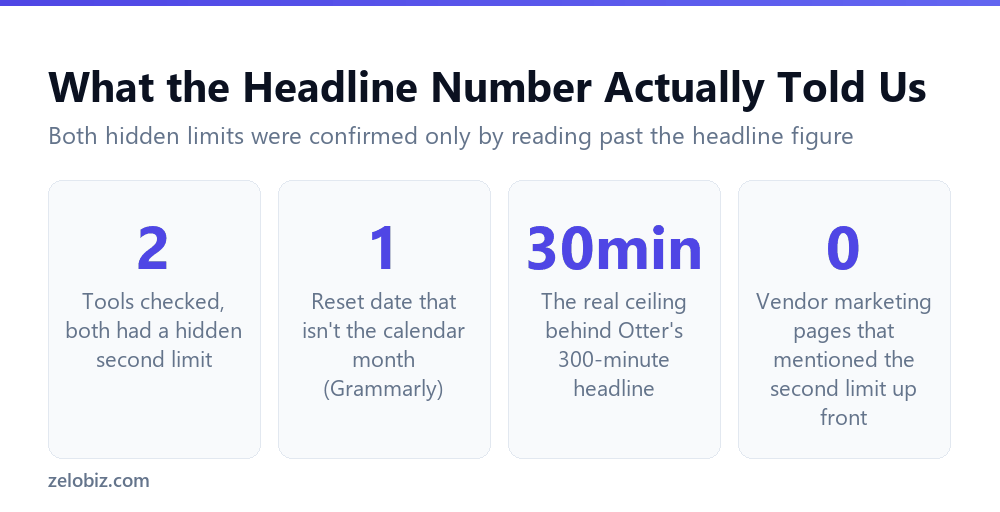
This isn’t a claim that every AI tool hides a second limit, only that the two checked directly for this comparison both did, and that neither hidden constraint was obvious from the headline figure alone. Two confirmed cases is a pattern worth checking for elsewhere, not a universal law covering every AI product on the market.
The broader lesson holds regardless of how many tools eventually get checked this way: a single number on a pricing page answers one question, usually the most favorable one to quote, and real usage almost always depends on a second detail that takes more effort to find. That second detail is rarely hidden outright; it’s simply not the number a marketing headline is built around, which means it only surfaces once someone reads past the first line.
📊 Note: For the full verified detail behind each case, see Grammarly’s AI prompt limits: 100, 2,000, or unlimited, why Grammarly’s own help docs don’t match its pricing page, and Otter.ai’s free plan: the per-meeting cap that matters more than the monthly total.
Common Questions
Why do AI tools list a monthly total instead of the limit that actually matters?
The monthly total is usually the more favorable-sounding figure, and it’s simpler to market than a set of interacting constraints like per-use caps and reset mechanisms.
Is a per-conversation or per-session cap common across AI tools?
It was confirmed for Otter.ai in this comparison. It isn’t confirmed as a universal pattern across all AI tools, but it’s worth checking for on any tool with a monthly total headline figure.
How can I tell if a free plan’s reset date matches the calendar month?
Check the vendor’s own support documentation for the specific mechanism, as Grammarly’s does directly. Don’t assume it matches the 1st of the month or your signup date without confirming.
What’s the fastest way to check for a hidden second limit on any AI tool?
Read the vendor’s current pricing page fully, not just the headline number, and search their support site for any article describing what happens when the limit is reached. That’s usually where the second constraint is documented.
Does a hidden second limit mean the vendor is being misleading?
Not necessarily. In both cases checked here, the second constraint was documented somewhere on the vendor’s own site, just not featured in the headline marketing figure.
The Short Version
- →A headline monthly number rarely tells the full story of an AI tool’s free plan.
- →Grammarly’s real constraint is an account-specific reset date, not the calendar month.
- →Otter.ai’s real constraint is a 30-minute per-conversation cap, independent of the monthly total.
- →Check for a second, smaller-print limit before relying on any headline figure.
- →Verify against the current pricing page, since older support content can be outdated.
- →Two confirmed cases is a pattern worth checking elsewhere, not proof every tool hides a limit.
Neither Grammarly nor Otter.ai was singled out for having worse documentation than typical. Both are well-established, actively maintained products with pricing pages that state their current numbers plainly. The lesson these two cases support is narrower and more useful than a verdict on either company: a headline monthly figure is a starting point for understanding a free plan, not the finished picture, and the remaining detail is usually available somewhere on the vendor’s own site to anyone who goes looking for it.