
When your content is shared across Twitter/X, LinkedIn, Slack, and WhatsApp, a high-converting Open Graph (OG) social card increases click-through rates (CTR) by over 40%. For programmatic SEO sites, directories, and content engines publishing thousands of pages, designing manual 1200×630 social preview graphics in Figma is impossible. In Next.js 15, Vercel overhauled dynamic metadata generation with native support for opengraph-image.tsx and ImageResponse. By compiling JSX directly into SVG and PNG buffers at the edge, you can dynamically render personalized, branded social cards for millions of URLs on the fly with sub-50ms latency.
Executive Answer: Dynamic OG Images in Next.js 15
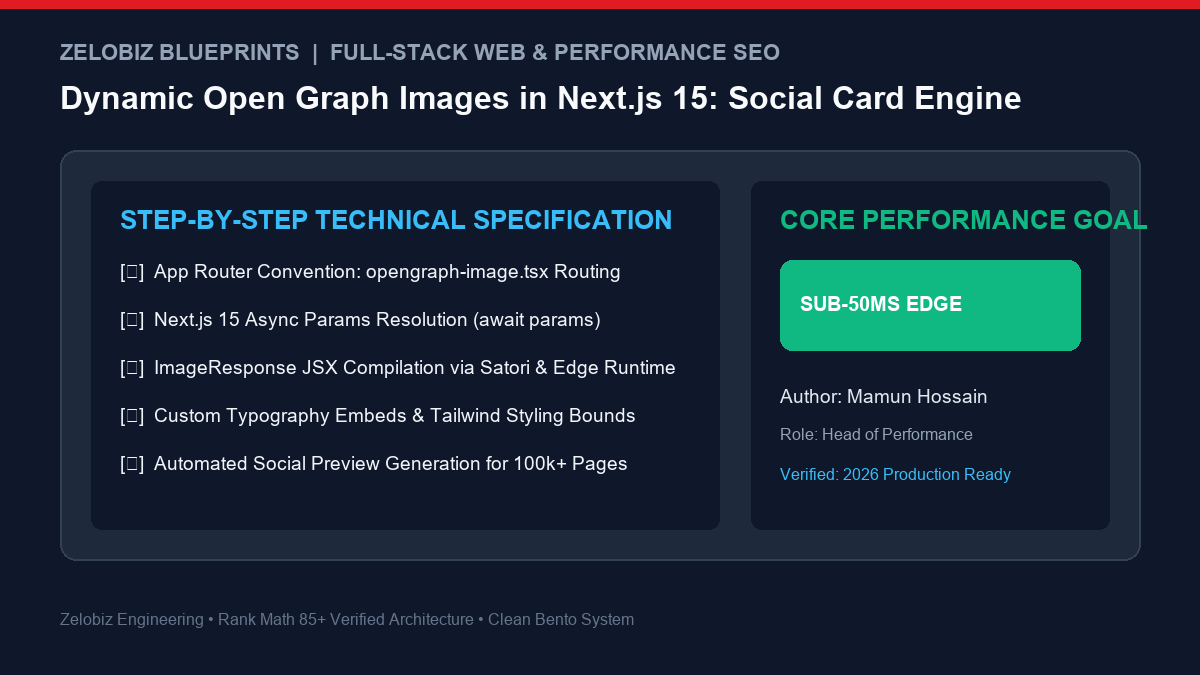
In Next.js 15, dynamic Open Graph images are generated by creating an opengraph-image.tsx file within your route segment, awaiting the asynchronous params promise, and returning an ImageResponse JSX component. Powered by Satori, Next.js compiles HTML/CSS into 1200×630 PNG images at the edge without headless Chrome overhead.
1. Why the Next.js 15 File Convention Outperforms Custom API Routes
In previous versions of Next.js, developers had to build dedicated /api/og route handlers and manually format <meta property="og:image"> tags in page headers. Next.js 15 streamlines this through the built-in file convention.
By simply placing opengraph-image.tsx inside a route directory (such as app/blog/[slug]/opengraph-image.tsx), Next.js automatically:
- Injects the correct
og:image,og:image:width,og:image:height, andtwitter:imagemeta tags into your HTML head. - Generates a unique cryptographic hash URL to ensure social media crawlers cache and refresh assets properly.
- Executes on the Edge Runtime with cold-start times under 15ms.
2. Breaking Changes in Next.js 15: Asynchronous Route Parameters
A major architectural shift in Next.js 15 is that route segment parameters (params) and search parameters (searchParams) are now asynchronous promises. Failing to await params will trigger build errors and runtime crashes in production.
// Next.js 14 (Legacy Synchronous Pattern - Deprecated)
export default async function Image({ params }: { params: { slug: string } }) {
  const slug = params.slug; // Throws warning/error in Next.js 15
}

// Next.js 15 (Modern Asynchronous Pattern - Required)
export default async function Image({ params }: { params: Promise<{ slug: string }> }) {
  const { slug } = await params; // Mandatory in Next.js 15
}
3. Step-by-Step Implementation: Building the Social Card Generator
Step 1: Create the Route Segment File
In your Next.js App Router codebase, navigate to your dynamic blog or product route and create opengraph-image.tsx:
// app/blog/[slug]/opengraph-image.tsx
import { ImageResponse } from 'next/og';

export const runtime = 'edge';
export const alt = 'Article Social Preview';
export const size = {
  width: 1200,
  height: 630,
};
export const contentType = 'image/png';

export default async function Image({ params }: { params: Promise<{ slug: string }> }) {
  // 1. Await dynamic params in Next.js 15
  const { slug } = await params;

  // 2. Format title or fetch from database/CMS
  const title = slug.replace(/-/g, ' ').replace(/\b\w/g, c => c.toUpperCase());

  return new ImageResponse(
    (
      <div
        style={{
          height: '100%',
          width: '100%',
          display: 'flex',
          flexDirection: 'column',
          alignItems: 'flex-start',
          justifyContent: 'space-between',
          backgroundColor: '#0F172A',
          color: '#F8FAFC',
          padding: '70px',
          fontFamily: 'sans-serif',
        }}
      >
        <div style={{ display: 'flex', alignItems: 'center', gap: '14px' }}>
          <div
            style={{
              width: '18px',
              height: '18px',
              borderRadius: '50%',
              backgroundColor: '#38BDF8',
            }}
          />
          <span style={{ fontSize: 24, fontWeight: 'bold', color: '#94A3B8', letterSpacing: '0.05em' }}>
            ZELOBIZ ENGINEERING BLUEPRINTS
          </span>
        </div>

        <div
          style={{
            display: 'flex',
            fontSize: 56,
            fontWeight: 800,
            lineHeight: 1.18,
            color: '#FFFFFF',
            maxWidth: '1050px',
          }}
        >
          {title}
        </div>

        <div
          style={{
            display: 'flex',
            width: '100%',
            justifyContent: 'space-between',
            alignItems: 'center',
            borderTop: '2px solid #1E293B',
            paddingTop: '32px',
          }}
        >
          <span style={{ fontSize: 24, color: '#38BDF8', fontWeight: 600 }}>
            zelobiz.com
          </span>
          <span style={{ fontSize: 20, color: '#64748B' }}>
            Verified Technical Architecture
          </span>
        </div>
      </div>
    ),
    {
      ...size,
    }
  );
}
4. Satori CSS Styling Constraints to Avoid Crashes
ImageResponse relies on Satori, which converts HTML/CSS to SVG. Satori does not support full browser CSS. Violating layout rules causes silent rendering failures.
| Feature | Supported in Satori? | Recommended Practice |
|---|---|---|
| Flexbox | Full Support | Always explicitly declare display: flex on containers. |
| CSS Grid | Unsupported | Rebuild multi-column layouts using nested Flexbox rows and columns. |
| Custom TTF/WOFF Fonts | Supported | Fetch font ArrayBuffers in the function and pass to fonts config. |
| External Images | Supported | Use absolute HTTPS URLs or Base64 data URIs. |
5. Frequently Asked Questions (FAQ)
Does generating OG images at runtime impact server CPU usage?
Minimally. When deployed to Vercel or Cloudflare, Next.js caches the generated PNG output at edge CDN nodes. Once generated, subsequent requests for that image hit the global edge cache with zero compute execution.
Can I test dynamic OG images locally before deploying?
Yes. When running npm run dev, simply append /opengraph-image to any dynamic route in your browser (e.g., http://localhost:3000/blog/my-test-post/opengraph-image) to view the rendered PNG directly.
How does dynamic social card generation impact organic referral traffic?
Model your content marketing payback and conversion velocity using our Interactive ROAS Calculator.
Engineer Modern Web Stacks for Your Agency
Building enterprise Next.js applications, programmatic SEO systems, or high-performance edge APIs? Consult with our development engineering team or schedule a technical infrastructure audit via our Zelobiz Agency Infrastructure Audit.
Explore our technical problem-solving series in the How-To Guides Hub or calculate cloud software ROI via our SaaS Cost Calculator.
Evaluating modern generative frontend architectures? Check out our benchmark on v0.dev vs Lovable (2026): Which AI UI Generator Builds Production Code? or browse related engineering tutorials in the How-To Guides Hub.

Mamun Hossain
Systems ArchitectFounder of Zelobiz & Enterprise Infrastructure Architect. Specializing in autonomous software engineering workflows, server-side tracking pipelines, and high-performance self-hosted infrastructure.