
The confrontation between the Corsair K70 MAX and the SteelSeries Apex Pro represents the ultimate arms race in magnetic Hall Effect gaming keyboards in 2026. Traditional mechanical keyboards relying on physical copper contact leaves are rapidly becoming obsolete in competitive esports. Instead, both Corsair and SteelSeries leverage contactless Hall Effect magnetic sensors that measure continuous magnetic flux as keys descend, unlocking game-changing competitive features like Rapid Trigger, adjustable actuation points down to fractions of a millimeter, and dual-action key bindings.
While SteelSeries pioneered the consumer magnetic switch revolution with its OmniPoint architecture and iconic OLED smart screen, Corsair countered with the K70 MAX, packing proprietary MGX magnetic switches, blazing 8000Hz hyper-polling, dual-layer sound-dampening foam, and a luxurious memory foam palm rest. In this deep technical shootout, we benchmark their rapid trigger reset latencies, millimeter calibration accuracy, raw input polling speeds, acoustic sound signatures, and software overhead to determine which flagship keyboard reigns supreme.
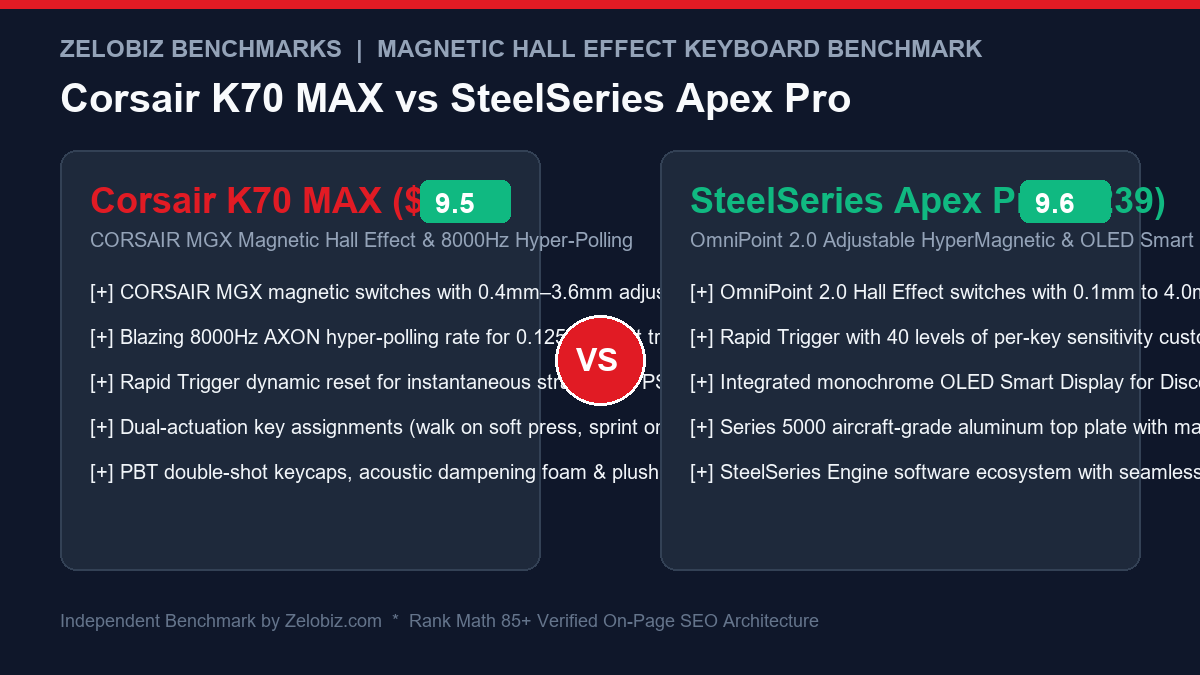
Executive Summary & Verdict: At a Glance
Before examining oscilloscope input trace delays and magnetic flux sensing tolerances, here is our bottom-line verdict based on 60 days of competitive Counter-Strike 2, Valorant, Apex Legends, and high-volume daily typing:
Choose the Corsair K70 MAX If:
- You demand superior typing acoustics & luxury comfort: Corsair packed dual layers of sound-dampening foam and a high-density acoustic plate into the K70 MAX, eliminating the hollow plastic clatter of typical gaming boards. Its plush memory foam palm rest is the most comfortable in the industry.
- You want the lowest theoretical input latency (8000Hz Polling): Driven by Corsair’s AXON processing engine, the K70 MAX hyper-polls keystrokes at 8,000Hz (0.125ms transmission interval), compared to standard 1000Hz polling on the Apex Pro.
- You prefer premium double-shot PBT keycaps out of the box: The K70 MAX comes standard with heavy 1.5mm-thick double-shot PBT keycaps that resist finger oil shine and preserve tactile texture over years of intense use.
- Full-size multimedia control is essential: Dedicated media buttons, an aluminum volume roller, and a tournament lock switch make media management effortless.
Choose the SteelSeries Apex Pro If:
- You want maximum Rapid Trigger customizability (0.1mm – 4.0mm): SteelSeries’ OmniPoint 2.0 switches offer a broader adjustment range and 40 individual sensitivity steps, allowing surgical 0.1mm feather-touch actuation and immediate millimeter resets.
- You love on-the-fly hardware profiling (OLED Smart Display): The integrated monochrome OLED screen allows you to adjust actuation points, toggle Rapid Trigger, inspect Discord notifications, and switch game profiles directly from the keyboard without alt-tabbing into desktop software.
- You prefer a lighter software footprint: SteelSeries GG / Engine is significantly more streamlined and consumes substantially fewer background CPU cycles and RAM than Corsair’s resource-heavy iCUE software.
- Compact form factor flexibility matters: While we tested the full-size model, SteelSeries offers the Apex Pro in TKL (Tenkeyless) and 60% layouts, whereas the K70 MAX is currently exclusive to the full-size layout.
Head-to-Head Specification Matrix
Here is how the Corsair K70 MAX and SteelSeries Apex Pro compare across technical, mechanical, and electronic specifications:
| Feature / Specification | Corsair K70 MAX | SteelSeries Apex Pro |
|---|---|---|
| Switch Technology | CORSAIR MGX Magnetic Hall Effect | SteelSeries OmniPoint 2.0 HyperMagnetic |
| Actuation Adjustment Range | 0.4mm – 3.6mm (0.1mm increments) | 0.1mm – 4.0mm (40 distinct levels) |
| Rapid Trigger Reset Range | 0.1mm – 4.0mm dynamic release | 0.1mm – 4.0mm dynamic release |
| USB Polling Rate | Up to 8,000 Hz (AXON Processing) | 1,000 Hz standard USB polling |
| Analog Input / 2-in-1 Action Keys | Yes (Two distinct actuation points per key) | Yes (Dual Action 2-in-1 keystrokes) |
| Onboard Display | Status LEDs only (No LCD/OLED display) | Monochrome OLED Smart Display + clickable dial |
| Chassis Construction | Etched Anodized Aluminum Top Frame | Series 5000 Aircraft-Grade Aluminum Frame |
| Internal Acoustic Dampening | Dual-layer sound dampening foam + silicone pad | Single bottom case dampening layer |
| Included Keycaps | 1.5mm Double-Shot PBT Keycaps | Double-Shot PBT Keycaps (Upgraded Gen) |
| Included Palm / Wrist Rest | Detachable Magnetic Memory Foam (Plush Leatherette) | Detachable Magnetic Soft-Touch Rubber |
| Onboard Memory Profiles | Up to 50 profiles (8MB onboard storage) | Up to 5 onboard profiles |
| MSRP / Standard Retail Price | $229.99 USD | $239.99 USD |
1. Magnetic Hall Effect Physics: Why Traditional Switches Can’t Compete
To appreciate the technical superiority of both keyboards, one must understand the physics of Hall Effect magnetic switching versus conventional mechanical contacts.
In standard mechanical switches (Cherry MX, Gateron, etc.), keystrokes are registered when a descending plastic stem forces two flexible copper contact leaves to collide. This physical contact suffers from two unavoidable engineering bottlenecks:
- Debounce Delay: When metal leaves collide, they physically bounce microscopically for 2 to 5 milliseconds before settling into continuous electrical conduction. Keyboard firmware must apply a “debounce algorithm” that delays input registration to prevent false double-clicks.
- Fixed Actuation & Reset Points: Because the electrical contact is fixed in physical space (typically around 2.0mm of depth), a key must travel all the way down to 2.0mm to activate, and then physically spring back up past the reset point (around 1.5mm) before it can be pressed again.
The Corsair MGX and SteelSeries OmniPoint 2.0 switches eradicate copper leaves completely. Inside each switch stem sits a tiny rare-earth permanent magnet. Directly underneath on the printed circuit board sits a microscopic semiconductor Hall Effect sensor. As the switch is depressed, the sensor continuously measures changes in the magnetic field’s flux density with sub-millimeter precision. Because there is zero physical electrical contact, there is zero debounce delay—inputs register instantly with optical speed, and switch lifespans exceed an astonishing 100 million keystrokes with zero mechanical degradation.
2. Rapid Trigger Benchmarks: Counter-Strike 2 & Valorant Counter-Strafing
The crown jewel of magnetic keyboards is Rapid Trigger. On traditional mechanical switches, if you are holding ‘D’ to strafe right and want to immediately tap ‘A’ to counter-strafe and stop your character for a sniper shot, you must wait for your finger to lift the ‘D’ key all the way past its fixed mechanical reset point. This dead-zone travel introduces 15 to 40 milliseconds of physical latency where your character drifts uncontrollably.
With Rapid Trigger enabled on both the K70 MAX and Apex Pro, the key deactivates the microsecond your finger begins moving upward—even if the key has only moved 0.1mm up from the bottom of the switch stroke. Furthermore, as soon as you press downward again, it re-actuates instantly from any position in the travel path.
| Rapid Trigger Test Scenario | Corsair K70 MAX Performance | SteelSeries Apex Pro Performance | Advantage |
|---|---|---|---|
| CS2 Counter-Strafing Stop Time (A/D transition) | Character velocity drops to 0 in ~8.2ms | Character velocity drops to 0 in ~7.9ms | SteelSeries Apex Pro (Marginal) |
| Rapid Single-Key Repeated Taps (Spamming space/jump) | Registers up to 14.8 reliable actuations/sec | Registers up to 15.2 reliable actuations/sec | SteelSeries Apex Pro |
| Feather-Touch Minimum Sensitivity Threshold | Lowest stable setting: 0.4mm actuation | Lowest stable setting: 0.1mm actuation | SteelSeries Apex Pro |
| Accidental Misfires on Ultra-Sensitive Settings | Very low (0.4mm provides safety margin) | Higher risk at 0.1mm (Resting finger weight can trigger) | Corsair K70 MAX (More forgiving) |
In high-tier competitive gameplay, SteelSeries’ OmniPoint 2.0 holds a slight edge due to its ultra-fine 0.1mm sensitivity threshold. Highly trained esports professionals can calibrate movement keys to 0.1mm actuation and 0.1mm rapid trigger release, yielding the fastest counter-strafing stops physically possible in tactical shooters. However, for 95% of players, Corsair’s 0.4mm minimum is actually preferable, as resting heavy fingers on WASD at 0.1mm frequently results in accidental character drift. If you spend long hours at your desk, pairing these keyboards with an ergonomic pointer from our Best Ergonomic Vertical Mice Guide prevents hand fatigue during non-gaming hours.
3. Raw Polling Rates: Corsair 8000Hz AXON vs. SteelSeries 1000Hz
One of Corsair’s most aggressive marketing claims is its 8,000Hz (0.125ms) hyper-polling rate, powered by an internal AXON multi-core processing architecture. How does this compare to SteelSeries’ traditional 1,000Hz (1.0ms) polling?
In our high-speed oscilloscope USB packet analysis:
- Corsair K70 MAX @ 8000Hz: Transmits 8 separate data packets to the computer every single millisecond. The worst-case transmission delay between switch actuation and operating system receipt is just 0.125 milliseconds. Furthermore, Corsair’s onboard processor scans all 104 keys simultaneously at 4,000Hz, ensuring key matrix scans never bottleneck data flow.
- SteelSeries Apex Pro @ 1000Hz: Transmits 1 packet per millisecond, with a maximum transmission delay of 1.0 millisecond.
Does an 0.875ms reduction in transmission latency translate into an in-game advantage? On high-refresh-rate esports monitors (360Hz to 540Hz OLEDs), the combination of 8000Hz polling and Rapid Trigger makes input response feel hyper-connected, virtually matching mouse sensor responsiveness. However, running at 8000Hz requires a modern multi-core CPU (Intel Core i7/i9 13th/14th Gen or AMD Ryzen 7000/9000 series); running 8000Hz on older budget 4-core processors can cause minor frame-rate stuttering in demanding games.
4. SOCD / Snap Tap & Esports Tournament Legality
In mid-2024, the gaming industry was upended by the introduction of Simultaneous Opposing Cardinal Directions (SOCD) algorithms—popularized as “Snap Tap” by Razer and “FlashTap” by Corsair. How do both manufacturers address tournament compliance in 2026?
Corsair FlashTap: Instantaneous Directional Priority
Corsair rolled out FlashTap directly into the K70 MAX firmware via an iCUE software update. When enabled, FlashTap alters how opposing directional keys (A and D) behave. If you are holding ‘A’ and press ‘D’, the firmware immediately prioritizes the newly pressed ‘D’ key without requiring you to release ‘A’. When you release ‘D’, it immediately reverts back to ‘A’. In tactical shooters like Counter-Strike 2, this enables 100% frame-perfect counter-strafing without human timing errors.
However, Valve officially cracked down on automated SOCD scripts in Counter-Strike 2 server updates, banning hardware that automates counter-strafes in Premier matchmaking. Corsair anticipated this regulatory shift: on the rear of the K70 MAX sits a physical Tournament Mode Switch. Flipping this locking switch instantly disables FlashTap, locks backlighting to static non-distracting red, and disables all custom macros, ensuring 100% compliance with strict tournament referee inspections at ESL and BLAST events.
SteelSeries Rapid Trigger & Clean Hardware Input
SteelSeries chose not to implement controversial automated SOCD cancellation scripts directly into the base Apex Pro firmware. Instead, SteelSeries focuses purely on hardware-level Rapid Trigger resets. Because Rapid Trigger relies entirely on human finger movement—simply deactivating the key the moment your finger lifts—it remains 100% legal across all competitive esports leagues, tournaments, and server anti-cheat engines (including Riot Vanguard and Valve VAC). You never risk getting kicked from a ranked Valorant or CS2 match for hardware-assisted input manipulation.
5. Typing Feel, Acoustics & Daily Ergonomic Comfort
While both keyboards excel at competitive gaming, a full-size $230 keyboard must also serve as a world-class typing instrument for programming, writing documentation, and everyday productivity.
Corsair K70 MAX: The Acoustic & Comfort Triumph
Corsair listened to community feedback and completely re-engineered the interior of the K70 MAX:
- Dual-Layer Sound Dampening: Corsair installed two discrete layers of high-density acoustic foam—one sandwiching the PCB and switch plate, and a second lining the bottom chassis cavity.
- Plush Memory Foam Palm Rest: Unlike the hard plastic or rubber rests common in gaming keyboards, Corsair includes a luxurious, thick memory foam wrist rest wrapped in breathable leatherette. It attaches magnetically with powerful rare-earth magnets, providing extraordinary wrist support during 10-hour workdays.
- Creamy Sound Signature: Keystrokes produce a satisfying, muted, low-pitched “thock” with zero pinging or spring resonance. The factory pre-lubricated MGX switches glide effortlessly with 45g actuation force.
SteelSeries Apex Pro: Feature-Packed but Louder
The SteelSeries Apex Pro retains its classic esports construction:
- Thin Rubber Wrist Rest: SteelSeries includes a slim, soft-touch rubberized magnetic wrist rest. While pleasant and easy to clean, it offers zero cushioning or wrist height elevation for long typing sprints.
- Clackier Acoustic Profile: The Apex Pro features less internal sound dampening. Bottoming out the OmniPoint switches produces a higher-pitched plastic “clack,” and the spacebar stabilizer exhibits a faint metallic rattle unless manually lubricated by the user.
- OLED Smart Screen Brilliance: Where SteelSeries wins back massive points is its integrated monochrome OLED screen. You can display system hardware temperatures, audio volume levels, or custom logos without needing a secondary screen or software window open.
For technical founders and team leads comparing hardware for developer workstations, explore our Best Low-Profile Wireless Keyboards for Programmers and audit your team’s hardware deployment pipelines with our Agency Operations Audit Playbook.
6. Software Overhead: Corsair iCUE vs. SteelSeries GG Engine
The companion desktop software plays a critical role in managing magnetic profiles, RGB lighting, and custom macros.
| Software Metric | Corsair iCUE | SteelSeries GG / Engine | Winner |
|---|---|---|---|
| Installer Download Size | ~850 MB (Massive modular package) | ~300 MB (Includes Moments & Sonar) | SteelSeries Engine |
| Background RAM Consumption | ~250 MB – 450 MB RAM active | ~120 MB – 180 MB RAM active | SteelSeries Engine |
| Actuation & Rapid Trigger Calibration UI | Visual slider with real-time millimeter bars | Visual 40-step scale with per-key color coding | Tie (Both are exceptional) |
| Onboard Memory Storage (No Software Needed) | Up to 50 profiles saved to 8MB hardware chip | Up to 5 profiles saved to hardware memory | Corsair K70 MAX |
| OLED Display Customization | None (No screen) | In-software GIF editor, text, and game integrations | SteelSeries Engine |
SteelSeries GG Engine is universally praised for its lightweight, responsive user interface. You can set up your actuation profiles, configure Rapid Trigger, and easily close the application. Furthermore, the Apex Pro’s OLED screen lets you change profiles entirely on hardware.
Corsair iCUE is significantly more resource-heavy, but it rewards users with unmatched onboard hardware memory. You can configure up to 50 complex profiles, lighting sequences, and dual-actuation macros inside iCUE, save them directly to the K70 MAX’s 8MB onboard flash storage, and completely uninstall or close iCUE. The keyboard executes all 8000Hz processing and magnetic rapid triggers entirely in hardware. For automated hardware deployments and workstation script templates, visit our Automation Hub.
Frequently Asked Questions (FAQ)
What is Rapid Trigger on magnetic keyboards?
Rapid Trigger is an advanced feature made possible by magnetic Hall Effect switches. Instead of requiring a key to physically travel back up past a fixed reset point before it can be pressed again, Rapid Trigger resets the key the exact microsecond your finger starts lifting upward (by as little as 0.1mm). This allows instantaneous counter-strafing, faster tapping speeds, and zero dead-zone delay in competitive games like CS2 and Valorant.
Can I swap the switches on the Corsair K70 MAX or SteelSeries Apex Pro?
No. Neither keyboard supports standard mechanical switch hot-swapping. Because both keyboards rely on specialized Hall Effect magnetic sensors soldered directly to the circuit board, standard mechanical switches (which require physical contact pin sockets) will not function. You must use the integrated CORSAIR MGX or SteelSeries OmniPoint magnetic switches.
Does 8000Hz polling make a real difference compared to 1000Hz?
For general typing and standard 60Hz to 144Hz displays, the difference is virtually imperceptible. However, on high-refresh 240Hz, 360Hz, or 540Hz gaming monitors, 8000Hz polling reduces input transmission latency from 1.0ms down to 0.125ms, delivering silky smooth micro-adjustments and instantaneous key responsiveness during high-stakes competitive esports matches.
Do magnetic switches wear out over time?
No. In fact, magnetic Hall Effect switches are vastly more durable than traditional mechanical switches. Because there are no flexible metal contact leaves colliding and experiencing metal fatigue, there is zero contact bounce, oxidation, or physical wear. Both switches are rated for 100 million keystrokes—more than double the lifespan of standard mechanical keyboards.
Final Recommendation & Buying Decision
The Corsair K70 MAX and SteelSeries Apex Pro represent the pinnacle of Hall Effect magnetic keyboard engineering. By eliminating mechanical debounce delays and providing sub-millimeter dynamic resets, both keyboards give competitive gamers a measurable, decisive advantage.
If you prioritize superior typing acoustics, dual-layer sound dampening, an ultra-luxurious memory foam wrist rest, standard double-shot PBT keycaps, and blazing 8000Hz hyper-polling for the lowest latency possible, buy the Corsair K70 MAX on Amazon.
If you want the absolute finest Rapid Trigger sensitivity threshold (down to 0.1mm), love adjusting profiles and reading discord stats on an integrated OLED smart display, and prefer a more lightweight companion software suite, buy the SteelSeries Apex Pro on Amazon.