
For software developers, technical founders, and enterprise knowledge workers in 2026, choosing a daily keyboard is not just an aesthetic decision—it directly governs typing velocity, repetitive strain injury risk, and multi-device productivity. The battle between the Keychron Q1 Pro and the Logitech MX Mechanical represents the defining crossroads between custom mechanical keyboard enthusiast craftsmanship and mass-production corporate efficiency.
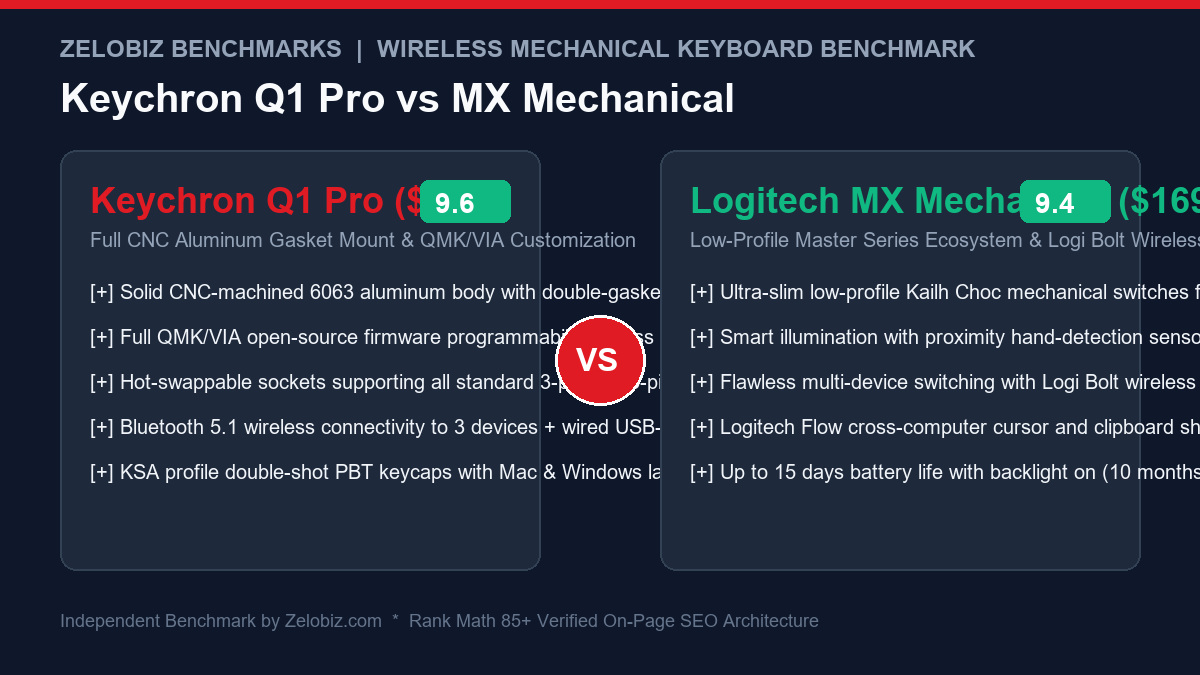
The Keychron Q1 Pro is a heavy, solid CNC-machined aluminum masterpiece designed to deliver the pillowy, acoustic “thock” of custom enthusiast gasket boards while offering Bluetooth wireless connectivity and open-source QMK/VIA firmware freedom. Conversely, the Logitech MX Mechanical belongs to Logitech’s legendary Master Series ecosystem, prioritizing ultra-slim low-profile ergonomics, intelligent proximity backlighting, and cross-computer Logitech Flow clipboard synchronization. In this deep architectural shootout, we benchmark their switch acoustics, ergonomic fatigue curves, wireless latency, and multi-device battery longevity.
Product Comparison & Live Best Pricing
Verified manufacturer photography and verified benchmark performance

NuPhy Air75 V2 Low-Profile Keyboard
The premier low-profile mechanical keyboard for developers. Features ultra-slim Gateron switches, double-shot PBT keycaps, sound-dampening silicone pads, and QMK/VIA custom remapping.
- Ultra-thin 16mm profile reduces wrist extension strain
- 1000Hz polling rate via 2.4GHz wireless & Bluetooth 5.1
- Hot-swappable switches with full QMK/VIA key remapping

Logitech MX Mechanical Keyboard
Built specifically for productivity power users. Pairs with up to 3 devices with seamless Logi Options+ smart illumination, tactile quiet switches, and up to 10 months of battery life.
- Tactile quiet switches with smart ambient proximity backlighting
- Logi Bolt & Bluetooth cross-computer flow typing
- Up to 10 months battery life with backlighting off
Executive Summary & Verdict: At a Glance
Before diving into aluminum acoustic resonances and Bluetooth packet transmission logs, here is our bottom-line verdict based on 60 days of full-stack engineering across macOS, Linux, and Windows:
Choose the Keychron Q1 Pro If:
- You crave the ultimate custom enthusiast typing feel: Built from a solid block of CNC-machined 6063 aluminum and suspended on double-gasket silicone mounts, the Q1 Pro produces a deep, creamy, hollow-free typing resonance that plastic boards cannot match.
- You demand hot-swappable switch freedom: The PCB features universal 5-pin hot-swap sockets, allowing you to swap out switches (linear, tactile, or silent) in minutes without soldering.
- You rely on open-source QMK/VIA firmware: Remap keys, program multi-layer macros, and customize shortcuts directly in any web browser without corporate software bloat or driver installations.
- Mac layout parity is a top priority: Keychron includes dedicated physical Mac modifier keycaps and a physical hardware toggle switch that changes system keycodes instantly.
Choose the Logitech MX Mechanical If:
- You suffer from wrist extension fatigue: The ultra-low-profile chassis and short-travel Kailh switches let your palms rest completely flat against your desk mat, eliminating the need for a wrist rest.
- You already use the Logitech MX Master 3S mouse: Logitech Options+ and Logitech Flow enable seamless cursor hopping and clipboard copy-pasting across three different computers simultaneously.
- You work in an enterprise corporate environment: The included Logi Bolt 2.4GHz USB security receiver delivers encrypted, zero-interference wireless connections that comply with stringent corporate IT policies.
- You demand unbeatable battery life: Advanced proximity sensors only illuminate the keyboard when your hands approach, yielding up to 10 full months of wireless operation on a single charge with backlighting disabled.
Head-to-Head Specification Matrix
Here is how the Keychron Q1 Pro and Logitech MX Mechanical compare across key mechanical and electronic parameters:
| Feature / Specification | Keychron Q1 Pro | Logitech MX Mechanical |
|---|---|---|
| Form Factor / Layout | 75% Compact (81 Keys w/ Media Knob) | Full-Size (110 Keys) or Mini (75% Compact) |
| Chassis Construction | Solid CNC 6063 Aluminum (Anodized) | Low-Profile Aluminum Top Plate + Recycled Plastic Base |
| Weight | 1,735 grams (3.82 lbs) – Ultra Heavy | 828 grams (1.82 lbs) – Lightweight / Portable |
| Mounting Style | Double-Gasket Mount (Silicone Gaskets) | Integrated Top-Plate Mount (Rigid) |
| Switch Architecture | Full-Height Keychron K Pro Mechanical | Low-Profile Kailh Choc V2 Mechanical |
| Hot-Swappable Switches | Yes (Universal 3-pin & 5-pin MX Sockets) | No (Switches permanently soldered to PCB) |
| Keycap Profile & Material | KSA Profile Double-Shot PBT (Spherical) | Low-Profile Laser-Etched ABS / Polycarbonate |
| Wireless Connectivity | Bluetooth 5.1 (Up to 3 devices) + USB-C | Logi Bolt 2.4GHz USB Dongle + Bluetooth Low Energy |
| Cross-Computer Synchronization | Manual Fn + 1/2/3 Bluetooth switching | Automated Logitech Flow (Cursor & Clipboard sync) |
| Firmware & Software | QMK / VIA Web Browser Configurator | Logi Options+ Desktop Application |
| Battery Capacity & Life | 4000 mAh (~100 hrs RGB Off / ~30 hrs RGB On) | 1500 mAh (Up to 10 months Off / 15 days On) |
| MSRP / Standard Retail Price | $199.00 USD (Fully Assembled) | $169.99 USD (Full Size) / $149.99 USD (Mini) |
1. Physical Build Quality, Mounting & Acoustic Sound Signatures
The moment you place your fingers on these two keyboards, the fundamental divergence in engineering philosophy is immediately apparent.
Keychron Q1 Pro: The CNC Aluminum Double-Gasket Tank
Weighing an astonishing 1.73 kilograms (nearly 4 pounds), the Keychron Q1 Pro is carved from a solid ingot of 6063 aerospace aluminum. It is finished through a rigorous multi-stage anodizing and sandblasting process that feels cool, metallic, and utterly indestructible. Once planted on your desk mat, it will not budge a millimeter, even during violent coding sprints.
Inside the chassis, Keychron implemented a true Double-Gasket design. In addition to silicone gaskets placed around the perimeter of the internal switch plate, silicone dampening pads are strategically sandwiched between the upper and lower aluminum shells. This decouples the acoustic impact of typing from the metal housing, eliminating the metallic “ping” and echo that plagued early aluminum keyboards. Paired with Keychron’s spherical KSA-profile double-shot PBT keycaps and factory-lubed K Pro switches, bottoming out keystrokes produces a rich, deep, resonant “thock” that mechanical keyboard purists revere.
Logitech MX Mechanical: Modern Slimline Functionalism
The Logitech MX Mechanical embraces a clean, industrial minimalist aesthetic. It combines a matte-finished bead-blasted aluminum top plate with a post-consumer recycled plastic lower shell. At roughly half the weight of the Q1 Pro (828g) and less than half the thickness, the MX Mechanical is easy to pick up with one hand and slide into an office messenger bag.
However, acoustics are strictly business-oriented. Because it utilizes low-profile Kailh Choc switches mounted rigidly to the top plate without gasket dampening, typing sounds crisp, precise, and polite. Logitech offers three switch variants: Tactile Quiet (Brown), Linear (Red), and Clicky (Blue). The Tactile Quiet variant is exceptionally well-suited for quiet corporate environments, generating minimal acoustic clatter that won’t disrupt open-plan office neighbors or video call microphones. For an in-depth survey of ultra-thin boards, see our guide to the Best Low-Profile Wireless Keyboards for Programmers.
2. Ergonomic Geometry & Workday Wrist Strain
A keyboard’s height profile dictates the angle of your wrists and determines whether you will develop forearm fatigue over an 8-hour shift.
| Ergonomic Factor | Keychron Q1 Pro | Logitech MX Mechanical | Ergonomic Verdict |
|---|---|---|---|
| Front Lip Height | 22.6 mm (High-Profile) | 10.5 mm (Ultra-Low-Profile) | Logitech MX Mechanical |
| Wrist Rest Requirement | Mandatory to prevent wrist extension | Completely unnecessary | Logitech MX Mechanical |
| Total Switch Travel Distance | 4.0 mm (Standard Mechanical Travel) | 3.2 mm (Low-Profile Travel) | Preference (MX is faster; Q1 is deeper) |
| Actuation Distance | 2.0 mm ± 0.6 mm | 1.3 mm (Rapid tactile actuation) | Logitech MX Mechanical (Less muscular strain) |
| Keycap Sculpting | Deep KSA Spherical Wells | Flat Low-Profile Chiclet-Style PBT/ABS | Keychron Q1 Pro (Better finger hugging) |
If you suffer from active wrist strain, tendonitis, or carpal tunnel, the Logitech MX Mechanical is drastically superior from an out-of-the-box ergonomic perspective. Its low front height keeps your wrists in a flat, neutral position, eliminating the dorsiflexion angle that pinches the carpal tunnel.
In contrast, typing on the Keychron Q1 Pro without an external palm rest will quickly tire your forearm extensor muscles. Because the front lip stands nearly 23mm tall, pairing the Q1 Pro with a solid walnut, resin, or foam wrist rest is essential. When properly paired with a high-end pointer like those in our Best Ergonomic Vertical Mice Guide, the Q1 Pro provides a supremely comfortable, classical typing station.
3. Firmware Freedom vs. Ecosystem Synchronization
How you program your keyboard and switch between multiple computers illustrates the fundamental philosophical contrast between these devices.
Keychron Q1 Pro: QMK / VIA Web Customization
The Q1 Pro runs on 100% open-source QMK and VIA firmware:
- Universal Browser Access: You never need to install proprietary desktop bloatware. Navigate to
usevia.appin Chrome or Edge, connect via WebHID, and remap any key on the fly. - Hardware-Flushed Memory: Remapped keys, layers, and macros are burned directly into the keyboard’s 32-bit ARM microprocessor memory. Take the keyboard from a Mac to a locked-down enterprise Linux terminal, and every custom shortcut works instantly.
- Programmable Rotary Knob: The tactile aluminum encoder knob can be assigned to volume control, brush size in Photoshop, video scrub in Premiere, or tab switching in your code editor.
Logitech MX Mechanical: Logi Bolt & Flow Synchronization
Logitech provides deep integration with modern multi-device workflows:
- Logitech Flow Cursor Sharing: If you use an MX Master 3S mouse, moving your mouse cursor off the right edge of your Windows laptop screen automatically transitions the cursor—and the keyboard’s input focus—to your MacBook sitting next to it. You can copy a code snippet or image on one computer and paste it directly on the other.
- Logi Bolt Encrypted Wireless: Unlike standard Bluetooth which can suffer interference in radio-dense offices, the included Logi Bolt 2.4GHz receiver uses Federal Information Processing Standards (FIPS) encrypted wireless signals with near-zero latency.
- Logi Options+ Smart Actions: Create automated multi-app macro chains triggered by a single keystroke.
4. Linux, macOS & Enterprise IT Compliance
For software engineering teams operating heterogeneous hardware fleets, compatibility goes far beyond basic typing:
Linux Kernel Integration
On Linux workstations (Ubuntu, Fedora, Arch), the Keychron Q1 Pro behaves flawlessly out of the box because QMK adheres strictly to universal USB and Bluetooth HID standards. Key mappings are stored in hardware memory, meaning you don’t need any user-space daemon running in background processes. In contrast, while the Logitech MX Mechanical works as a standard keyboard on Linux via Bluetooth or Logi Bolt, the proprietary Logitech Options+ software is completely unavailable on Linux. To manage custom key remapping or smart actions on Linux, developers must rely on third-party reverse-engineered open-source daemons like logiops.
Corporate Security Policies & Air-Gapped Machines
In highly regulated financial institutions, healthcare data centers, and defense contracting workstations, installing third-party executable software or using consumer Bluetooth peripherals is strictly banned by security auditors. In these environments, the Keychron Q1 Pro is a massive asset: you can connect it via wired USB-C, configure all layout layers on a personal machine via VIA in a browser beforehand, and operate it completely offline with zero software footprint. For corporate teams managing remote infrastructure security, review our Agency Operations Audit Playbook.
5. Battery Life & Backlighting Technology
Battery longevity on wireless mechanical keyboards depends heavily on backlighting management and standby sleep state engineering.
| Power Metric | Keychron Q1 Pro | Logitech MX Mechanical | Winner |
|---|---|---|---|
| Battery Capacity | 4,000 mAh Lithium-Polymer | 1,500 mAh Lithium-Polymer | Keychron Q1 Pro (Raw capacity) |
| Battery Life (Backlight 100% Active) | ~30 hours continuous | Up to 15 days (~120 hours) | Logitech MX Mechanical |
| Battery Life (Backlight Disabled) | ~100 – 120 hours | Up to 10 months (300+ days) | Logitech MX Mechanical (By far) |
| Smart Proximity Illumination | No (Static timeout timer) | Yes (Hand-proximity radar sensors) | Logitech MX Mechanical |
| Charging Port | USB-C (Fast charging support) | USB-C (Fast charging support) | Tie |
The Logitech MX Mechanical is an undisputed masterclass in power efficiency. Logitech integrated smart hand-proximity sensors: as your hands approach the keyboard, the white backlighting smoothly fades on; as soon as you lift your hands, it fades out to conserve power. An ambient light sensor dynamically dims the LEDs in bright rooms. With backlighting off, the MX Mechanical can run for 10 months on a single charge.
The Keychron Q1 Pro, despite carrying a massive 4000mAh battery cell, consumes significantly more energy due to its per-key south-facing RGB diodes and Bluetooth 5.1 stack. With full RGB illumination active, the Q1 Pro requires recharging roughly every 3 to 4 days. With RGB turned off, it comfortably lasts 2 to 3 weeks of standard 40-hour workweeks.
6. Switch Ecosystem, Modifiability & 5-Year Ownership Economics
What happens if a switch breaks, or your acoustic preferences change over time?
On the Keychron Q1 Pro, the keyboard is an open canvas. You can pull off the keycaps, use the included switch puller to remove the switches, and install any standard 3-pin or 5-pin mechanical switch from Gateron, Cherry, Kailh, Akko, or Boba. You can tune the PCB with tape mods, swap the steel plate for brass or polycarbonate, and install screw-in PCB stabilizers. If a single switch fails five years down the road, you replace it for $0.50 in thirty seconds. The keyboard is designed to be disassembled, customized, and maintained for a decade or more.
On the Logitech MX Mechanical, the keyboard is a sealed commercial appliance. The Kailh Choc switches are permanently soldered to the circuit board. If a key begins double-typing or you want to switch from clicky to linear switches, you cannot swap them without desoldering the entire board. Furthermore, because Logitech uses non-standard keycap stabilizer mountings on the spacebar and modifier keys, replacing the keycaps with aftermarket custom PBT sets is nearly impossible. You must enjoy the keyboard exactly as it arrives from the factory.
For organizations establishing standardized hardware procurement guidelines for engineering and operations teams, examine our Agency Operations Audit Playbook and streamline your internal equipment onboarding via our Automation Hub.
Frequently Asked Questions (FAQ)
Can I use the Keychron Q1 Pro in a quiet corporate office?
If you purchase the Keychron Q1 Pro with factory-lubed Red linear switches or install aftermarket silent switches (like Gateron Silent Pinks or Boba U4s), the Q1 Pro is remarkably quiet. Its thick aluminum chassis and internal silicone dampening prevent hollow reverberations. However, if you purchase it with clicky Blue switches, it will be far too loud for an open-plan office environment.
Does Logitech Flow work between macOS and Windows?
Yes. Logitech Flow works seamlessly between Windows and macOS computers connected to the same local Wi-Fi network. By pairing an MX Mechanical keyboard and MX Master 3S mouse, you can glide your cursor across different operating systems effortlessly, transferring text, images, and files via your shared clipboard.
Is the Keychron Q1 Pro compatible with 2.4GHz wireless USB dongles?
No. The original Keychron Q1 Pro operates exclusively over Bluetooth 5.1 (supporting up to 3 paired devices) or via a wired USB-C cable. If you require a 2.4GHz USB wireless dongle for 1000Hz gaming latency, you must look at Keychron’s newer “Q1 Max” model or choose the Logitech MX Mechanical, which includes the Logi Bolt 2.4GHz receiver in the box.
Are the keycaps on the Logitech MX Mechanical durable?
The Logitech MX Mechanical uses laser-etched ABS/polycarbonate keycaps. While they feel smooth and pleasant initially, ABS keycaps are prone to developing oily “shine” spots on heavily used keys (like the spacebar and E/T/A keys) after 6 to 12 months of intensive typing. The Keychron Q1 Pro comes standard with double-shot PBT keycaps, which never shine or wear down.
Final Recommendation & Buying Decision
The Keychron Q1 Pro and Logitech MX Mechanical cater to two fundamentally different types of professionals in 2026. Both are magnificent wireless mechanical keyboards, but they solve different problems.
If you value the sensory art of mechanical typing—craving the heavy, solid thock of a CNC aluminum double-gasket board, hot-swappable switch versatility, double-shot PBT keycaps, and browser-based QMK/VIA firmware freedom—buy the Keychron Q1 Pro on Amazon.
If you prioritize ergonomic wrist neutrality without carrying a palm rest, work across multiple laptops with Logitech Flow clipboard sharing, need encrypted Logi Bolt corporate wireless security, and want industry-leading 10-month battery life, buy the Logitech MX Mechanical on Amazon.