
Affiliate disclosure: This post contains an affiliate link. If you buy through it, Zelobiz may earn a commission at no extra cost to you. That doesn’t change what we say below.
SyncSignature manages branded email signatures across a whole team, letting a single admin design a template once and push it out to everyone rather than relying on each individual employee to copy-paste their own signature correctly. It sold as an AppSumo lifetime deal in 2025, and we checked back in 2026 on whether it’s still buyable, what the real pricing looks like now, and what a year or more of actual use tells us.
What SyncSignature actually does
SyncSignature is built around a simple, recurring problem: getting every employee at a company to use a consistent, correctly formatted email signature is harder than it sounds, especially once you factor in job title changes, new hires, and rebrands that make every existing signature outdated overnight. SyncSignature centralizes that entire process with modern design templates you can customize with a company’s colors, logos, call-to-action buttons, promotional banners, and social icons, then organizes your whole team into groups so different departments can carry different signature templates. Bulk editing lets an admin update every single signature at once whenever something changes company-wide, and automatic installation for Google Workspace accounts removes the need for each individual employee to manually paste anything into their own settings.
Agencies managing signatures across multiple client accounts get dedicated multi-client management, and white-labeling lets an agency run the tool under its own branded URL rather than SyncSignature’s, which matters if you’re reselling this as part of a broader brand or IT services package.
The underlying problem this solves is more common than it might sound. Most companies discover their signature problem the hard way, someone notices an employee still listing an old job title months after a promotion, or a new hire sends their first week of client emails with no signature at all because nobody sent them the template. IT and marketing teams typically end up owning this by default, fielding the same “can you send me the signature file again” request repeatedly, which is exactly the manual overhead a centralized tool like this is meant to remove.
Is the AppSumo deal still available?
No. SyncSignature shows “Sold out!” on its AppSumo listing, with a “Notify me when it returns” option in place of a buy button. There’s no active purchase path right now, only that email waitlist for whenever, or if, the deal resurfaces.
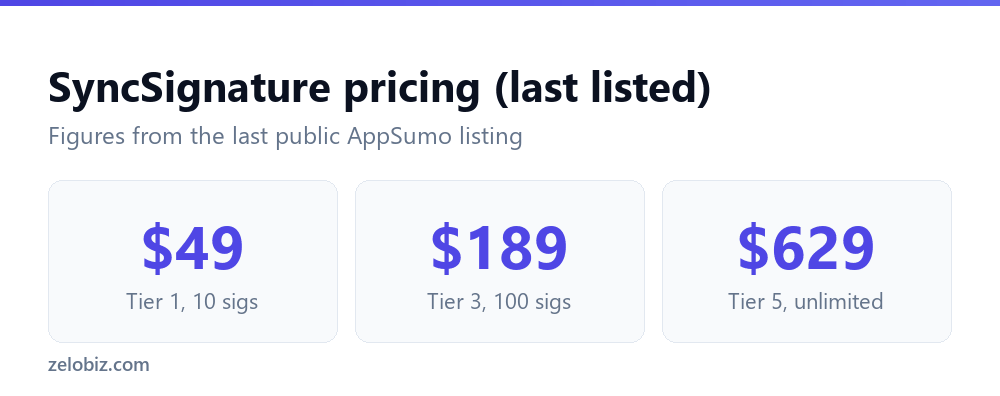
The deal most recently sold across six license tiers, an expansion from the four tiers in the original listing:
| Tier | Price | Signatures |
|---|---|---|
| Tier 1 | $49 | 10 |
| Tier 2 | $119 | 30 |
| Tier 3 | $189 | 100 |
| Tier 4 | $379 | 250 |
| Tier 5 | $629 | Unlimited |
| Tier 6 | $1,259 | Unlimited, higher-tier features |
Higher tiers unlocked Google Workspace and Microsoft 365 auto-install, white labeling, email analytics, and additional admin controls, so the jump in price between tiers wasn’t purely about raw signature count, it also gated meaningfully different day-to-day functionality that a lower tier buyer wouldn’t have access to. All tiers carried the standard 60-day AppSumo money-back guarantee.
Setting it up in practice
Getting started involves building a signature template in the design editor, defining which fields pull from each employee’s profile (name, title, phone number), then assigning that template to a group. For Google Workspace accounts on the eligible tiers, SyncSignature can push the signature out automatically without the employee needing to do anything, which is the feature that saves the most ongoing administrative time compared to a manual, email-everyone-the-new-signature approach. Reviewers described the initial setup and the first bulk rollout as quick and smooth for most teams, with the bulk-edit feature specifically praised for making company-wide updates painless whenever a template needed to change down the line.
Microsoft 365 and other email clients outside Google Workspace required a more manual installation process, since the deepest automation is specific to Google’s platform. That’s a meaningful distinction to be aware of if your organization runs on Outlook or another provider rather than Gmail, since the day-to-day admin convenience is noticeably higher on Google Workspace than elsewhere.
Rolling out a new template to an existing team, rather than setting one up from scratch, was described by several reviewers as the more common real-world scenario, and the bulk-edit tool is specifically built for that: change the template once, and every employee’s signature updates automatically rather than requiring individual edits. For a company going through a rebrand or updating a logo, that single feature can be the difference between a same-day rollout and a weeks-long chase to get every employee to update manually.
Key features
The design editor supports promotional banners and call-to-action buttons directly inside the signature, turning every outgoing email into a small marketing surface, useful for promoting an event, a new product, or a seasonal offer without needing a separate email campaign. Email signature analytics on the higher tiers let an admin see whether those banners and buttons are actually getting clicked, which turns the signature from a static footer into something with measurable return. GDPR compliance and white-labeling round out the feature set for agencies and larger organizations with compliance and branding requirements beyond what a smaller team typically needs.
Grouping team members by department rather than applying one template company-wide is worth using even at a small company size, since sales, support, and leadership often benefit from different calls to action. A sales team’s signature might promote a booking link or a case study, while a support team’s signature is better served by a link to the help center, and leadership signatures often drop promotional elements entirely in favor of a cleaner, more formal look. SyncSignature’s group-based template assignment handles that kind of segmentation without requiring a separate tool or a manual workaround for each department.
How it compares to the alternatives
| Tool | Pricing model | Best for |
|---|---|---|
| SyncSignature | One-time payment (when available) | Teams wanting centralized, bulk-managed signatures |
| WiseStamp | Monthly subscription, per-user | Simple individual and small-team signatures |
| Exclaimer | Monthly subscription, enterprise-tiered | Larger enterprises with complex compliance needs |
| Newoldstamp | Monthly subscription, tiered | Marketing-focused signature campaigns |
Exclaimer is the enterprise heavyweight in this particular space, with deeper compliance and legal-disclaimer features aimed squarely at large, regulated organizations, and it’s priced well above what a small or mid-size business would typically need to pay. WiseStamp and Newoldstamp sit closer to SyncSignature’s actual competitive set, both charging an ongoing per-user or per-month fee that a one-time SyncSignature payment was built to undercut for a team of a given size. The real comparison point is total signature count over time: a team that stays roughly the same size gets more value out of a one-time payment the longer they use it, while a fast-growing team might outgrow even the top SyncSignature tier and need to reassess.
What users say
SyncSignature carries one of the stronger reputations in this batch of AppSumo reviews, rated around 4.71 out of 5 from 45 verified buyers. Reviewers consistently praised the design quality of the templates, how easy team-wide updates were once set up, and a responsive support team that came up repeatedly across different reviews. The complaints that did surface were narrower than what we found for some other tools here: occasional reports of images breaking inside a signature after certain email client updates, and a few reviewers describing the admin UI navigation as slightly less intuitive than they expected once they got past the initial setup.
That combination, strong overall satisfaction with a couple of specific, recurring technical complaints, is a healthier pattern than either extreme. It suggests the core product does what it promises for most buyers, while leaving room for the kind of rendering quirks that are genuinely common across the entire email-signature category, since different email clients render HTML signatures inconsistently regardless of which vendor built the template.
HTML email rendering is one of the harder, more persistent problems in this space, and it’s worth understanding why before blaming any single vendor for it. Gmail, Outlook desktop, Outlook web, Apple Mail, and mobile clients each interpret HTML and CSS in slightly different ways, a quirk email developers have dealt with for years across the entire industry, not something specific to signature tools. A signature that renders perfectly in Gmail can occasionally show a broken image or misaligned banner in another client, which is the most likely explanation behind the image-breakage complaints in SyncSignature’s reviews rather than a fundamental flaw in the tool itself.
Pros
- Strong review score (4.71/5) from a meaningful sample of verified buyers
- Bulk editing makes company-wide signature updates fast
- Automatic installation for Google Workspace removes manual employee setup
- Signature analytics on higher tiers show whether CTAs are being clicked
- White-labeling and GDPR compliance suit agencies and larger teams
Cons
- Currently sold out, with no confirmed restock date
- Deepest automation is Google Workspace-specific; other email clients need manual setup
- Some reviewers reported occasional image breakage inside signatures
- Admin UI navigation described as slightly less intuitive by a portion of reviewers
- Higher tiers needed for white-labeling and analytics, raising the entry cost for agencies
Who it’s for
SyncSignature made the most sense for a small-to-mid-size company on Google Workspace that wanted consistent, on-brand signatures across every employee without manually emailing out an update every time something changed, and for agencies managing signatures across multiple client accounts who valued the white-label option. It was a weaker fit for organizations running primarily on Microsoft 365 or another non-Google email provider, given the more manual installation process outside Google Workspace, and for very small teams where the administrative burden it solves barely exists in the first place. A two- or three-person business updating signatures by hand once a year isn’t the target buyer here; the value climbs sharply once you’re past a dozen employees with regular turnover, title changes, and department-specific messaging needs.
Verdict: is SyncSignature worth it?
Of the sold-out AppSumo deals in this batch, SyncSignature has one of the stronger review track records, and the complaints that exist are specific and narrow rather than pointing to a broken core product. If the deal returns, it’s a reasonable pick for a Google Workspace team of the right size, and the tiered pricing means you can match the purchase to your actual signature count rather than overpaying for capacity you won’t use. Teams on Microsoft 365 should weigh the reduced automation benefit against alternatives like Exclaimer that are built with that platform more centrally in mind. Either way, treat the 60-day refund window as a genuine trial period: roll it out to one department first, check how the signatures actually render across the email clients your clients and colleagues use, and only commit the rest of the company once you’re satisfied it holds up in practice rather than just in the demo.
Frequently asked questions
How does SyncSignature compare on price against Exclaimer or WiseStamp?
Both alternatives charge an ongoing per-user or monthly subscription, while SyncSignature was sold as a one-time payment, which tends to favor SyncSignature for a team that stays roughly the same size over several years of use.
Is SyncSignature still available on AppSumo?
No, it’s marked sold out on AppSumo, with an email notification signup in place of a purchase option.
Does SyncSignature work with Microsoft 365?
Yes, but the automatic, no-touch installation is specific to Google Workspace. Microsoft 365 and other providers require a more manual setup process.
Can I track whether people click the links in my signature?
Yes, email signature analytics are included on the higher license tiers, showing engagement with banners and call-to-action buttons.
What causes signature images to break sometimes?
Some reviewers reported occasional image rendering issues after certain email client updates, a known challenge across the HTML email signature category generally, not unique to this tool.
Is SyncSignature good for agencies managing multiple clients?
Yes, higher tiers include white-labeling and multi-client management features built specifically for that use case.
Check the live status of the deal on AppSumo’s SyncSignature page before assuming availability has changed.