
To make a website, choose between three genuinely different paths: a website builder (Wix, Squarespace) for the fastest, simplest setup with few pages; WordPress with separate hosting for the best balance of ease and flexibility, suited to most blogs, content sites, and small businesses; or custom-coded for full control when you have specific technical requirements a template can’t meet. For most people building their first real website, WordPress is the sensible middle path — more setup than a builder, but far more room to grow into.
Three paths, and what actually fits each one
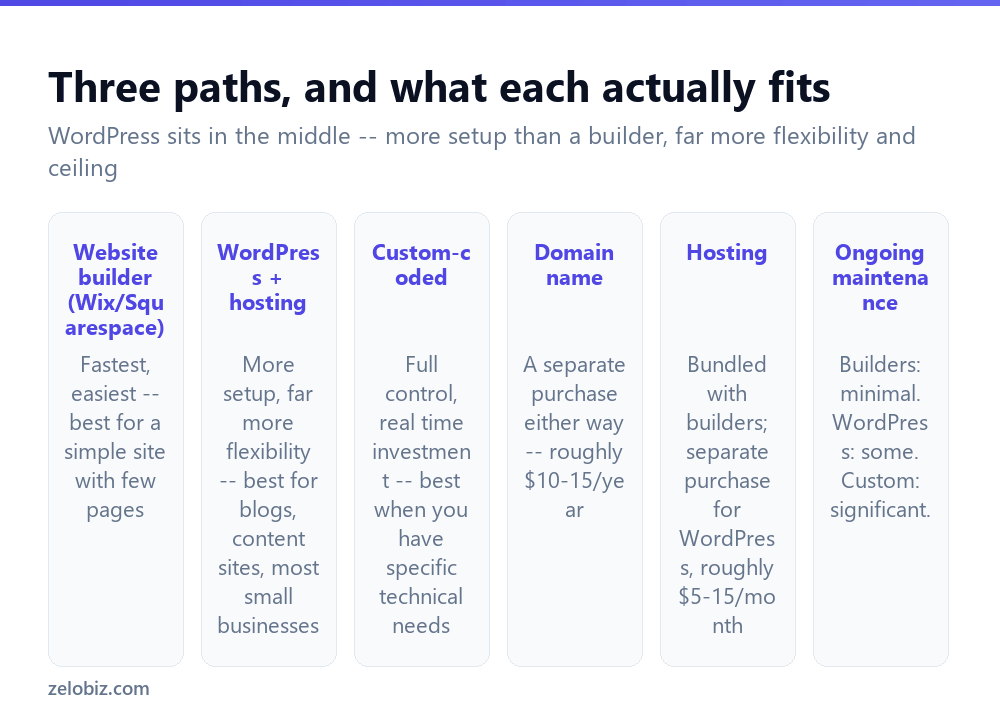
Website builders (Wix, Squarespace, and similar) are the fastest route to something live — drag-and-drop editing, hosting bundled in, no separate technical setup. They genuinely suit a simple site: a handful of pages, a portrait or portfolio, a basic business presence. Their tradeoff is a lower ceiling — harder to extend with custom functionality later, and switching away from one later means largely starting over.
WordPress (self-hosted, at wordpress.org, not the more limited wordpress.com) requires choosing hosting and installing WordPress yourself, or through a host’s one-click installer. More setup than a builder, but it powers a large share of the web precisely because of what that setup buys: thousands of themes and plugins, real content and SEO control, and no hard ceiling on where the site can grow. It’s the right choice for anything content-heavy, anything that will grow in scope over time, or any small business site.
Custom-coded sites (built from scratch or with a framework) offer complete control with no template constraints at all, at the cost of real development time or a real budget to hire someone. Appropriate when you have specific technical requirements — a particular interactive feature, tight performance needs, a genuinely unique interface — that no existing template or plugin combination can achieve.
Don’t choose based on what sounds most impressive. A simple portfolio site doesn’t need custom code, and a growing content business will eventually outgrow a basic builder. Match the tool to what the site actually needs to do, now and over the next year or two.
Getting a WordPress site live
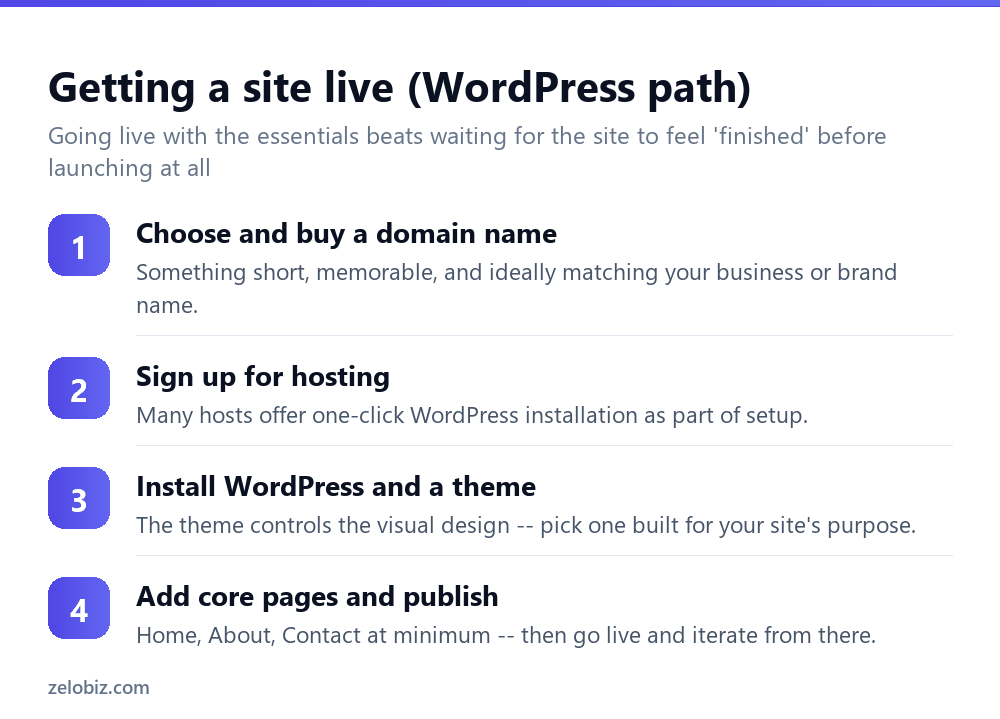
Choose and buy a domain name — short, memorable, ideally matching your business or brand name. Domain registration typically runs $10-15/year, independent of whichever hosting or platform you choose.
Sign up for hosting. Many hosts offer one-click WordPress installation built into their signup process, which handles the technical setup automatically rather than requiring a manual install. Shared hosting suitable for a new site typically runs $5-15/month.
Install WordPress and choose a theme. The theme controls the site’s visual design and layout — pick one built for your specific purpose (a blog theme, a business theme, a portfolio theme) rather than a generic all-purpose one, since purpose-built themes generally come with more relevant built-in features.
Build the core pages and publish. Home, About, and Contact are the genuine minimum for most small sites — add more as the site develops, but don’t delay launching until every conceivable page exists.
What every website needs, regardless of platform
Independent of which of the three paths you choose, a few things matter across all of them. Mobile responsiveness — most visitors to most sites arrive on a phone, not a desktop, and a site that looks broken or is hard to navigate on mobile loses those visitors immediately. Modern builders and WordPress themes generally handle this automatically; custom-coded sites need it built in deliberately.
A clear next step on every page — what should a visitor do after reading this page? Contact you, buy something, subscribe, read another article? A page with no clear direction for the visitor is a missed opportunity regardless of how good the content itself is.
Reasonable load speed — a slow-loading site loses visitors before they see any content at all. Oversized, uncompressed images are the most common cause of a slow site across all three platform types, and usually the easiest to fix.
A worked example: choosing between the three paths
Say you’re a freelance photographer who needs an online presence to show your work and get booked, and you’re deciding between a builder, WordPress, and custom code.
A photography portfolio is exactly what a website builder handles well — Squarespace in particular has strong built-in gallery and image-display features, the setup is fast, and a photographer’s site rarely needs the deeper content or SEO infrastructure that would push toward WordPress. Unless there’s a specific plan to also run a blog with regular search-driven content, or a store selling prints directly, a builder is the sensible choice here, not a compromise, and switching later remains an option if the business grows into needing more.
Now say instead you’re starting a business that will also publish regular articles to attract search traffic, alongside selling a product. That combination — content plus commerce plus room to grow — is where WordPress earns its extra setup effort, since it handles both content and store functionality (via a plugin like WooCommerce) without hitting the ceiling a builder would eventually hit.
Custom code stays the right call only when something specific can’t be achieved either other way — a genuinely novel interactive tool, unusual performance requirements, or deep integration with other systems a template and plugin combination can’t reach. For most businesses and individuals, that bar is higher than it first appears, and one of the other two paths turns out to be perfectly sufficient once actually tested against it.
Migrating from a builder to WordPress later
Starting on a builder doesn’t lock you in forever, but it’s worth knowing upfront that migrating later is real work, not a simple export-import. Content generally has to be manually recreated in WordPress’s format, and a builder-hosted site’s URLs often don’t match WordPress’s default URL structure, which means setting up redirects carefully to avoid losing whatever search rankings the original site had built up. This is manageable, but it’s a real project, not a button to click — worth factoring into the initial choice if there’s a reasonable chance the site will outgrow a builder within the next year or two, rather than treating the switch as a costless, purely technical formality later on.
Common first-website mistakes
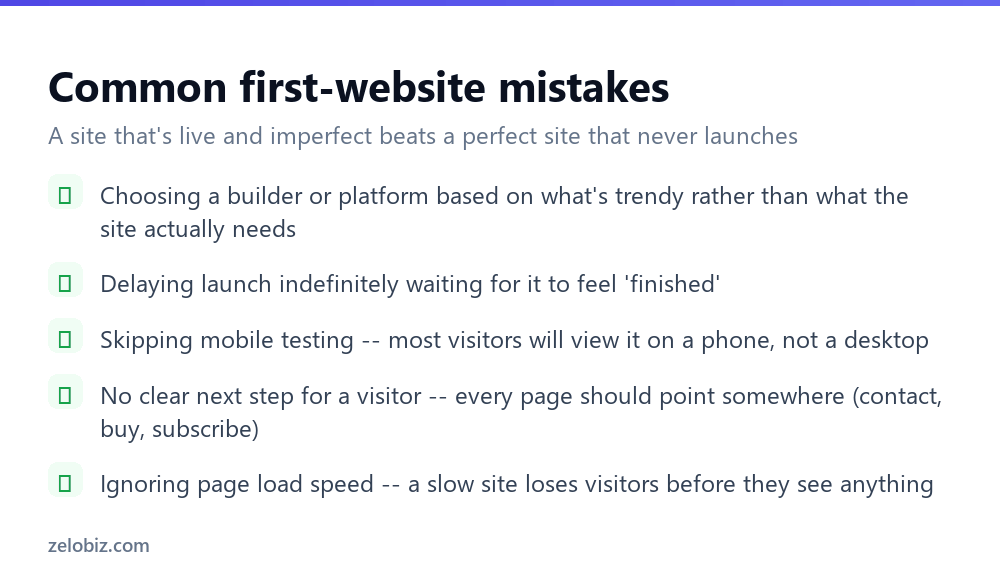
Choosing a platform based on trend rather than fit — picking whatever’s currently popular in online discussion rather than what actually matches your site’s real requirements and your own comfort with the technical setup involved.
Delaying launch indefinitely waiting for the site to feel “finished” — a genuinely common trap. A live site with the essential pages, imperfect and still being improved, is far more valuable than a theoretically perfect one that never actually goes live.
Skipping mobile testing before launch — always check how the site actually looks and behaves on an actual phone, not just a resized browser window on a desktop, before considering it ready.
No clear next step for visitors — review each page and ask what you want someone to do after reading it, then make that action obvious rather than implicit.
- ✓Match the platform to what the site actually needs to do, not what’s trendy
- ✓Launch with the essential pages rather than waiting for the site to feel complete
- ✓Test on an actual phone before considering the site ready
- ✓Give every page a clear next step for the visitor to take
- ✓Compress images before uploading to keep load speed reasonable
- ✕Choosing a website builder for a site that will clearly outgrow it within a year
- ✕Delaying launch indefinitely chasing a ‘finished’ feeling that never quite arrives
- ✕Only checking the site’s appearance on a desktop browser before launch
- ✕Building pages with no clear action for a visitor to take next
- ✕Uploading full-resolution images straight from a camera or phone without compressing them
Frequently asked questions
What’s the easiest way to make a website?
A website builder like Wix or Squarespace is the fastest and simplest route for a basic site with few pages, with hosting and design tools bundled together.
Should I use WordPress or a website builder?
WordPress suits anything content-heavy, growing, or business-focused, offering far more flexibility. A builder suits a simple, small site where ease of setup matters more than long-term flexibility.
How much does it cost to make a website?
A domain name runs about $10-15/year regardless of platform. Hosting for WordPress typically runs $5-15/month; website builders often bundle hosting into a similar monthly price.
Do I need to know how to code to make a website?
No, for website builders or WordPress with existing themes. Custom-coded sites do require coding knowledge or hiring someone who has it.
Why is mobile responsiveness important for a website?
Most visitors to most sites arrive on a phone. A site that’s hard to use on mobile loses those visitors immediately, regardless of how good the content is.
Should I wait until my website feels finished before launching?
No. Launching with the essential pages live, then improving over time, generally works better than delaying indefinitely chasing a sense of completeness.
- →Fill your new site with content that ranks: how to start a blog
- →Sell products once your site is live: how to sell on Etsy
- →A faster starting point than a full site: how to make money online
- →Grow a video presence alongside your site: how to start a YouTube channel