

Signing into an account inside an app feels like the routine, low-stakes step it usually is. In Siri’s ChatGPT integration, Apple’s own privacy documentation states directly that it isn’t. It’s the single action that swaps one set of data protections for a completely different one.
This covers exactly what Apple guarantees while you stay signed out, what changes the moment you sign into your own ChatGPT account, and the confirmation flow that sits in front of every request either way.
Short answer: Without a ChatGPT account linked, Apple states OpenAI receives only your request and attachments, nothing tied to your Apple Account, your IP address is obscured, and OpenAI must not use the data to train or improve its models. Sign into your own ChatGPT account, and Apple states your account settings and OpenAI’s own data privacy policy apply instead, meaning OpenAI may log your request, attachments and session history and use that data to train its models. Siri asks for confirmation before sending a request either way, and always asks before sending a file. Verified directly against Apple’s own privacy documentation on 5 September 2026.
The Guarantee That Only Holds While You’re Signed Out
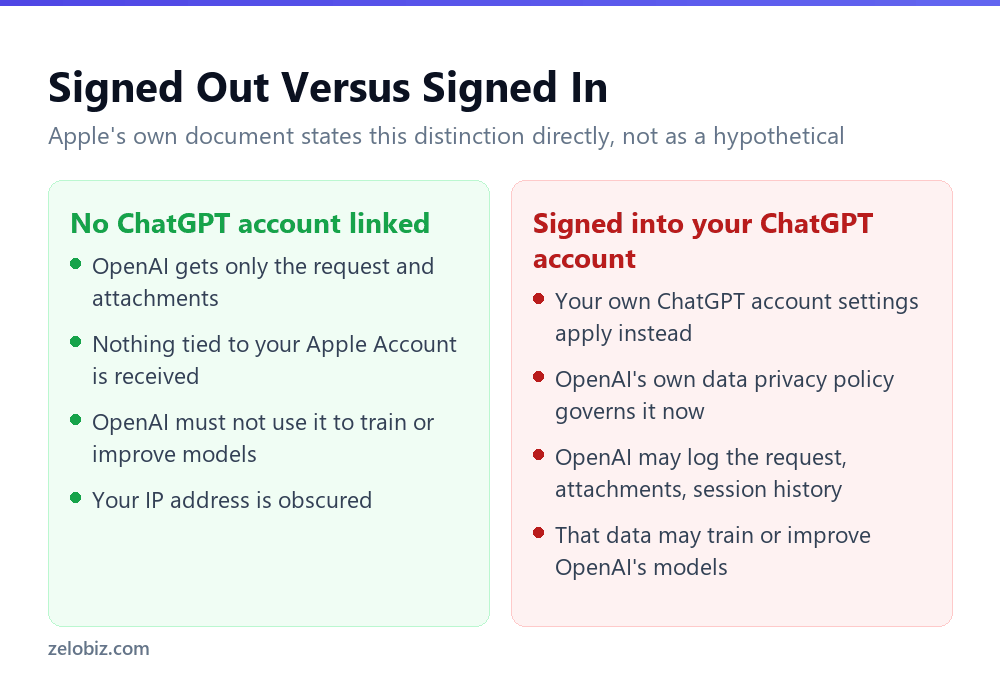
Apple’s own wording, without qualification: without an account, only the information described, meaning your request and any attachments, will be sent to ChatGPT, and OpenAI will not receive any information tied to your Apple Account. On top of that, OpenAI must not use your information to improve or train its models.
That is a real, specific, contractually stated guarantee: no training, no data tied to your identity, obscured IP address. It’s a meaningfully different posture from most consumer AI chat products, and it’s the version most people assume applies whenever they use ChatGPT through Siri.
What Signing In Actually Changes
Apple’s wording for the signed-in state is equally direct: your ChatGPT account settings and OpenAI’s data privacy policies will apply. This means OpenAI may log your request, attachments, and session history, and use this data to train or improve their models.
Read those two sentences back to back and the contrast is stark. Signed out: no training, no logging tied to identity, IP obscured. Signed in: logging permitted, training permitted, governed by whatever your personal ChatGPT account settings allow rather than by Apple’s blanket protection.
⚠️ Watch out: If avoiding having a request used for AI training is the priority, staying signed out of a personal ChatGPT account when using Siri’s ChatGPT integration is the setting that actually controls that outcome. This isn’t a minor toggle. Apple’s own document treats it as the dividing line between two different privacy regimes.
There is a reasonable case for signing in too: it can unlock a paid ChatGPT plan’s capabilities and features tied to your own account and conversation history. The point isn’t that signing in is wrong. It’s that Apple states clearly which protections you trade away by doing it, and that trade is worth making deliberately rather than by reflex.
What Triggers a Send at All
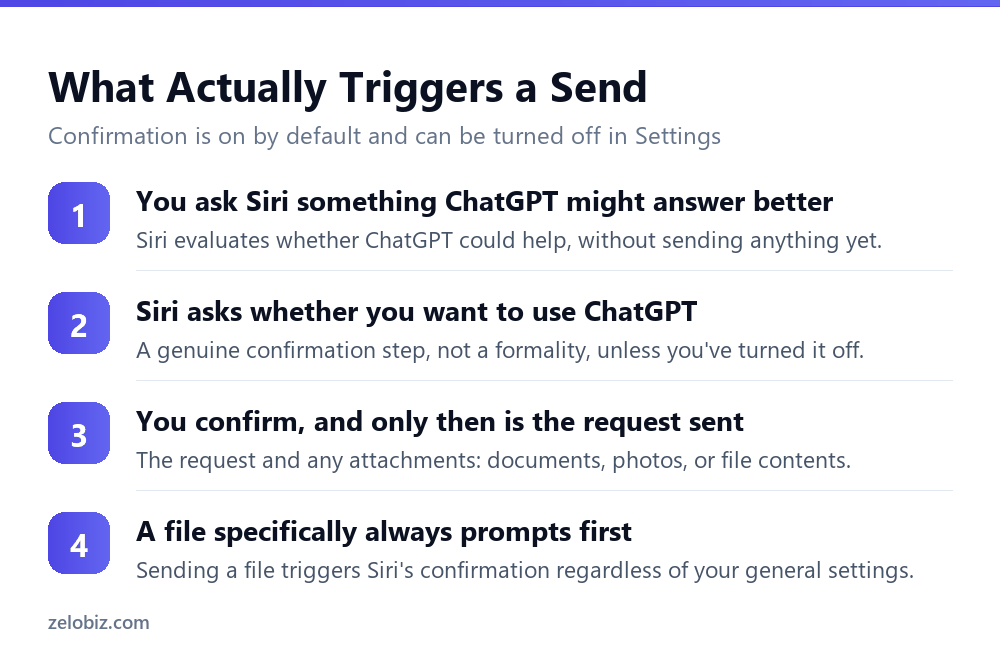
Neither signed-in nor signed-out state means requests go to ChatGPT silently. Apple states that if Siri determines ChatGPT might have useful results for a request, Siri will ask whether you would like to use ChatGPT, a genuine confirmation step rather than a formality that always says yes.
This confirmation can be turned off in Settings, under Apple Intelligence and Siri, then ChatGPT, by disabling Confirm ChatGPT Requests. Doing so trades a small amount of friction for not being asked each time, but it also means requests that qualify will go to ChatGPT without a per-request check.
Files get their own, separate confirmation
Sending a file specifically, whether a document or a photo, triggers Siri’s confirmation regardless of the general setting. This is a narrower, more consistent protection than the general confirmation toggle, reflecting that file contents carry more potential sensitivity than a typed question.
💡 Pro tip: Leave the general confirmation setting on if you use Siri’s ChatGPT integration occasionally rather than constantly. The interruption is minor, and it’s the mechanism that stops an ambiguous request from being routed to ChatGPT without your specific awareness.
What Actually Leaves the Device Either Way
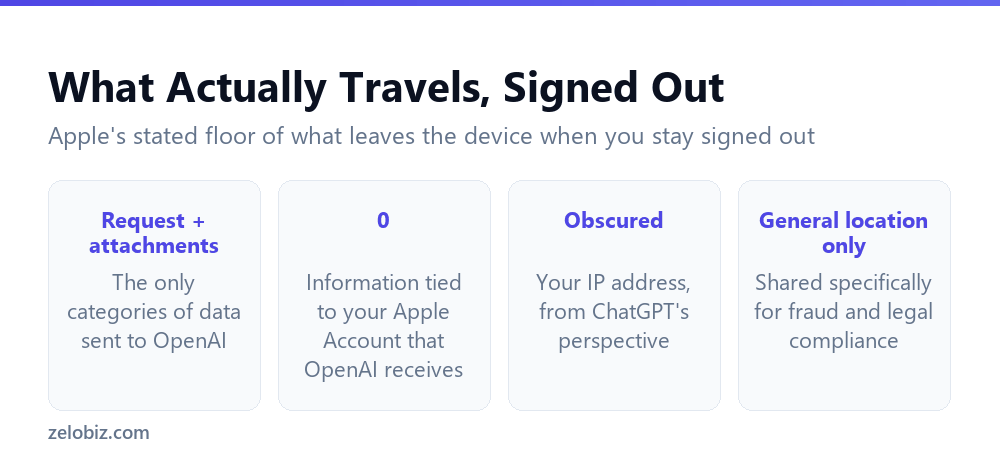
Even in the more protected, signed-out state, real data does leave the device once a request is confirmed. Apple states plainly what that includes: your request and attachments like documents, photos, or contents of the document.
On IP address specifically, Apple states it is obscured from ChatGPT, but adds a specific exception: your general location is provided to ChatGPT, for fraud prevention and legal compliance purposes. Obscured is not the same as withheld entirely, and the general location carve-out is worth knowing rather than assuming complete anonymity.
📊 Note: None of this is unusual for a service that has to prevent abuse and meet legal obligations. It’s worth naming precisely because obscured and anonymous get used interchangeably in casual conversation, and Apple’s own document draws a narrower line than either word alone suggests.
Why Apple Structured the Trade-Off This Way
It’s worth asking why Apple built a system where the default, unauthenticated path carries stronger protection than the signed-in path, rather than the more common pattern of an account unlocking additional privacy controls.
The logic follows from what each path actually is. Without an account, Apple is brokering an anonymous, one-off request on your behalf, and it can negotiate strict terms for that specific, limited exchange. Once you sign into your own ChatGPT account, you’ve stepped outside that brokered relationship and into a direct one with OpenAI, governed by the terms you already agreed to when you created that account, terms Apple has no ability to override on your behalf.
Seen this way, the distinction isn’t Apple favouring one privacy posture over another. It’s Apple being able to guarantee protections for a relationship it controls, and being unable to extend those same guarantees once you’ve entered a separate relationship it doesn’t control, even though that relationship happens to be reachable from inside the same Siri conversation.
💡 Pro tip: If you want the option to sign in for specific tasks, such as referencing a previous ChatGPT conversation, but want the stronger default the rest of the time, treat signing in as something you do deliberately for that task and sign back out afterward, rather than leaving an account persistently linked.
Putting the Two Decisions Together
Two separate choices, easy to conflate, actually control different things. Whether Siri asks before sending anything to ChatGPT is one setting. Whether you’re signed into a personal ChatGPT account is a completely different decision, and it’s the one that determines whether Apple’s no-training guarantee applies at all.
ChatGPT is one specific integration inside the broader Apple Intelligence system, and most on-device or Apple-server processing follows a different, separately documented model. For what happens to a request that never leaves Apple’s own infrastructure, see Private Cloud Compute: how Apple verifies its own servers. For the hardware and settings that determine whether any of this is available to you at all, Apple Intelligence requirements: the language-matching rule nobody expects.
A Quick Reference for the Decision
None of these settings are permanent commitments. Each can be changed again as your needs shift, and checking your current state periodically, rather than assuming whatever you set up once still applies, is worth doing given how much these two settings actually control.
A useful habit is checking sign-in status the same way you’d periodically review any connected account: not because anything necessarily changed, but because it’s easy to sign in once for a specific task and simply forget the account stayed linked well after that task was finished. Settings, Apple Intelligence and Siri, ChatGPT is where that status actually lives, and it’s worth a look the same way you’d occasionally check which apps have location access rather than assuming everything is exactly as you left it.
Common Questions
Does signing into ChatGPT in Siri change what data OpenAI receives?
Yes. Apple states that without an account, OpenAI receives only your request and attachments, with nothing tied to your Apple Account, and must not use it for training. Signed in, your own ChatGPT account settings and OpenAI’s data privacy policy apply instead, which may include logging and training use.
Can OpenAI use my ChatGPT requests through Siri to train its models?
Only if you’re signed into a personal ChatGPT account. Apple states that without an account, OpenAI must not use your information to improve or train its models. Signed in, that protection no longer applies and training use may be permitted under your own account settings.
Does Siri ask before sending anything to ChatGPT?
Yes, by default. Apple states Siri will ask whether you’d like to use ChatGPT before sending a qualifying request. This can be turned off in Settings, under Apple Intelligence and Siri, then ChatGPT.
Does Siri always ask before sending a file to ChatGPT?
Yes. Sending a file, such as a document or photo, triggers confirmation regardless of the general Confirm ChatGPT Requests setting.
Is my IP address hidden when I use ChatGPT through Siri?
Apple states your IP address is obscured from ChatGPT, but your general location is still provided, specifically for fraud prevention and legal compliance purposes.
Is it wrong to sign into ChatGPT from Siri?
Not necessarily. Signing in can unlock paid plan features and your own conversation history. The point is that Apple states clearly which protections you trade away by doing so, so the decision is worth making deliberately.
What information does OpenAI get if I’m not signed in?
Apple states only your request and attachments, such as documents, photos or file contents. Nothing tied to your Apple Account is included.
None of this requires becoming an expert in AI privacy policy to act on correctly. It requires one specific check, done once, in one specific settings screen, which is considerably less effort than the stakes of the underlying trade-off might suggest.
The Short Version
- →Signed out, Apple states OpenAI cannot use your data to train its models.
- →Signed in, your own ChatGPT account settings and OpenAI’s policy apply instead.
- →That includes possible logging and training use of your requests.
- →Siri asks before sending a request by default, and always before sending a file.
- →Your IP is obscured from ChatGPT, but your general location is still shared.
- →Signing in isn’t wrong. It’s a deliberate trade Apple documents plainly.