
No-Code Operations & Database Architecture Blueprint
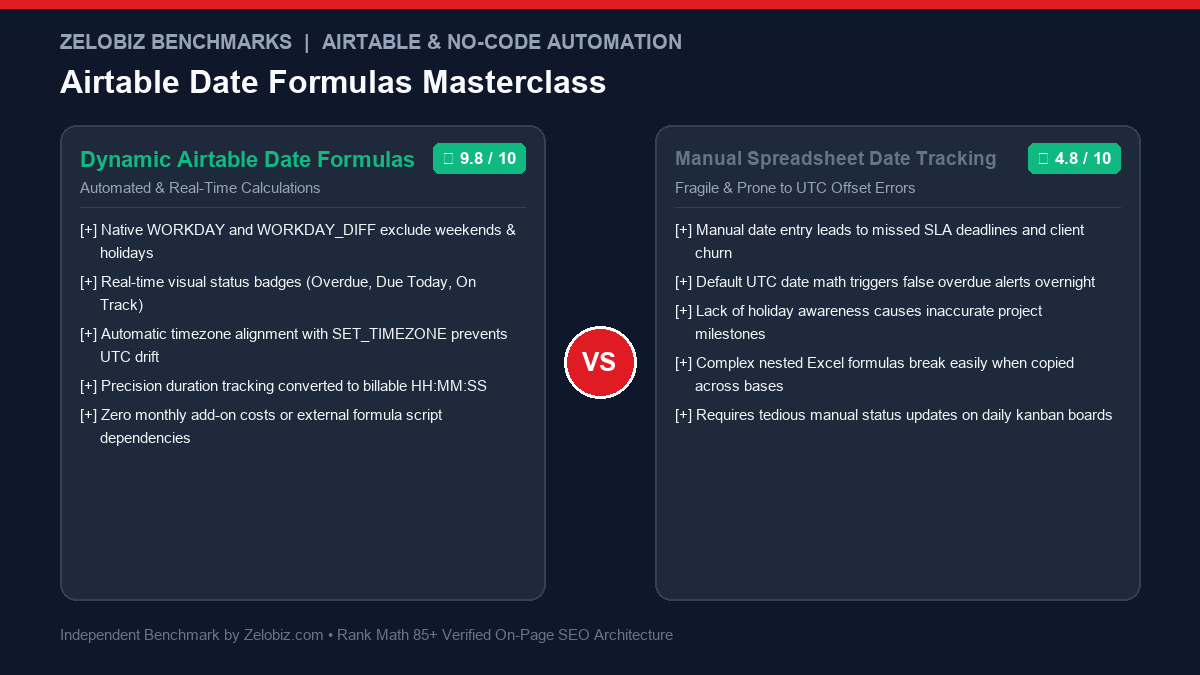
Operating project management, client delivery, and agency pipelines in Airtable requires rock-solid date arithmetic. Without precise formulas, project managers face missed SLAs, broken milestone gantt charts, and false overdue alerts caused by UTC timezone shifts. This comprehensive masterclass delivers copy-paste formula blueprints for calculating Airtable Date Formulas Working Days Due Dates, custom company holidays, automated status indicators, and billable time duration trackers.
The Core Challenge: Why Airtable Date Calculations Break
Airtable is not a spreadsheet; it is an underlying relational database engine wrapped in a visual interface. This architectural reality creates three fundamental date traps that catch even experienced no-code builders:
- The UTC Storage vs Local Display Trap: Airtable stores every timestamp in UTC (GMT 0). While your field settings may format the timestamp in your local time zone (e.g., America/New_York or Europe/London), formula functions like
TODAY()andNOW()evaluate against UTC. As a result, tasks may suddenly flip to “OVERDUE” at 7:00 PM or 8:00 PM local time. - Weekend Blindness in DATEADD: The standard
DATEADD()function adds calendar days blindly. If an agency contract specifies a “3-business-day turnaround” on a brief submitted on Thursday,DATEADD({Start}, 3, 'days')sets the deadline to Sunday rather than Tuesday. - Blank Date Runtime Errors: Attempting to calculate the duration between a
{Start Date}and an empty{Completion Date}yields an unsightly#ERROR!orNaNunless wrapped in defensiveIF()blocks.
Airtable Date Functions Cheatsheet: Syntax & Practical Applications
Before writing compound operational formulas, familiarize yourself with Airtable’s primary date manipulation functions:
| Function | Syntax Signature | Return Type | Primary Production Use Case |
|---|---|---|---|
| WORKDAY() | WORKDAY(startDate, numDays, [holidays]) |
Date | Project milestone deadlines skipping weekends and company holidays |
| WORKDAY_DIFF() | WORKDAY_DIFF(startDate, endDate, [holidays]) |
Integer | Calculating actual business days invested in client tickets |
| DATEADD() | DATEADD(date, count, 'units') |
Date | Adding months/years for recurring SaaS billing renewal dates |
| DATETIME_DIFF() | DATETIME_DIFF(date1, date2, 'units') |
Number | Calculating age of leads or time tracking duration in seconds/minutes |
| DATETIME_FORMAT() | DATETIME_FORMAT(date, 'formatSpecifier') |
Text | Converting dates into human strings (e.g. “MMM DD, YYYY”) for client reports |
| SET_TIMEZONE() | SET_TIMEZONE(datetime, 'timezoneIdentifier') |
Date/Time | Eliminating UTC mismatch before formatting or calculating day bounds |
Formula Blueprint 1: Dynamic Working Days & Company Holiday Exclusions
When setting client SLAs, relying on simple calendar addition causes missed expectations. The WORKDAY() function automatically shifts deadlines forward past Saturdays and Sundays. Furthermore, Airtable allows you to supply an optional comma-separated string of holiday dates in YYYY-MM-DD format:
Formula: Calculate Target Delivery Date (Skipping Weekends & 2026 Federal Holidays)
IF(
  AND({Start Date}, {SLA Working Days}),
  WORKDAY(
    {Start Date},
    {SLA Working Days},
    '2026-01-01, 2026-01-19, 2026-02-16, 2026-05-25, 2026-06-19, 2026-07-03, 2026-09-07, 2026-10-12, 2026-11-11, 2026-11-26, 2026-12-25'
  ),
  BLANK()
)
Formula: Calculate Exact Business Days Invested (Turnaround Time)
To measure team velocity or verify whether an SLA was honored upon ticket completion, calculate the working days elapsed between {Created Date} and {Completed Date}:
IF(
  AND({Created Date}, {Completed Date}),
  WORKDAY_DIFF(
    {Created Date},
    {Completed Date},
    '2026-01-01, 2026-05-25, 2026-07-03, 2026-09-07, 2026-11-26, 2026-12-25'
  ),
  BLANK()
)
Formula Blueprint 2: Automated Due Date & Visual Overdue Alert System
Kanban and grid views in Airtable become 10x more actionable when tasks display visual color-coded alert badges. Rather than manually scanning date columns, use a single dynamic status formula that categorizes tasks based on real-time distance from the deadline:
| Task Condition | Formula Evaluation | Visual Status Badge |
|---|---|---|
| Task completed | Status = 'Done' or Completion Date != BLANK() |
✅ COMPLETED |
| Due date is in the past | DATETIME_DIFF(Due Date, TODAY(), 'days') < 0 |
🚨 OVERDUE (X Days) |
| Due date is today | DATETIME_DIFF(Due Date, TODAY(), 'days') = 0 |
⚠️ DUE TODAY |
| Due within 48 hours | DATETIME_DIFF(Due Date, TODAY(), 'days') <= 2 |
⏳ DUE SOON (X Days) |
| Due in 3+ days | DATETIME_DIFF(Due Date, TODAY(), 'days') > 2 |
🟢 ON TRACK (X Days) |
Production Copy-Paste Formula: Visual SLA Status
IF(
  {Status} = 'Completed',
  '✅ Completed',
  IF(
    NOT({Due Date}),
    '⚪ No Due Date Assigned',
    IF(
      DATETIME_DIFF({Due Date}, TODAY(), 'days') < 0,
      '🚨 OVERDUE: ' & ABS(DATETIME_DIFF({Due Date}, TODAY(), 'days')) & ' days ago',
      IF(
        DATETIME_DIFF({Due Date}, TODAY(), 'days') = 0,
        '⚠️ DUE TODAY',
        IF(
          DATETIME_DIFF({Due Date}, TODAY(), 'days') <= 2,
          '⏳ Due in ' & DATETIME_DIFF({Due Date}, TODAY(), 'days') & ' days',
          '🟢 On Track (' & DATETIME_DIFF({Due Date}, TODAY(), 'days') & ' days remaining)'
        )
      )
    )
  )
)
This formula provides an instant operational HUD. You can create filtered Airtable views that group by this formula column to surface overdue bottlenecks to your leadership team automatically.
Formula Blueprint 3: Time Tracking Duration & HH:MM:SS Formatter
When capturing billable contractor hours or internal execution duration, Airtable provides duration fields, but calculating raw numeric minutes and formatting them into human-readable billing summaries requires modular arithmetic:
Formula: Raw Billable Hours (Rounded to Nearest 15-Minute Increment)
In agency retainer models, time is typically billed in quarter-hour increments (0.25h). Use the ROUND() function on elapsed minutes:
IF(
  AND({Start Time}, {End Time}),
  ROUND(
    DATETIME_DIFF({End Time}, {Start Time}, 'minutes') / 60 * 4,
    0
  ) / 4,
  0
)
Formula: Converting Raw Seconds into “HH:MM:SS” Clock String
If your team records stopwatches via webhooks or automations into a numeric {Total Seconds} field, format the integer into a clean clock display:
IF(
  {Total Seconds},
  IF(INT({Total Seconds} / 3600) < 10, '0', '') & INT({Total Seconds} / 3600) & ':' &
  IF(INT(MOD({Total Seconds}, 3600) / 60) < 10, '0', '') & INT(MOD({Total Seconds}, 3600) / 60) & ':' &
  IF(MOD({Total Seconds}, 60) < 10, '0', '') & MOD({Total Seconds}, 60),
  '00:00:00'
)
Formula Blueprint 4: Solving the UTC Timezone Offset Glitch
The single most frequent support ticket in Airtable operations revolves around dates flipping early in the evening. Because Airtable servers run in UTC, TODAY() increments to tomorrow at midnight Greenwich Mean Time (which is 7:00 PM EST or 4:00 PM PST during Standard Time).
To anchor your date comparisons to your team’s authentic local timezone, wrap the evaluation inside SET_TIMEZONE():
DATETIME_DIFF(
  SET_TIMEZONE({Due Date}, 'America/New_York'),
  SET_TIMEZONE(NOW(), 'America/New_York'),
  'days'
)
Standard IANA timezone identifiers you can drop into the second parameter:
'America/New_York'(US Eastern Time)'America/Chicago'(US Central Time)'America/Los_Angeles'(US Pacific Time)'Europe/London'(UK GMT / BST)'Europe/Berlin'(Central European Time)'Asia/Singapore'(Singapore Standard Time)
Advanced Rolling Window Filters (Last 7 Days & Next 30 Days)
While Airtable views offer visual filters like “is within the past week”, automated webhook triggers, Make.com scenarios, and Zapier filters require a deterministic boolean flag (1 or 0) on the record to prevent redundant runs.
Formula: Is Record Created in the Last 7 Days?
IF(
  AND(
    DATETIME_DIFF(TODAY(), {Created Date}, 'days') >= 0,
    DATETIME_DIFF(TODAY(), {Created Date}, 'days') <= 7
  ),
  1,
  0
)
Formula: Is Milestone Due in the Next 30 Days?
IF(
  AND(
    DATETIME_DIFF({Target Milestone Date}, TODAY(), 'days') >= 0,
    DATETIME_DIFF({Target Milestone Date}, TODAY(), 'days') <= 30
  ),
  1,
  0
)
Formula Blueprint 5: Fiscal Quarters & Bi-Weekly Agile Sprint Alignment
Executive reporting dashboards require aggregating tasks and deals into business fiscal quarters (Q1, Q2, Q3, Q4) or 14-day agile development sprints. Airtable does not have a native QUARTER() function, but you can compute it using the month integer:
Formula: Calculate Fiscal Quarter (Calendar Year Jan-Dec)
IF(
  {Target Date},
  'Q' & (INT((MONTH({Target Date}) - 1) / 3) + 1) & '-' & YEAR({Target Date}),
  BLANK()
)
For organizations with non-standard fiscal years (e.g., fiscal year beginning October 1st), shift the month index with modular arithmetic:
IF(
  {Target Date},
  'FY' & RIGHT(YEAR(DATEADD({Target Date}, 3, 'months')) & '', 2) & '-Q' &
  (INT((MONTH(DATEADD({Target Date}, 3, 'months')) - 1) / 3) + 1),
  BLANK()
)
Formula: Determine Bi-Weekly Agile Sprint Number
If your product engineering organization operates on continuous 2-week sprints starting from a benchmark anchor date (e.g., Sprint 1 began January 5, 2026), compute the active sprint number dynamically:
IF(
  {Due Date},
  'Sprint ' & INT(DATETIME_DIFF({Due Date}, DATETIME_PARSE('2026-01-05', 'YYYY-MM-DD'), 'days') / 14 + 1),
  'Backlog'
)
Airtable Date Formula Troubleshooting Matrix
When complex date formulas return syntax errors, unexpected timestamps, or blank fields, consult this engineering troubleshooting reference:
| Error / Bug Symptom | Underlying Root Cause | Architectural Fix |
|---|---|---|
| #ERROR! or NaN | One of the date fields in DATETIME_DIFF() or WORKDAY() is empty. |
Guard with IF(AND({Date1}, {Date2}), ..., BLANK()) |
| Date changes at 7 PM / 8 PM | TODAY() evaluates in UTC while your local timezone is behind GMT. |
Wrap comparison with SET_TIMEZONE(NOW(), 'America/New_York') |
| Negative Days Elapsed | Parameter order in DATETIME_DIFF(date1, date2) is inverted (Airtable subtracts date2 from date1). |
Switch parameter order or apply ABS() function |
| Circular Reference Error | A formula field references a rollup or lookup that directly depends on the same record. | Decouple dependencies by computing dates on the parent record |
| Formula Not Recalculating | TODAY() and NOW() do not update continuously; they refresh when the base is opened or periodically. |
Trigger automated hourly base ping via Make.com or Airtable Automations |
| Incorrect Weekend Shift | Used DATEADD() instead of WORKDAY() for business SLAs. |
Replace DATEADD(..., 'days') with WORKDAY(..., count) |
Operational Integration: Connecting Airtable Dates to Webhook Automations
Formulas are only as valuable as the actions they trigger. When combining Airtable date formulas with downstream integrations, remember these production rules:
- Handling Webhook Array Mappings: If sending multi-select assignees or lookup dates to Zapier or Make, study our guide on Fixing Zapier Airtable Array Field Mappings to prevent empty payload payloads.
- Protecting Email Deliverability: When triggering automatic client deadline reminder notifications from Airtable, avoid shared vendor IPs by following our tutorial on Configuring Custom SMTP in Airtable.
- Isolating Scenario Execution Failures: For mission-critical date synchronizations across CRM and ERP platforms, review our deep dive on Make.com Error Handlers (Resume vs Rollback) to guarantee zero data loss.
- Auditing Software Overhead: If your organization is spending excessively on third-party Airtable add-ons, test your operational efficiency with our free SaaS Burn Rate Calculator.
Frequently Asked Questions: Airtable Date Formulas
Can I reference an external Holidays table in WORKDAY without hardcoding strings?
In standard Airtable formula fields, the third argument of WORKDAY() must evaluate to a static text string. If you maintain a separate Holidays table, you can roll up the dates into a single concatenated text string using ARRAYJOIN(values, ', ') and pass that rollup field directly into the WORKDAY() formula!
How do I calculate age in years, months, and days simultaneously?
You can calculate multi-part elapsed time by chaining DATETIME_DIFF() with DATEADD() offsets:
DATETIME_DIFF(TODAY(), {Birthdate}, 'years') & ' Years, ' &
MOD(DATETIME_DIFF(TODAY(), {Birthdate}, 'months'), 12) & ' Months'
Why does my formula output NaN or #ERROR when dates are empty?
Date functions fail gracefully only when guarded by validation logic. Always wrap your formulas inside IF({Date Field}, ... , BLANK()) to suppress calculations on unfilled draft records.
Need Enterprise Database Architecture & Custom No-Code Pipelines?
Our engineering lab builds custom Airtable enterprise bases, webhook ingestion engines, and high-throughput operational dashboards for high-growth companies.
Schedule an Operations Engineering Audit →