
AI by Zapier model tiers decide how many tasks each AI step actually costs, and the detail that changes how most people should think about this is buried in one line of Zapier’s own documentation: the most expensive tier is the one every new step starts on by default.
This covers exactly what each tier costs, what you get for the extra multiplier, and the specific default behaviour that means a huge share of AI by Zapier steps are billing at five times the rate they’d need if someone had simply changed a dropdown.
Short answer: AI by Zapier has three model tiers with different task multipliers. Standard costs 1x and suits simple prompts with no tool use. Advanced costs 3x and adds tool support at a balanced performance level. Premium costs 5x and is positioned for complex tool workflows needing the best available performance. Critically, Zapier states Premium is the default for new steps, meaning every AI by Zapier step you build costs five times the Standard rate unless you specifically change it. Verified directly against Zapier’s own pricing documentation on 5 September 2026.
What Each Tier Actually Offers
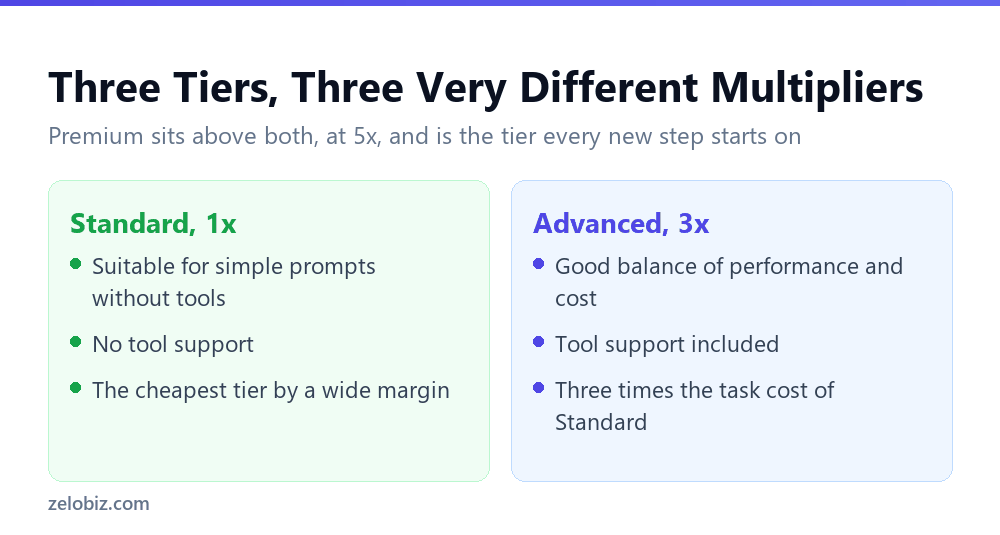
Zapier’s own descriptions are specific enough to actually guide a choice, rather than reading as generic marketing tiers.
Standard: 1x
Described as suitable for simple prompts without tools. No tool support at all. This is the cheapest tier and the right fit for anything that’s purely a text-in, text-out prompt with no need to call another action or service mid-step.
Advanced: 3x
Described as a good balance of performance and cost for tool workflows. This is the first tier that actually supports tools, meaning steps that need to call other actions as part of the AI’s reasoning.
Premium: 5x
Described as the default for new steps and the best performance for complex tool workflows. Also includes tool support, at nearly double Advanced’s multiplier for whatever additional performance headroom the more capable underlying model provides.
📊 Note: A separate Bring Your Own Key option exists at a 1x multiplier with tool support, but only for Advanced or Premium models specifically, meaning supplying your own API key can unlock tool support at the cheapest rate if you’re set up to manage that key yourself.
The Default Nobody Reads
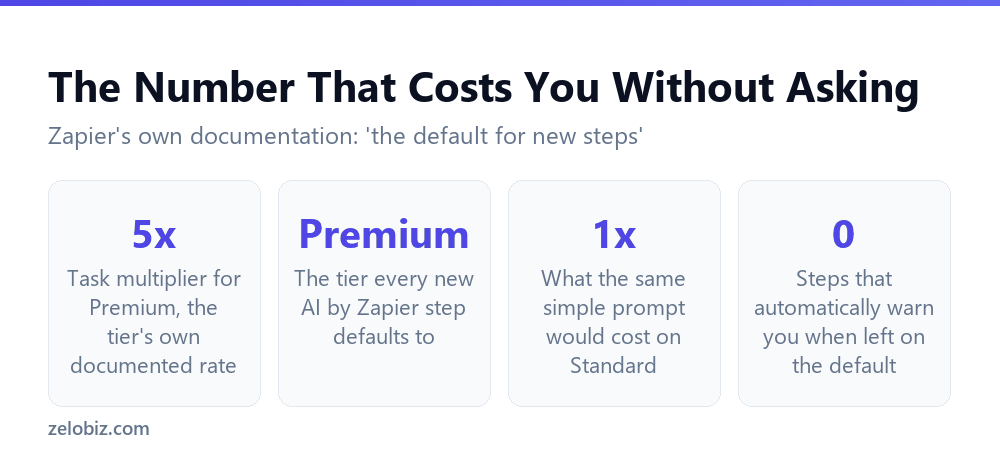
Zapier states this plainly: when you create a new AI by Zapier step on a paid plan, the model tier defaults to Premium. Not Advanced, and not Standard. The single most expensive tier is the one every new step is pre-set to use.
This matters most for the large share of automation steps that are genuinely simple: a short classification prompt, a one-line summary, a format conversion with no tool calls involved. None of that needs Premium’s 5x rate, and none of it needs Advanced’s 3x either, since none of it calls a tool at all. Left on the default, it runs at five times the cost Standard would have charged for the identical output.
⚠️ Watch out: This default applies to every new step you create, not just your first one. Unless you deliberately choose a lower tier each time, or go back and check steps you already built before learning this, you are very likely paying more than the task in front of you actually requires.
Matching the Tier to What a Step Actually Needs
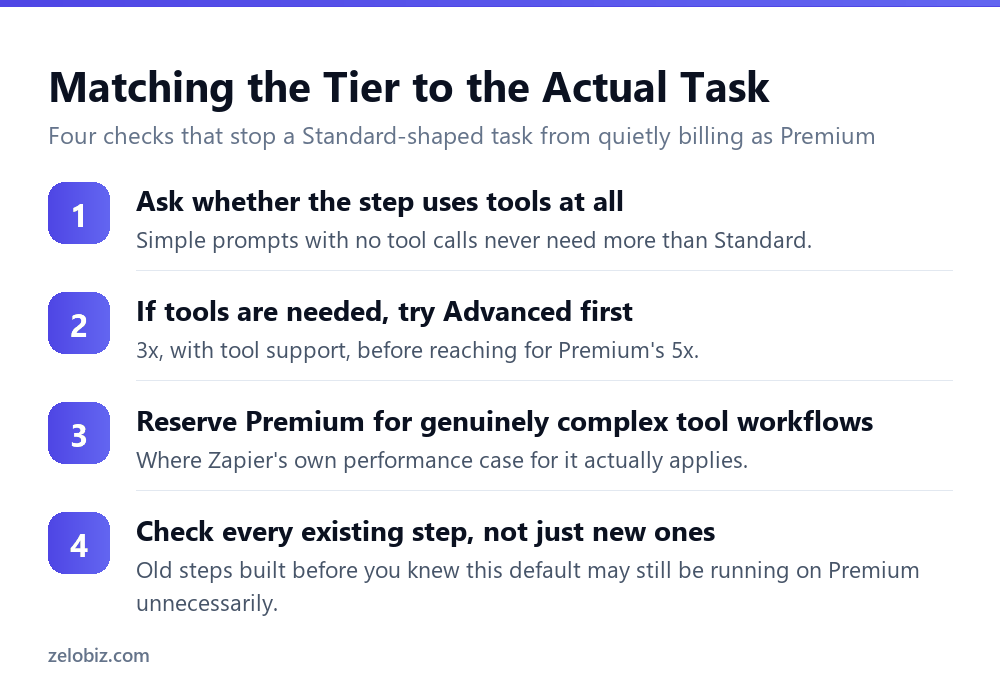
The fix is a habit, not a one-time cleanup, since the default resets to Premium on every new step regardless of how many times you’ve corrected it before.
Start with whether the step calls a tool at all
This single question does most of the sorting. If a step is a pure prompt with no tool calls, that alone rules out Advanced and Premium, since neither offers anything Standard doesn’t for a task that was never going to use tool support.
For tool workflows, try Advanced before reaching for Premium
Zapier’s own framing of Advanced as a good balance of performance and cost suggests it as the practical default for tool-using steps, with Premium reserved for cases where Advanced’s performance genuinely falls short, which is worth confirming by testing rather than assuming.
Audit steps you built before knowing this
Any AI by Zapier step created before you specifically changed the tier is very likely still running on Premium by default. A one-time pass through existing automations, checking the tier on each AI step, often surfaces several steps quietly running at 5x for work that never needed more than Standard.
💡 Pro tip: Make checking and setting the model tier a mandatory last step every time you build a new AI by Zapier step, the same way you’d check a trigger fires correctly before publishing. It takes seconds and it’s the single highest-leverage cost control available on this feature.
Model tier is one of two separate cost dimensions on AI by Zapier steps. The other, how many activities an agent uses to complete a run, is covered in full in Zapier AI Agents: what an activity actually costs you, and the two multiply together rather than being alternatives to manage separately.
Reading the Two Descriptions Zapier Actually Gives You
The wording Zapier uses for each tier is worth reading literally rather than skimming, because the two adjectives that distinguish Advanced from Premium, balance and best, describe genuinely different design intents rather than a simple better and best pairing.
‘Balance’ means Advanced is the considered middle option
Zapier’s own phrase for Advanced, a good balance of performance and cost, signals it as the tier built for the common case: tool workflows that need real capability without requiring the top of the range. For most tool-using automation, this description is a closer match to the actual job than either of the other two tiers.
‘Best performance’ is a claim about ceiling, not about typical need
Premium’s description, best performance for complex tool workflows, is a claim about the top of what’s available, not a claim that most tasks benefit from reaching that top. A workflow that would run identically well on Advanced gains nothing from the extra 2x cost beyond Advanced’s own multiplier, since the described benefit only applies to workflows that are genuinely complex.
Read this way, the practical default most builders should reach for isn’t Standard or Premium. It’s Advanced, for the large middle category of tool-using steps that aren’t trivial and also aren’t genuinely complex, which describes the majority of real automation work.
Checking These Figures Against Your Own Account
Model tier multipliers and defaults are exactly the kind of detail a platform updates without a dramatic announcement, since they’re the sort of change that shows up quietly in a help article revision rather than a press release. Zapier’s own page carries an update date for this reason, and it’s worth checking that date against today before treating any specific multiplier as fixed indefinitely.
The underlying principle, that a default tier exists and it isn’t automatically the cheapest option, is far more durable than any specific multiplier value. Even if the exact numbers shift in a future update, the habit of checking rather than assuming stays useful regardless.
How the June 2026 Pricing Change Affects Older Zaps
Zapier’s own documentation notes this tier system went live on 15 June 2026, replacing a legacy per-step pricing model. Anyone whose automations predate that change is worth checking specifically, since a step built under the old system and never touched since may have migrated onto a tier you never explicitly chose.
This is a second, separate reason to audit existing steps beyond the default-tier issue covered above. A step that’s been running unmodified since before June 2026 carries whatever tier the migration assigned it, which is worth confirming rather than assuming it landed somewhere sensible for that specific step’s actual workload.
💡 Pro tip: Treat any AI by Zapier step untouched since before mid-June 2026 as due for a review, the same way you’d review a step you just learned defaults to Premium. Both categories share the same underlying risk: a tier assigned by something other than a deliberate choice about that specific step’s needs.
Common Questions
What model tier does a new AI by Zapier step use by default?
Premium, the highest cost tier at a 5x task multiplier. Zapier states this directly: the model tier defaults to Premium for new steps on paid plans.
What is the cheapest AI by Zapier model tier?
Standard, at a 1x task multiplier. It’s suitable for simple prompts without tools and does not support tool use at all.
What is the difference between Advanced and Premium?
Both support tools. Advanced costs 3x and is described as a balance of performance and cost. Premium costs 5x and is positioned for complex tool workflows needing the best available performance.
Does Standard support tool use?
No. Standard is limited to simple prompts without tools. Any step that needs to call another action as part of its reasoning requires Advanced or Premium.
Can I get tool support without paying the Advanced or Premium multiplier?
Yes, through Bring Your Own Key, which offers a 1x multiplier with tool support, but only for Advanced or Premium models, meaning you supply your own API key to unlock it at the cheaper rate.
Why would a simple, tool-free step end up costing 5x?
Because new steps default to Premium regardless of whether the task needs tools or top-tier performance. A step left on the default runs at the Premium rate even if its actual workload would run identically on Standard.
How often should I check the model tier on my AI by Zapier steps?
Every time you build a new step, since the default resets to Premium each time, and periodically on existing steps, since anything built before you knew about this default is very likely still running on it.
None of this requires deep technical knowledge to apply correctly. It requires one specific habit, checking the tier dropdown before publishing a step, repeated consistently, which is a small enough change to actually stick as a routine part of building on the platform.
Multiplied across dozens of steps in an active automation setup, the difference between defaulting to Premium everywhere and matching each tier deliberately to what the step actually does is the single largest cost lever available on this feature, larger than almost any other optimisation available within the platform.
The Short Version
- →Standard costs 1x, no tool support. Advanced costs 3x, with tools.
- →Premium costs 5x and is the default for every new AI by Zapier step.
- →A simple, tool-free step left on the default pays five times what it needs to.
- →Bring Your Own Key gets tool support at the 1x rate for Advanced or Premium models.
- →Check the tier on every new step. The default doesn’t change based on your last setting.
- →Audit existing steps built before you knew this. Many are likely still on Premium.