
Zapier versus Power Automate AI cost comparisons usually land on a single number per platform, and that number is close to meaningless. Both platforms price AI automation as a multiplication, not a flat fee, and the two factors being multiplied are completely different between them.
This puts the actual billing mechanics of both platforms side by side, using the exact figures each publishes, and works through the specific questions that determine what a real automation costs far more than which platform’s name is on the invoice.
Short answer: Zapier bills AI automation as activities multiplied by model tier, where every trigger, lookup, search and action is a separate billed activity and each one also carries a 1x, 3x or 5x multiplier depending on which AI model tier handled it. Power Automate bills AI Builder as credits multiplied by operation type, where the rate per page or per image varies by more than 30 times depending on which specific capability you use, and its seeded credit allowance is being phased out entirely by 1 November 2026. Neither platform has one true cost. What a specific workflow costs depends on the shape of that workflow. Verified against both platforms’ own documentation, sourced directly, on 5 September 2026.
Two Fundamentally Different Billing Shapes
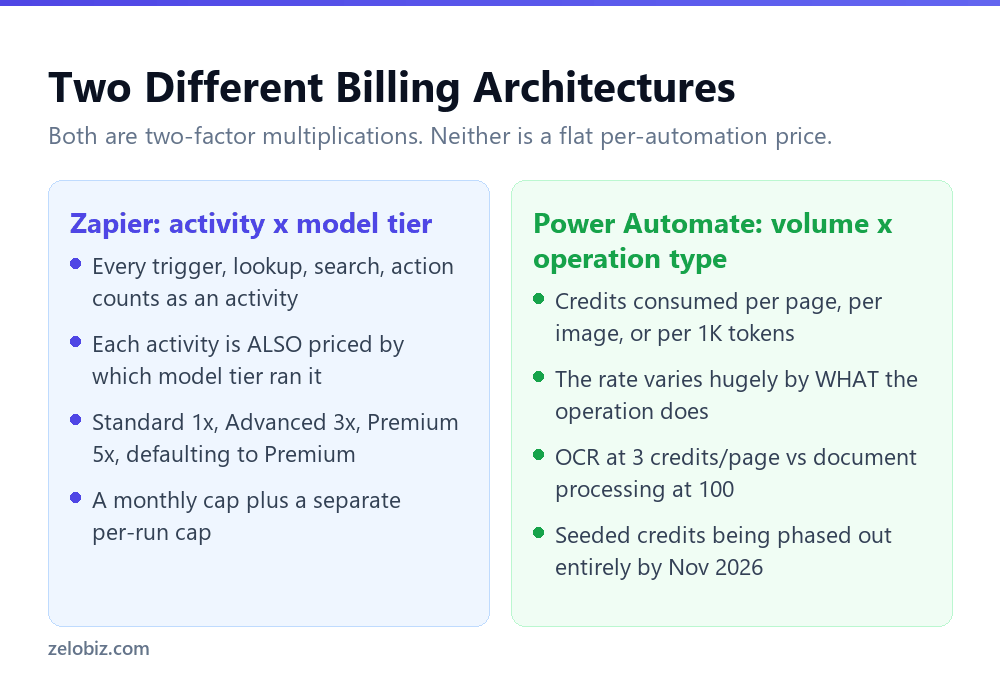
Understanding each platform’s actual billing shape matters more than any headline price, because the shape decides which kinds of workflows get expensive and which stay cheap.
Zapier counts steps, then multiplies by model
Every individual action inside an agent run, a trigger, a knowledge source lookup, a web search, each executed action, counts as its own billed activity, detailed fully in Zapier AI Agents: what an activity actually costs you. On top of that activity count, each AI by Zapier step is separately priced by model tier, Standard at 1x, Advanced at 3x, Premium at 5x, and new steps default to the most expensive tier, covered in AI by Zapier model tiers: what Premium actually costs you.
The practical effect: a Zapier workflow’s cost scales primarily with how many discrete steps it takes and which model tier each one runs on, largely independent of how much actual data passes through any single step.
Power Automate counts volume, then multiplies by operation type
AI Builder in Power Automate charges credits per unit of work, per page, per image, or per thousand tokens, at a rate that depends entirely on which specific capability you’re using. The exact figures and the transition away from seeded credits are covered in AI Builder credits are ending: what actually happens on 1 November 2026.
The practical effect: a Power Automate workflow’s cost scales primarily with how much content it processes and which specific AI capability handles it, largely independent of how many discrete steps the surrounding flow contains.
Why the Operation You Pick Matters More Than the Platform
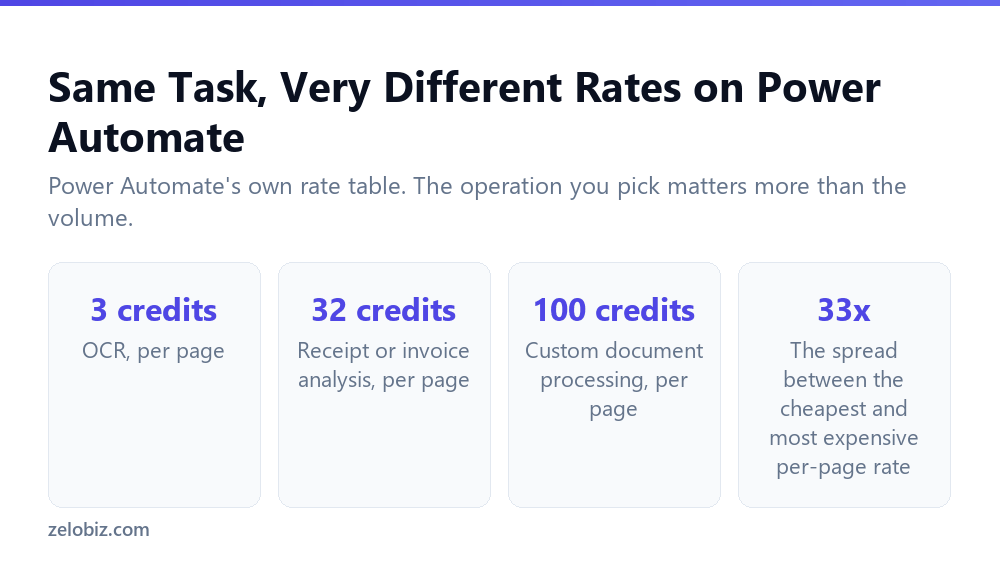
Power Automate’s own rate table makes this concrete. Text recognition, plain OCR, costs 3 credits a page. Receipt or invoice analysis costs 32 credits a page. Custom document processing costs 100 credits a page. That’s more than a thirty-fold spread between the cheapest and most expensive per-page operations, on the same platform, for tasks that can look superficially similar.
This has a direct implication for cost planning: choosing OCR when structured extraction genuinely isn’t needed, rather than defaulting to the more capable and more expensive custom document processing option, is worth deciding deliberately per workflow rather than reaching for whichever capability sounds most powerful.
The Questions That Actually Decide Your Cost
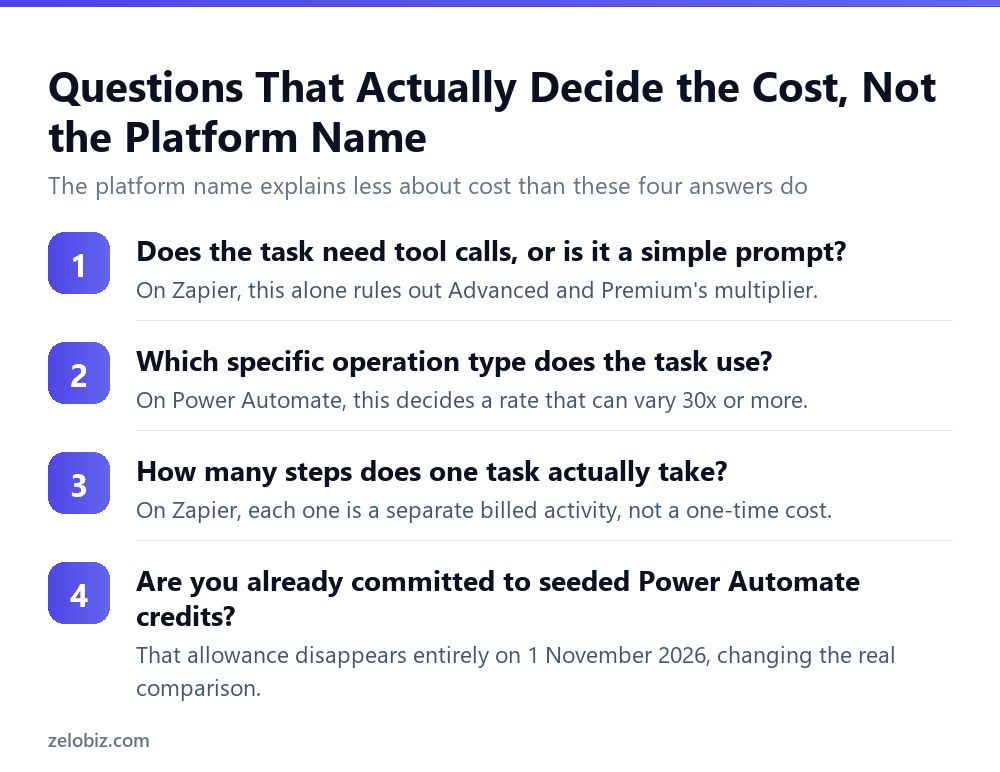
Rather than asking which platform is cheaper in the abstract, four specific questions about your actual workflow predict the real answer far better.
Does the task need tool calls?
On Zapier, a pure prompt with no tool use never needs more than the Standard tier’s 1x rate. A workflow whose steps are mostly simple transformations, rather than actions that call other services, is inherently cheaper on Zapier’s model than one leaning heavily on tool-using steps.
Which specific operation type does the task actually need?
On Power Automate, this single choice can swing the cost more than thirty-fold per page. A workflow that only needs plain text extraction is dramatically cheaper than one reaching for custom document processing by default, regardless of overall volume.
How many discrete steps does the task genuinely take?
On Zapier, every step is its own billed activity. A workflow redesigned to accomplish the same outcome in fewer, more consolidated steps costs less almost mechanically, independent of the model tier question entirely.
Are you already committed to Power Automate’s seeded credits?
This question is specific to timing rather than workflow shape, and it matters a great deal right now. An organisation currently running on Power Automate Premium’s seeded AI Builder allowance is looking at that allowance disappearing entirely on 1 November 2026, which changes the real comparison from what does this cost today to what will this cost once Copilot Credits are the only option, a materially different question worth modelling before that date arrives rather than after.
💡 Pro tip: Before comparing platforms on price, map your actual workflow onto each platform’s specific billing mechanics: count the steps for Zapier, identify the exact operation types for Power Automate. A generic per-platform cost estimate misses the factor that actually drives your bill in either case.
📊 Note: None of this argues for one platform over the other in general. It argues against trusting a single-number cost comparison for either, since both charge on two multiplied factors that vary enormously by exactly what your workflow does, not by which logo is on the tool.
Putting a Real Workflow Through Both Models
Consider a workflow that processes 1,000 incoming invoices a month, extracting the vendor name, amount and due date from each, then sending a summary message.
On Power Automate, using receipt and invoice analysis at 32 credits a page, that’s 32,000 credits a month for the extraction step alone, well beyond a 5,000-credit seeded allowance and requiring either an add-on or, after November 2026, a correspondingly sized Copilot Credits allocation. On Zapier, the same task might be three activities per invoice, a trigger, an extraction action, and a message action, at 3,000 activities a month, which exceeds even the Pro plan’s 1,500 and would need Enterprise-level custom capacity, with the extraction step’s model tier adding its own multiplier on top.
Neither number is a verdict on which platform to choose. It’s an illustration of why the honest answer to what will this cost is always run your specific volume and step count through both platforms’ actual published rates, not accept either platform’s marketing framing of what a typical customer pays.
A Simple Rule of Thumb Worth Applying Either Way
Underneath both platforms’ specific mechanics sits the same general principle, worth carrying into any AI automation decision regardless of which tool you end up using: cost tracks the gap between what a task needs and what capability you actually pointed at it.
On Zapier, that gap shows up as a model tier chosen above what a tool-free or simple-tool task requires. On Power Automate, it shows up as an operation type chosen above what the extraction task actually needs, custom document processing reached for when OCR would have done the job. Both are the identical mistake wearing a different platform’s terminology.
Building the habit of asking what does this specific step actually need, rather than reaching for whichever option promises the best general performance, is worth more to your actual bill than switching platforms ever will be.
Neither Comparison Stays Fixed for Long
Both platforms have changed their AI pricing structures significantly within the past year alone: Zapier’s model tier system replaced a legacy per-step approach in June 2026, and Power Automate’s entire AI Builder credit model is being phased out by November 2026. A cost comparison built today is a snapshot, not a permanent verdict, and revisiting the specific numbers before a major automation investment is worth the time given how recently both platforms have already moved.
What’s unlikely to change as quickly is the underlying shape of each platform’s billing: Zapier counting discrete steps, Power Automate counting processed volume. Understanding that structural difference is a more durable piece of knowledge than any specific multiplier or credit rate, and it’s the part of this comparison worth carrying forward even as the exact numbers continue to shift.
Whichever platform ends up carrying a specific workflow, the discipline that actually protects your budget is the same on both: know what unit you’re being billed in, know what drives that unit up, and check it deliberately rather than accepting whatever default or first instinct got you a working automation.
That discipline, more than any platform choice, is what separates an automation budget that scales predictably with actual business volume from one that quietly creeps upward regardless of whether the underlying workload changed at all.
Common Questions
Is Zapier or Power Automate cheaper for AI automation?
Neither is universally cheaper. Zapier bills by activity count multiplied by model tier; Power Automate bills by volume multiplied by operation type. Which is cheaper depends entirely on your specific workflow’s shape, not on the platform in general.
What is the biggest hidden cost risk on Zapier?
New AI by Zapier steps default to the Premium model tier, at five times the cost of Standard, whether or not the task actually needs that tier’s performance or even uses tools at all.
What is the biggest hidden cost risk on Power Automate?
Choosing a more capable, more expensive operation type than the task requires. Custom document processing costs over 30 times more per page than plain text recognition for tasks that may only need the cheaper option.
Why is comparing a single price per platform misleading?
Both platforms multiply two separate factors to reach a real cost: activities times model tier for Zapier, volume times operation type for Power Automate. A single headline number necessarily hides which factor is driving your actual bill.
Does the upcoming end of AI Builder seeded credits affect this comparison?
Yes, directly, for any organisation currently relying on Power Automate Premium’s seeded AI Builder allowance. That allowance disappears entirely on 1 November 2026, after which Copilot Credits are required, changing the real ongoing cost.
What’s the single most useful thing to check before choosing a platform?
Map your actual workflow’s step count and specific operation types onto both platforms’ published rates rather than comparing general pricing pages, since both platforms’ real costs vary enormously by exactly what a workflow does.
Can the same automation cost wildly different amounts depending on how it’s built?
Yes. On Power Automate, choosing a different operation type for the same underlying task can change the cost more than thirtyfold. On Zapier, consolidating steps or choosing a lower model tier can cut costs by a similar order of magnitude.
The Short Version
- →Zapier bills activities x model tier. Power Automate bills volume x operation type.
- →Neither platform has one true price. Both depend on your workflow’s specific shape.
- →Zapier’s Premium default costs 5x Standard for tasks that may not need it.
- →Power Automate’s operation type choice can swing cost more than 30-fold per page.
- →Power Automate’s seeded AI Builder credits end entirely on 1 November 2026.
- →Model your specific step count and operation types on both platforms before comparing.