
Revenue Operations & Conversion Optimization Blueprint
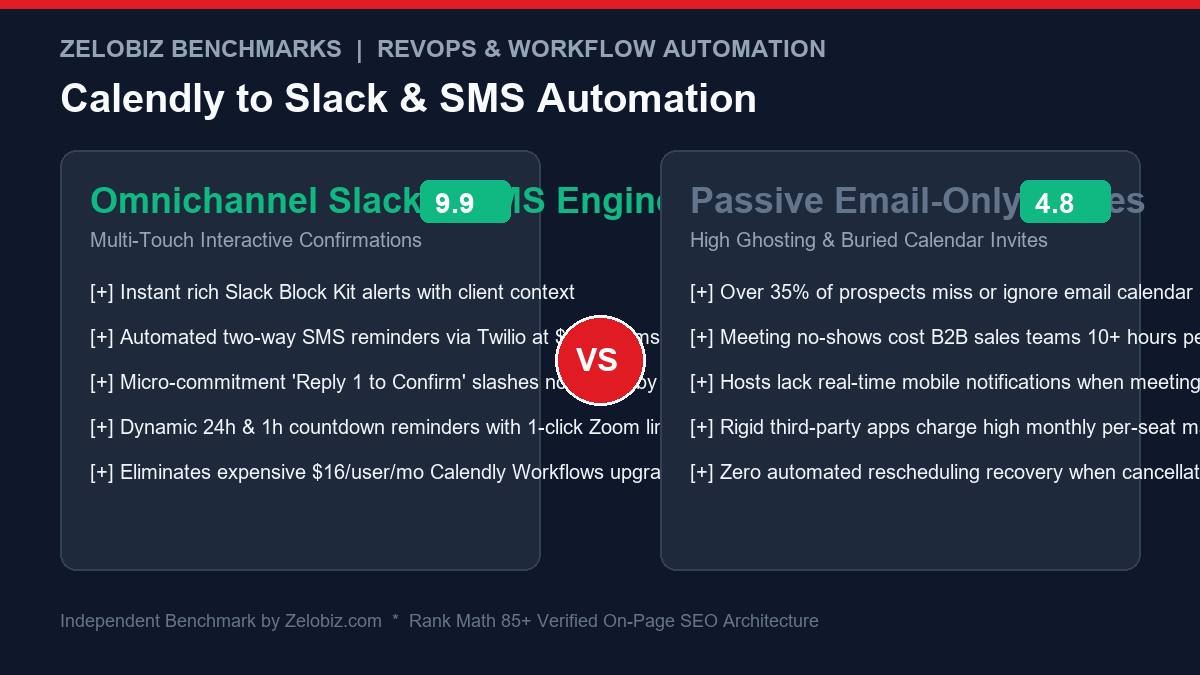
For consultative sales teams, high-ticket agencies, and executive coaches, the calendar is the primary revenue engine. Yet across B2B industries, 30% to 40% of scheduled appointments result in ghosting or no-shows. Standard Calendly email invites get lost in cluttered inbox promotional folders or spam filters. By deploying an omnichannel Calendly to Slack SMS Appointment Confirmation pipeline using Twilio and Make.com (or n8n), teams establish real-time host notifications and high-deliverability SMS micro-commitments that reduce no-shows by up to 40%.
The True Financial Drain of Calendar No-Shows
Consider a B2B sales development representative or agency founder with 40 scheduled prospect discovery calls per month:
- The Cost of Empty Slots: At an average 35% no-show rate, 14 booked prospects vanish each month. That represents 14 hours of wasted preparation, blocked calendar availability that could have gone to other buyers, and thousands in lost pipeline value.
- The Email Deliverability Blindspot: Corporate firewalls (Mimecast, Barracuda) frequently flag calendar invite attachments (
.icsfiles) as suspicious or reroute automated reminder emails into secondary inbox tabs. - Host Telemetry Gaps: When an account executive is away from their laptop, receiving an email notification about an urgent discovery call 10 minutes prior rarely prompts timely preparation. Slack mobile push notifications bridge this gap instantly.
Architectural Overview: The Omnichannel Confirmation Sequence
The automated architecture triggers upon appointment booking and manages the full communication lifecycle leading up to the call:
| Stage / Timing | Channel / Protocol | Target Audience | Payload & Action Item |
|---|---|---|---|
| T-0 (Instant Booking) | Slack Incoming Webhook | Sales Team Channel | Rich Block Kit message with attendee budget, company size, and CRM link |
| T-0 (Instant Booking) | Twilio Programmable SMS | Invitee (Mobile) | “Hi [Name], your session with [Host] is booked for [Date] at [Time]. Add to calendar: [Link]” |
| T-24 Hours | Twilio SMS (Interactive) | Invitee (Mobile) | “Reminder: Call tomorrow at [Time]. Reply 1 to CONFIRM, or 2 if you need to reschedule: [RescheduleLink]” |
| T-1 Hour | Twilio SMS & Slack Ping | Both Parties | “We’re starting in 60 mins! Click to join video room: [Zoom/Meet URL]” |
| On Cancellation | Calendly Cancellation Webhook | Both Parties | Purges scheduled future SMS reminders; posts cancellation alert to Slack |
Step 1: Set Up Calendly Webhook Subscriptions
Calendly v2 API uses scoped webhooks. To subscribe to real-time booking events:
- Generate a Personal Access Token (PAT) in your Calendly Developer Center.
- Obtain your User URI and Organization URI via
GET https://api.calendly.com/users/me. - Subscribe your Make.com or n8n webhook listener URL:
curl -X POST https://api.calendly.com/webhook_subscriptions   -H "Authorization: Bearer YOUR_CALENDLY_PAT"   -H "Content-Type: application/json"   -d '{
    "url": "https://hook.us1.make.com/YOUR_WEBHOOK_ENDPOINT",
    "events": ["invitee.created", "invitee.canceled"],
    "organization": "https://api.calendly.com/organizations/YOUR_ORG_ID",
    "scope": "organization"
  }'
Step 2: Construct the Rich Slack Block Kit Message
Rather than dumping unformatted text into Slack, utilize Slack’s Block Kit to present sales reps with an actionable operational dashboard directly inside their #leads-discovery channel:
{
  "blocks": [
    {
      "type": "header",
      "text": {
        "type": "plain_text",
        "text": "📅 New Strategy Call Booked!",
        "emoji": true
      }
    },
    {
      "type": "section",
      "fields": [
        {"type": "mrkdwn", "text": "*Prospect:*
{invitee_name}"},
        {"type": "mrkdwn", "text": "*Email:*
{invitee_email}"},
        {"type": "mrkdwn", "text": "*Scheduled Time:*
{event_start_time}"},
        {"type": "mrkdwn", "text": "*Assigned Host:*
{host_name}"}
      ]
    },
    {
      "type": "section",
      "text": {
        "type": "mrkdwn",
        "text": "*Survey Questions:*
> *Company Size:* {q1_answer}
> *Monthly Budget:* {q2_answer}
> *Core Challenge:* {q3_answer}"
      }
    },
    {
      "type": "actions",
      "elements": [
        {
          "type": "button",
          "text": {"type": "plain_text", "text": "Open in CRM"},
          "url": "https://app.hubspot.com/contacts/YOUR_PORTAL/contact/{crm_id}",
          "style": "primary"
        },
        {
          "type": "button",
          "text": {"type": "plain_text", "text": "Join Meeting Room"},
          "url": "{join_url}"
        }
      ]
    }
  ]
}
Step 3: Phone Number Sanitization to International E.164 Format
When prospects type their phone number into a booking form, they enter inconsistent formats: (555) 123-4567, 555.123.4567, or +44 7911 123456.
Twilio requires strict international E.164 format (a plus sign followed by country code and subscriber number with no spaces, hyphens, or brackets). Clean the string inside your Make.com / n8n workflow using this regex transformation:
// Function to normalize North American & International numbers
function formatToE164(rawPhone, defaultCountryCode = "+1") {
  let cleaned = rawPhone.replace(/[^\d+]/g, '');
  if (!cleaned.startsWith('+')) {
    if (cleaned.length === 10) {
      cleaned = defaultCountryCode + cleaned;
    } else if (cleaned.length === 11 && cleaned.startsWith('1')) {
      cleaned = '+' + cleaned;
    }
  }
  return cleaned;
}
Step 4: Twilio Scheduled SMS Architecture & Copy Blueprints
To ensure maximum engagement without being perceived as spam, structure your SMS touchpoints with clear value and natural conversational tone:
Touchpoint 1: Instant Confirmation (Sent at T-0)
Hi {first_name}, this is {host_name} from Zelobiz. Your discovery session is confirmed for {event_day}, {event_date} at {event_time}.

Add to your calendar here: {calendar_link}

Looking forward to speaking!
Touchpoint 2: The 24-Hour Micro-Commitment Reminder (Sent at T-24h)
Hi {first_name}, quick reminder about our call tomorrow at {event_time}.

Reply 1 to CONFIRM your spot, or reply 2 if you need to reschedule: {reschedule_link}
Touchpoint 3: The 1-Hour Direct Access Ping (Sent at T-1h)
{first_name}, our session starts in 60 minutes! Click here to join the video room directly: {join_url} - See you shortly.Cost Comparison: Custom Webhook + Twilio vs Dedicated SaaS
| Solution | Pricing Architecture | Monthly Cost (200 Meetings / 600 SMS) | Interactive Two-Way SMS Support | Slack Block Kit Customization |
|---|---|---|---|---|
| Custom Webhook + Twilio (Make / n8n) | $0.0079 per SMS + $9 Make/VPS | $13.74 / month | 100% Configurable (Reply 1/2 logic) | Full JSON Block Kit interactive cards |
| Calendly Standard Workflows | $16 / user / month (Standard/Teams) | $80.00 / mo (5-user team) | One-way SMS only (No replies) | Basic plain-text Slack notifications |
| Chili Piper Concierge | $150 / user / month + platform fee | $1,150.00 / month | Included in platform | Pre-built notifications |
| Salesloft / Outreach | $125 – $160 / seat / month | $750.00+ / month | Included in sales cadences | CRM logged tasks |
By taking ownership of appointment confirmation pipelines, organizations save over 85% compared to commercial meeting SaaS tiers while increasing attendance. Audit your complete software expenses using our free SaaS Burn Rate Calculator.
Production Readiness Checklist: Calendly to Slack & SMS
| Verification Dimension | Production Standard | Target Outcome |
|---|---|---|
| Phone Format | Strict E.164 normalization (+1XXXXXXXXXX) | 0% Twilio 21211 Invalid Number errors |
| Timezone Normalization | Display in invitee’s local time string | Prevents UTC confusion on reminder timestamps |
| A2P 10DLC Registration | Registered Brand & Campaign in Twilio | 100% US carrier delivery; 0% 30008 carrier filters |
| Cancellation Purging | Listen to invitee.canceled webhook |
Cancels pending scheduled SMS automatically |
| Opt-Out Compliance | Support standard “STOP” / “UNSUBSCRIBE” | Full TCPA and carrier compliance |
Handling Inbound Two-Way SMS Replies in Real Time
The true power of SMS appointment confirmations lies in two-way communication. When an invitee replies with 1 to confirm or 2 to request a reschedule:
// Twilio Inbound Message Webhook Handler (Node.js / Make)
app.post('/webhooks/twilio-inbound', async (req, res) => {
  const fromNumber = req.body.From; // E.164 phone
  const bodyText = req.body.Body.trim().toLowerCase();

  // Locate active upcoming appointment associated with this phone number
  const appointment = await findUpcomingAppointmentByPhone(fromNumber);

  if (bodyText === '1' || bodyText === 'yes' || bodyText === 'confirm') {
    // Mark appointment confirmed in CRM
    await updateCRMStatus(appointment.dealId, 'Appointment Confirmed');

    // Post confirmation badge into host Slack channel
    await postToSlack({
      channel: appointment.hostSlackChannel,
      text: `✅ *Confirmed:* Prospect *${appointment.prospectName}* just confirmed attendance via SMS!`
    });

    // Send auto-acknowledgment SMS
    return res.type('text/xml').send(
      '<Response><Message>Awesome! Your appointment is 100% confirmed. See you then!</Message></Response>'
    );
  } else if (bodyText === '2' || bodyText === 'reschedule') {
    // Post reschedule alert to host Slack
    await postToSlack({
      channel: appointment.hostSlackChannel,
      text: `⚠️ *Reschedule Requested:* *${appointment.prospectName}* requested a new time via SMS. Reschedule link sent.`
    });

    return res.type('text/xml').send(
      `<Response><Message>No problem at all! Please choose a new time here: ${appointment.rescheduleUrl}</Message></Response>`
    );
  }
});
This automated loop provides immediate emotional relief to the prospect while giving sales reps 100% certainty regarding who will show up.
Navigating A2P 10DLC Carrier Compliance in 2026
In the United States and Canada, cellular carriers (AT&T, T-Mobile, Verizon) enforce strict Application-to-Person (A2P 10DLC) registration rules to prevent SMS spam. Sending automated business text messages from unregistered numbers results in immediate error 30008: Unknown Error / Message Filtered.
To ensure 100% SMS deliverability:
- Standard Brand Registration: Register your legal corporate entity (EIN, business address, website) in the Twilio Trust Hub.
- Low-Volume or Standard Campaign: Register a Customer Care / Account Notifications campaign use case.
- Explicit Opt-In Disclosure on Calendly: In your Calendly booking questions, include explicit checkbox opt-in consent: “By providing your phone number, you agree to receive appointment reminder text messages from Zelobiz. Message and data rates may apply. Reply STOP to cancel.”
- Automated Opt-Out Processing: Twilio natively handles incoming
STOP,UNSUBSCRIBE, andCANCELkeywords, automatically blocking future outbound SMS to compliant standards.
Dynamic Reschedule & Cancellation Sync Runbook
When an executive reschedules their meeting through Calendly:
- Calendly immediately issues an
invitee.canceledevent followed by aninvitee.createdevent for the new slot. - Your webhook orchestrator cancels any scheduled T-24h or T-1h cron timers for the old appointment.
- The script calculates the new target timestamps, schedules fresh SMS reminder triggers, and edits the existing Slack notification card with an updated timestamp badge.
Full-Funnel Attribution: Capturing UTMs & CRM Contact Creation
To measure which advertising channels and outbound email cadences drive the lowest no-show rates, pass Google Analytics UTM parameters dynamically into Calendly booking links:
// Calendly URL with Dynamic UTM Tracking
https://calendly.com/zelobiz/strategy-session?utm_source=linkedin&utm_medium=outbound&utm_campaign=q4_enterprise&utm_content=cta_banner
When Calendly dispatches the invitee.created webhook, parse the tracking object:
{
  "tracking": {
    "utm_source": "linkedin",
    "utm_medium": "outbound",
    "utm_campaign": "q4_enterprise",
    "salesforce_uuid": "0035f000001abcd"
  }
}
Map these attributes directly into your CRM deal and include them in the Slack alert so your marketing operations team immediately attributes discovery pipeline to the winning campaign.
International Phone Validation with Twilio Lookup API
When booking calls with cross-border clients (UK, EU, Australia, Singapore), naive regex can misinterpret local prefixes. For enterprise sales pipelines, integrate the Twilio Lookup v2 API to validate line type and country carrier:
// Twilio Lookup v2 API Request
GET https://lookups.twilio.com/v2/PhoneNumbers/+447911123456?Fields=line_type_intelligence

// JSON Response
{
  "valid": true,
  "country_code": "GB",
  "phone_number": "+447911123456",
  "line_type_intelligence": {
    "type": "mobile", // If "landline", suppress SMS and send WhatsApp / Email instead
    "carrier_name": "Vodafone UK"
  }
}
If the detected type is landline, the workflow automatically diverts from SMS to a secondary email or WhatsApp template, guaranteeing zero failed message charges.
Enterprise Ecosystem & RevOps Integrations
To construct a complete high-converting sales pipeline:
- Sync Closed Deals to Accounting: Once appointments turn into paying clients, automate invoice generation with our guide to HubSpot to QuickBooks Online Sync.
- Airtable Date Calculations: If tracking sales rep capacity and follow-up SLAs, study our masterclass on Airtable Date Formulas & Working Day Trackers.
- Isolate Webhook Failures: Ensure no booking drops during traffic spikes by following our guide on Make.com Error Handlers.
Need Enterprise Appointment & Pipeline Conversion Architecture?
Our engineering lab builds custom omnichannel booking workflows, automated CRM attribution pipelines, and lead-routing engines for fast-scaling organizations.
Schedule a RevOps Audit →