
Deleting a Gemini conversation looks identical from the user’s side whether or not a legal hold is quietly protecting it underneath. Google’s own documentation is direct about this: the interface gives no visible signal either way, and the difference only matters to whoever holds Vault administrator access.
This covers exactly what happens when a held Gemini message gets deleted, why two separate privacy-facing toggles Google offers admins are completely overridden the moment a hold is active, and what that means for anyone treating deletion as an actual privacy guarantee.
Short answer: Google states directly that when Gemini app messages on hold are deleted, whether by the user or by an admin history setting, the user can no longer access them, but they are not purged. A Vault administrator with appropriate privileges can still search for and export them. Holds override retention rules entirely, and Google’s own documentation states that when Vault is active, data retention follows Vault rules regardless of whether temporary chats or user deletion are enabled. Verified directly against Google’s own Vault documentation on 5 September 2026.
What Deletion Actually Does Under a Hold
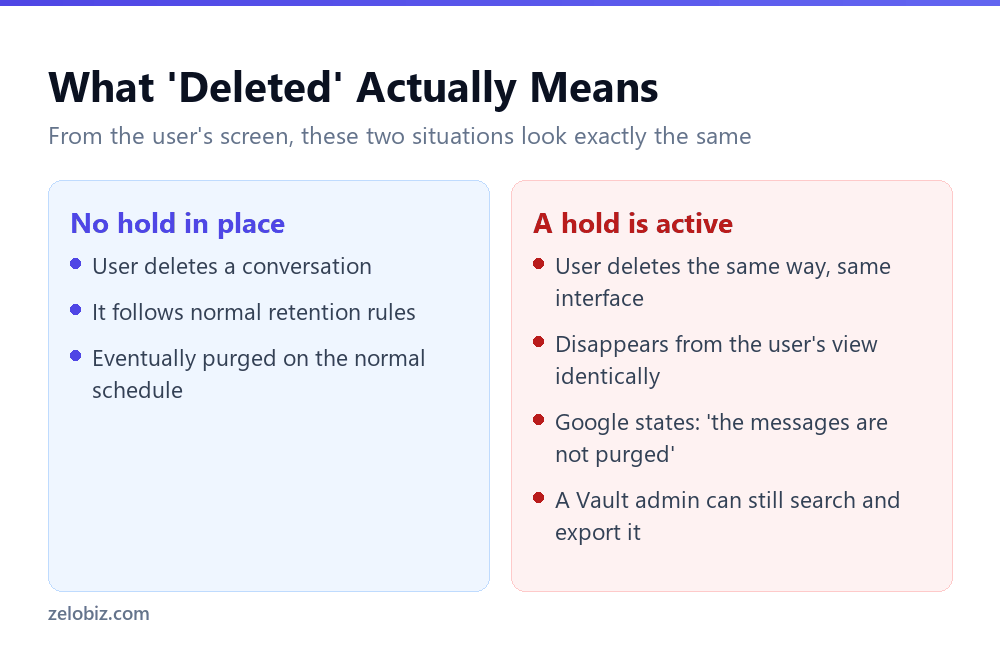
Google’s own wording removes any ambiguity: when Gemini app messages that are on hold are deleted by a user or an admin history setting, the user can’t access the messages anymore, but the messages are not purged. As a Vault admin with appropriate privileges, you can still search for and export the messages.
The reason this works this way is the entire point of a hold. Google describes holds as a mechanism to preserve Gemini app messages indefinitely to meet legal or preservation obligations. A hold that could be defeated by the simple act of deleting the content wouldn’t meet that purpose at all, so deletion is deliberately made cosmetic rather than actual while a hold is active.
⚠️ Watch out: Nothing in the user-facing interface distinguishes a genuinely deleted conversation from one that’s been removed from view while still preserved under a hold. Anyone relying on deletion as an actual privacy action, rather than trusting it based on what your organisation’s Vault configuration actually does, is trusting an interface signal that doesn’t reflect what’s really happening underneath.
The Two Privacy Toggles That Get Overridden Anyway
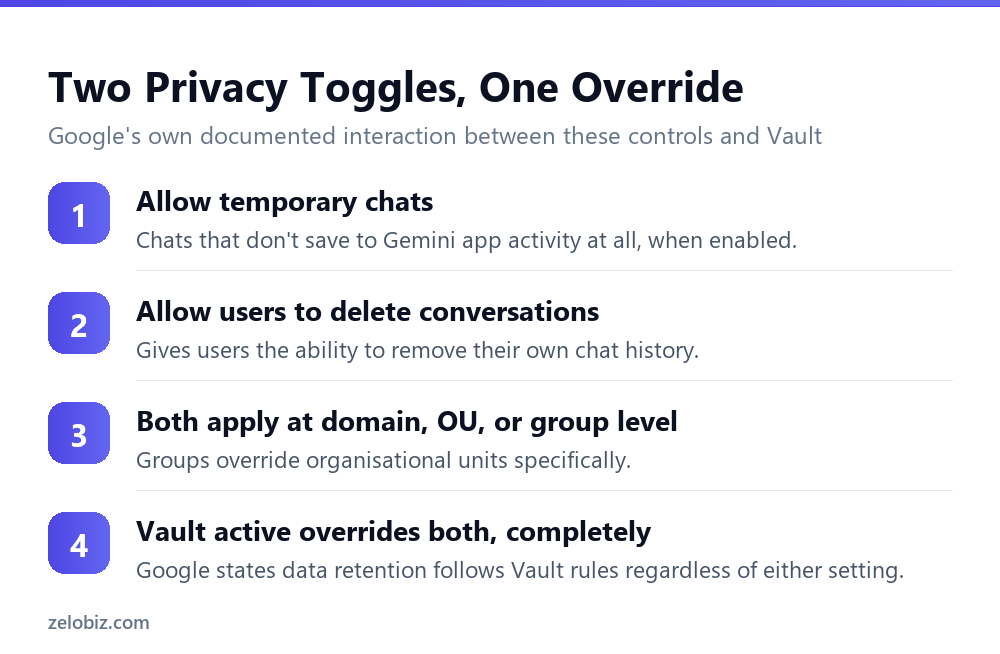
Separately from holds specifically, Google gives administrators two settings that sound like they control privacy directly, and both are subject to the same override.
Allow temporary chats
When enabled, users can start chats that don’t save to their Gemini app activity at all, the closest thing to an incognito mode for Gemini conversations.
Allow users to delete conversations
This gives users the ability to delete their own Gemini chat history directly, the same deletion mechanism covered above.
Both settings can be configured at the domain level by default, or scoped more narrowly to a specific organisational unit or a configuration group, with group settings taking precedence over organisational unit settings where the two overlap.
Google states this interaction directly: when Vault is active, data retention follows Vault rules regardless of whether users enable temporary chats or delete conversations. An organisation that enabled both toggles specifically to give users genuine control over their own chat privacy may not realise that control stops applying the moment Vault retention or a hold covers that content.
💡 Pro tip: If user-facing privacy through temporary chats or self-deletion is a genuine goal for your organisation, check whether Vault retention rules or holds are active for the Gemini app before assuming those toggles deliver what they appear to promise. The two systems aren’t designed to coexist as equals; Vault wins.
What This Means for Someone Investigating an Incident
The flip side of this behaviour matters just as much for anyone on the receiving end of an investigation rather than setting up the policy. If you’re looking into whether a specific Gemini conversation existed, the fact that it no longer appears in a user’s own view tells you nothing about whether it’s genuinely gone.
A missing conversation isn’t evidence it never existed
For any investigation where a Gemini conversation’s existence or content matters, checking Vault directly, rather than relying on what a user can currently see in their own Gemini app activity, is the only way to get an accurate answer. The user’s own view and the underlying preserved data can diverge significantly whenever a hold is active.
Coordinate with whoever holds Vault access before concluding anything
Because only a Vault administrator with appropriate privileges can search and export held content, an investigation that doesn’t loop in that person early risks drawing conclusions from an incomplete picture, specifically the picture visible from an ordinary user account rather than the actual preserved record.
💡 Pro tip: Before treating the absence of a Gemini conversation as meaningful in any investigation or dispute, confirm with your Vault administrator whether a hold or retention rule covering that time period and that user was active. The answer changes what the absence actually tells you.
What a Hold Is Actually Built to Survive
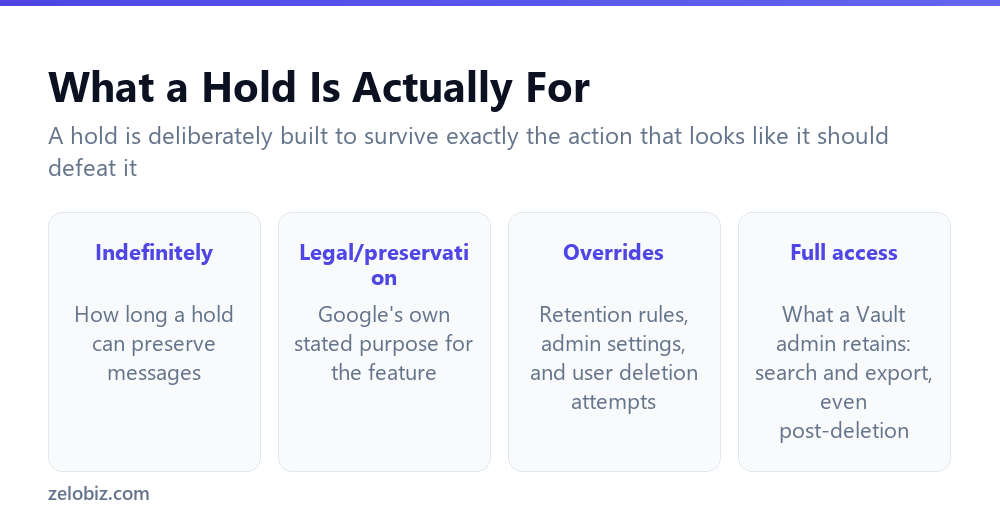
Seen as a whole, the behaviour described above isn’t a series of separate quirks. It’s one consistent design: a hold exists specifically to survive the actions that would otherwise defeat legal preservation, and deletion, whether initiated by a user or triggered by an admin history setting, is exactly the kind of action a hold is meant to outlast.
This is worth internalising less as a technical detail and more as the actual purpose of the feature. A hold that respected user deletion requests would be a hold in name only, unable to guarantee anything to a legal team relying on it. The fact that deletion becomes cosmetic under a hold is the feature working as intended, not a loophole.
📊 Note: None of this changes what a hold covers in terms of scope. A hold on the standalone Gemini app still doesn’t extend to embedded Gemini features elsewhere in Workspace, covered separately in our companion article on Vault’s actual coverage boundaries.
What This Means for How You Talk About Privacy Internally
The gap between what deletion looks like and what it actually does has a practical consequence for how an organisation should describe these features to employees, beyond just the technical configuration.
Don’t promise what the toggles don’t deliver
An internal communication telling staff they can use temporary chats or delete conversations for privacy is accurate only when no Vault rule or hold applies to that content. If your organisation has Vault retention active for the Gemini app, that promise is false for any employee whose conversations fall under it, even though the toggles themselves work exactly as described in isolation.
Be specific about what deletion actually accomplishes
Rather than describing deletion as removing data, a more accurate internal framing is that deletion removes your own access to it. That distinction sounds pedantic until an employee later assumes a genuinely sensitive conversation is gone and it turns out to have been preserved the entire time under a hold they had no visibility into.
💡 Pro tip: If your organisation communicates about Gemini privacy features to staff, check that communication against your organisation’s actual current Vault configuration before publishing it, since the accurate answer changes depending on whether Vault retention or a hold happens to be active.
Where This Leaves an Ordinary User
None of this is meant to discourage anyone from using Gemini normally. For the overwhelming majority of everyday, routine conversations, none of it will ever matter in practice, since most organisations aren’t running active legal holds against most of their Gemini usage at any given time.
The behaviour described here matters specifically at the intersection of two conditions: content that’s genuinely sensitive, and an organisation that has, for whatever reason, an active Vault retention rule or hold covering the relevant period and user. Outside that intersection, deletion behaves exactly as it appears to.
The practical takeaway for an individual user isn’t paranoia about every Gemini conversation. It’s calibrated awareness: for anything genuinely sensitive, don’t rely on the delete button as your only line of defence, and if your organisation is involved in litigation or a formal investigation, assume Vault-level rules may apply even to content you’ve already deleted from your own view.
Common Questions
If I delete a Gemini chat, is it permanently gone?
Not necessarily. If the conversation is on a Vault hold, Google states it becomes inaccessible to you but is not purged, and a Vault administrator can still search for and export it.
Can an admin’s automatic history deletion setting bypass a hold?
No. Google states this explicitly: messages on hold that are deleted by a user or by an admin history setting are still not purged. The hold protects them regardless of which mechanism triggered the deletion.
Does enabling ‘Allow temporary chats’ protect users from Vault retention?
No. Google states that when Vault is active, data retention follows Vault rules regardless of whether temporary chats are enabled.
What is a Vault hold actually for?
Google describes it as a way to preserve Gemini app messages indefinitely to meet legal or preservation obligations, which is why it’s built to survive normal deletion and retention processes.
Where are the temporary chat and deletion settings configured?
In the admin console, and they can be applied domain-wide, to a specific organisational unit, or to a configuration group, with group settings overriding organisational unit settings.
How would I know if a Gemini conversation I deleted is actually still preserved?
The interface gives no visible signal either way. Whether it’s actually gone depends on your organisation’s Vault configuration, which is not something visible from the user’s own Gemini app view.
Does a hold apply to Gemini features outside the standalone app too?
Google’s documentation addresses the standalone Gemini app specifically for both holds and retention. Coverage for embedded Gemini features elsewhere in Workspace isn’t addressed the same way.
Taken together, the visible interface, the hold mechanism, and the two overridden toggles all point to the same underlying design principle: user-facing controls describe what a user can do to their own view of their data, not a guarantee about what happens to that data once your organisation’s Vault configuration is involved.
The Short Version
- →A held Gemini message that’s deleted disappears from the user’s view but isn’t purged.
- →Vault admins can still search for and export it after that deletion.
- →This applies whether the user deletes it or an admin history setting does.
- →Temporary chats and user deletion toggles are both overridden when Vault is active.
- →The interface gives no visible sign that a deleted message is actually preserved.
- →This is the hold feature working as designed, not an unexpected loophole.