

To sell on eBay, create a seller account, research what similar items have actually sold for (not just what they’re listed at), take clear photos in good light, write a specific, keyword-rich title using the exact terms a buyer would search, and choose between an auction format (better for uncertain-value or collectible items) or Buy It Now (better for items with a known market price). Title and photos decide most of a listing’s success before anyone even reads the description.
What actually moves a listing
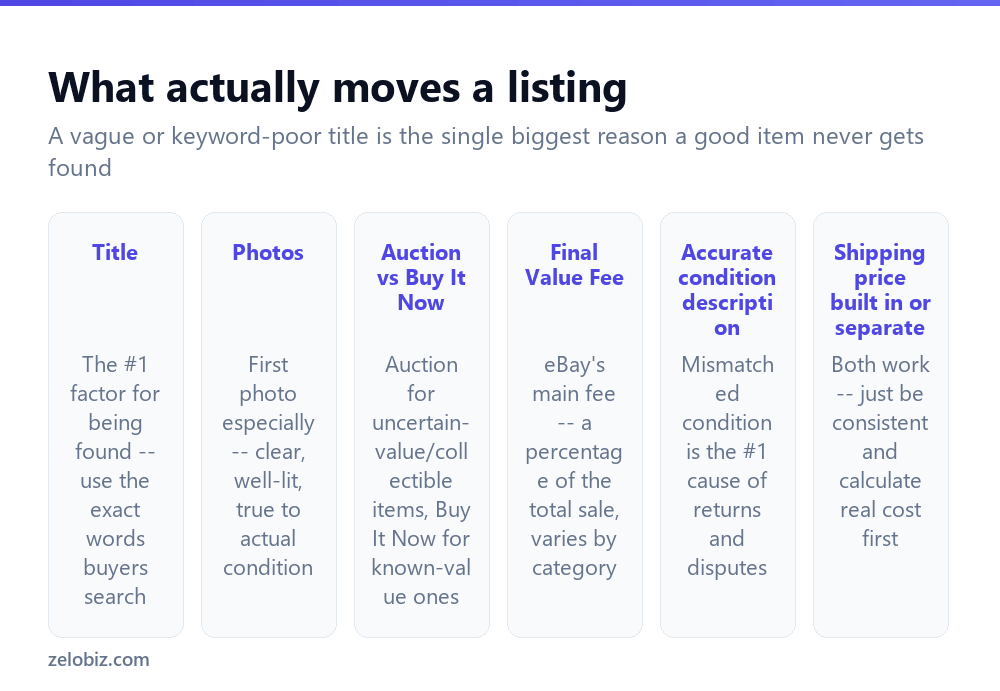
The title is the single biggest factor in whether your listing is even found. eBay’s search works largely on matching title keywords to what buyers type — “Nike Air Max 90 Size 10 White Men’s Running Shoes” will be found by far more relevant searches than “Great Shoes, Barely Worn.” Use the actual brand, model, size, and distinguishing details a buyer would genuinely search for.
Photos, especially the first one (which appears in search results before anyone clicks in), need to be clear, well-lit, and honest about the item’s actual condition. Natural daylight near a window generally beats indoor artificial lighting for showing true color and any wear.
Auction vs Buy It Now — auctions suit items where you’re uncertain of true market value, or genuine collectibles where competitive bidding can drive the price up. Buy It Now suits anything with a known, fairly stable market price, where a buyer wants certainty and immediacy rather than waiting days to see if they won.
Accurate condition description is worth emphasizing on its own — mismatched condition between description and reality is the leading cause of returns and buyer disputes. Describing flaws honestly upfront prevents far more problems than it creates.
Creating your first listing
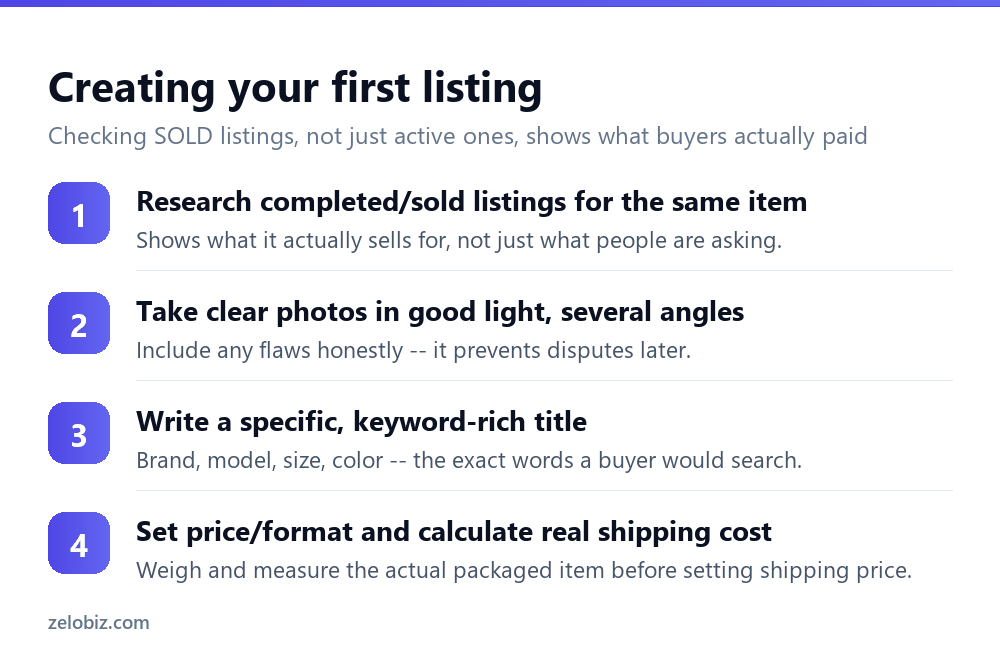
Research completed and sold listings for the same or a very similar item first — eBay’s search lets you filter to “Sold Items” specifically, which shows what buyers actually paid, not just what current sellers are hopefully asking. This is the single most reliable way to price a listing correctly from the start.
Photograph the item from several angles in good light, and deliberately include any flaws, wear, or damage in at least one photo — this protects you from disputes far more than it hurts your sale price.
Write a specific title packed with the actual search terms a buyer would use: brand, model or style name, size, color, and any other identifying detail that fits within eBay’s title character limit.
Set your price and format, and calculate real shipping cost by actually weighing and measuring the packaged item rather than guessing — an inaccurate shipping estimate either eats into your margin unexpectedly or overcharges buyers enough to lose the sale to a competing listing.
Understanding eBay’s fees
The main fee to plan around is the Final Value Fee, a percentage of the total sale amount (including shipping charged to the buyer) taken when an item sells — the exact percentage varies by category, generally somewhere in the low-to-mid teens for most common categories, with some categories having different rates.
Many seller accounts also get a number of free listings per month before an additional insertion fee applies, and optional listing upgrades (bold titles, subtitle text, and similar) carry their own small additional fees — generally worth skipping for most standard items, since they add cost without reliably improving results the way a better title and photos do.
Factor the Final Value Fee into your pricing from the start rather than discovering it eats more of the sale than expected after the fact.
Shipping: built into the price or charged separately
Both approaches work and are common on eBay — “free shipping” with the cost folded into the item price, or a separate shipping charge calculated at checkout. What matters more than which approach you choose is being consistent and accurate — buyers factor total cost (item plus shipping) into their purchase decision either way, and eBay’s search can also factor total cost when ranking results for price-sorted searches.
Weigh and measure the actual packaged item, including packing material, before setting a shipping price or deciding how much to fold into a “free shipping” price — guessing tends to run too low, eating into margin once the real cost becomes clear after the first few sales.
Building seller reputation as a new account
New sellers with no feedback history should expect somewhat slower initial sales — buyers are naturally more cautious with an unproven seller, and this is a normal, temporary phase rather than a sign anything is wrong with your listings specifically.
Selling smaller, lower-risk items first, shipping promptly, and communicating responsively with any buyer questions all help build the feedback history that makes subsequent, larger sales easier.
A worked example: pricing and listing a used item
Say you’re selling a used DSLR camera in good condition with some minor cosmetic wear on the body.
Search eBay’s Sold listings for the exact make and model, filtering to items in similar condition. Note the range of actual sold prices, not just the highest or lowest — this gives a realistic band to price within rather than anchoring on one outlier sale.
Photograph it from multiple angles in natural light, including a close-up of the cosmetic wear specifically, along with the LCD screen, lens mount, and any included accessories laid out clearly. Write the title with the exact make, model, and key detail buyers search for — “Canon EOS 80D DSLR Camera Body Only, Good Condition, Minor Wear” rather than something vague.
Given a camera’s resale value and the buyer expectation of careful handling in transit, Buy It Now at a price near the middle of the sold-price range, with accurate shipping cost for a properly packaged fragile item, is usually more appropriate here than an auction — the item has a well-established market value, so competitive bidding isn’t likely to meaningfully outperform a fair fixed price, and a fixed price also avoids the risk of an item this valuable selling for less than expected in a slow, poorly-attended auction that happens to land on a quiet week for buyer interest.
When a listing isn’t getting views or sales
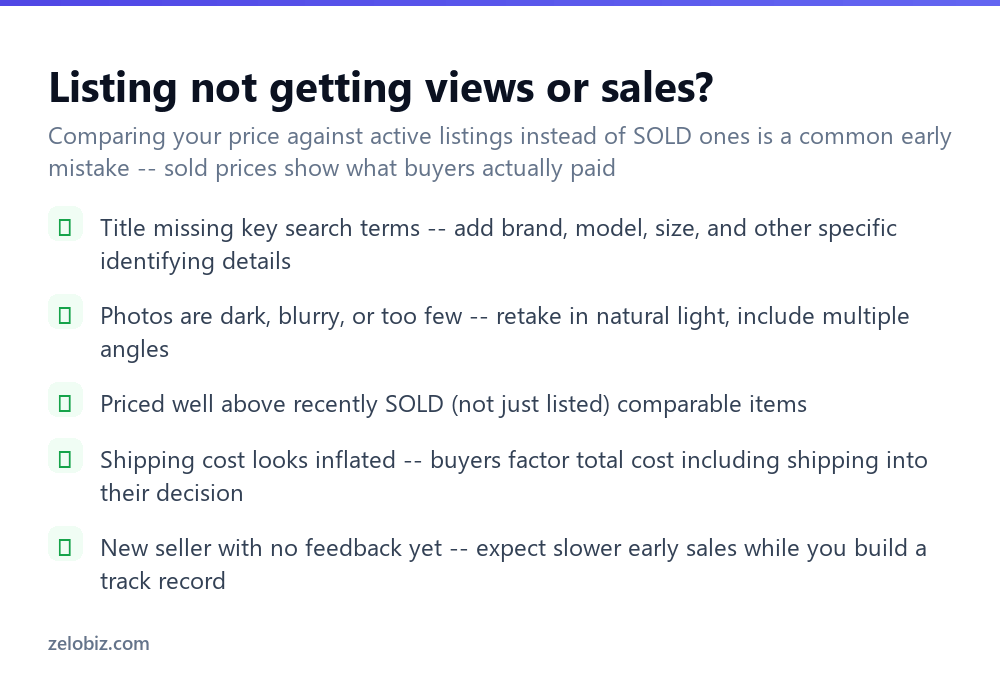
Title missing key search terms — revisit it and add any specific identifying details (brand, model, size) that might be missing, since these are exactly what buyers search on.
Photos are dark, blurry, or too few — retake them in better, natural light, and include multiple angles plus any close-ups relevant to condition.
Priced above what similar items have actually sold for — double-check against Sold listings specifically, not just what other active listings are currently asking, which often doesn’t reflect what buyers are actually willing to pay.
Shipping cost looks inflated relative to the item — buyers factor total cost into their decision, and a shipping charge that looks disproportionate to a low-cost item specifically can deter a purchase even when the item price itself looks reasonable.
A quick reference
Unsure whether to auction or Buy It Now: if similar sold items show a wide, unpredictable price range, an auction can help discover true value. If sold prices cluster tightly together, Buy It Now at that price is simpler and just as effective. Item isn’t selling despite a good title and photos: double-check the price against sold comparables again, since even a well-presented listing won’t sell if it’s priced meaningfully above what buyers have actually been paying for the same thing recently.
- ✓Research SOLD listings, not just active ones, before pricing anything
- ✓Write titles packed with the specific terms buyers actually search
- ✓Photograph flaws honestly rather than hiding them
- ✓Weigh and measure the actual packaged item before setting shipping cost
- ✓Expect somewhat slower sales as a new seller building initial feedback
- ✕Pricing based on what other active listings ask rather than what items actually sold for
- ✕Writing a vague title that skips brand, model, size, and other searchable details
- ✕Using dark or blurry photos, or too few of them
- ✕Guessing at shipping cost instead of actually weighing the packaged item
- ✕Ignoring the Final Value Fee when setting your price, then being surprised by the final payout
Frequently asked questions
How do I start selling on eBay?
Create a seller account, research sold prices for similar items, take clear photos, write a specific title with real search terms, and choose auction or Buy It Now based on the item type.
What fees does eBay charge sellers?
The main one is the Final Value Fee, a percentage of the total sale (including shipping) taken when an item sells, varying by category. Optional listing upgrades carry small additional fees.
Should I use auction or Buy It Now on eBay?
Auction suits uncertain-value or collectible items where bidding can drive up price. Buy It Now suits items with a known, stable market price where buyers want certainty.
How do I price an item correctly on eBay?
Check Sold listings for the same or similar items specifically, not just active listings, since sold prices reflect what buyers actually paid.
Why isn’t my eBay listing getting any views?
Usually a title missing key search terms, or photos that are unclear. Add specific identifying details to the title and retake photos in better light.
Should I offer free shipping or charge separately on eBay?
Both work. What matters more is accurately calculating the real shipping cost by weighing the packaged item, and being consistent either way.
- →Compare against selling on Amazon: how to sell on Amazon
- →A better fit for handmade items: how to sell on Etsy
- →A lower-cost alternative for physical products: how to start a print on demand business
- →Other realistic ways to earn online: how to make money online