
Writing Tools not working in a specific app looks like Apple decided that app doesn’t get the feature. The actual mechanism runs the other way: Apple built a system-wide text framework available to any app, and whether a specific app uses it is a decision made by that app’s own developer, not by Apple.
This covers exactly what Writing Tools does, why it shows up reliably in some apps and not others, and how to tell whether a missing feature is your device’s fault or the specific app’s.
Short answer: Apple states Writing Tools works nearly everywhere you can type, even in third-party apps, to proofread, summarise, and rewrite your text. It does not publish a list of supported or excluded apps. In practice it appears reliably in Apple’s own apps, which integrate the underlying system text framework natively, and inconsistently in third-party apps depending on whether that app’s developer has adopted the same framework. Apps including WhatsApp, Instagram and Facebook have not, which is why Writing Tools is absent there specifically. Verified against Apple’s own documentation and independently corroborated developer-adoption reporting on 5 September 2026.
What Writing Tools Actually Does
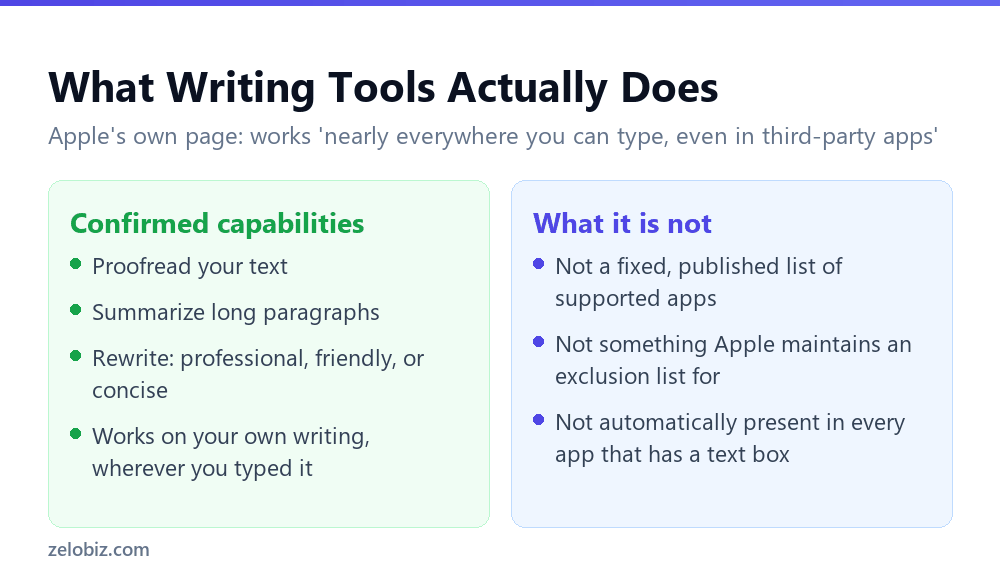
Apple’s own description is straightforward: use Writing Tools to proofread text, summarise long paragraphs, and rewrite text to be more professional, friendly, or concise. It operates on writing you’ve already typed, refining rather than generating from a blank page.
On where it works, Apple’s language is broad rather than a specific list: nearly everywhere you can type, even in third-party apps. That phrasing is notable for what it doesn’t do. It doesn’t name Notes, Messages, Pages, Safari, and stop there. It frames third-party app support as the expectation, not the exception.
Why It’s Inconsistent App to App
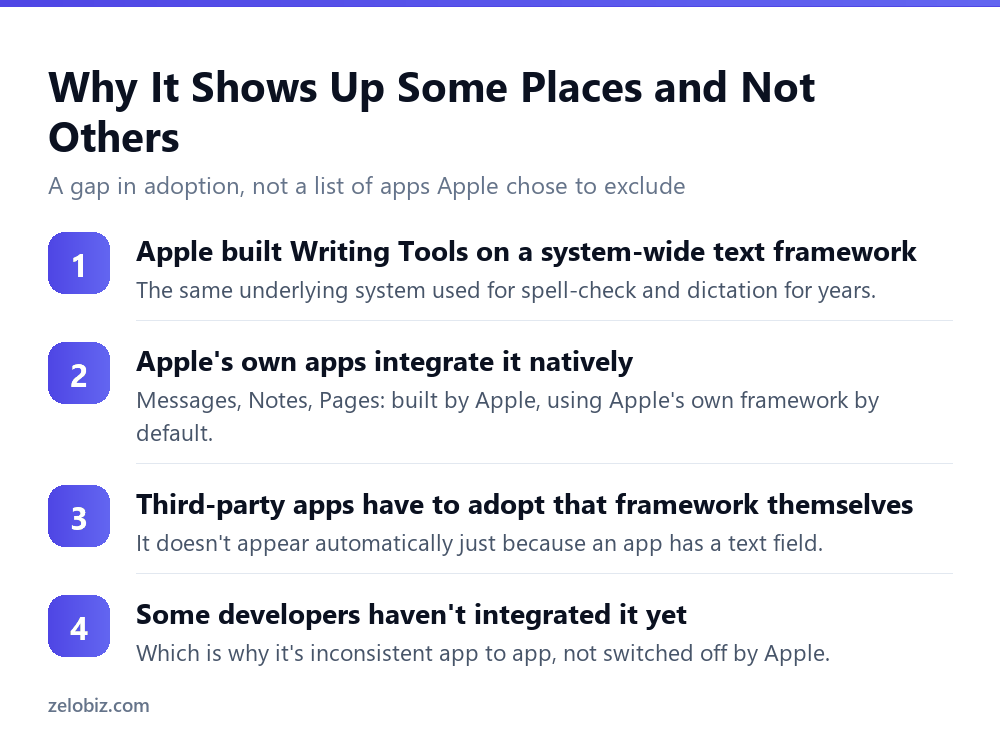
The mechanism behind Writing Tools is a system-level text framework, the same underlying plumbing that has long powered spell-check and dictation across iOS and macOS. Writing Tools extends that existing, shared system rather than being a bolt-on feature unique to itself.
Apple’s own apps, Notes, Messages, Pages, and others, integrate that framework by default, since Apple builds them on its own platform tools. A third-party app gets Writing Tools only if its developer has specifically adopted the same standard text framework rather than building a custom text input system that sits outside it.
This is why the pattern people report, Writing Tools working fine in Notes and Messages but missing from apps like WhatsApp, Instagram and Facebook, tracks consistently with adoption rather than with any category Apple has singled out. Those specific Meta platforms haven’t integrated the framework their app is built on top of, which is a decision made on Meta’s side of that relationship, not Apple’s.
⚠️ Watch out: Because this depends on each developer’s own release schedule, the specific list of apps that do or don’t support Writing Tools is not fixed. An app missing it today can gain support in a future update without any change needed on your device.
The Same Question Applies to Other Apple Intelligence Features
Writing Tools isn’t the only Apple Intelligence capability built this way. Image Playground, Genmoji, and several other features rely on the same underlying principle: Apple exposes a system-level capability, and individual apps choose whether to surface it, rather than Apple deciding app by app who gets access.
This is worth knowing because the instinct when a feature is missing is almost always to look for a setting to toggle, and for this entire category of Apple Intelligence feature, there frequently isn’t one. The setting that actually matters lives in the other app’s own code, not in your device’s configuration, which means no amount of digging through your own Settings app will surface a fix that has to come from elsewhere.
Recognising the pattern once saves repeating this exact confusion feature by feature. The question worth asking isn’t what did I configure wrong, it’s has this particular app’s developer built support for this particular system feature yet, and that reframing points you toward the right place to look, or the right expectation to hold, far faster than troubleshooting your own device settings ever will.
Telling a Device Problem From an App Gap
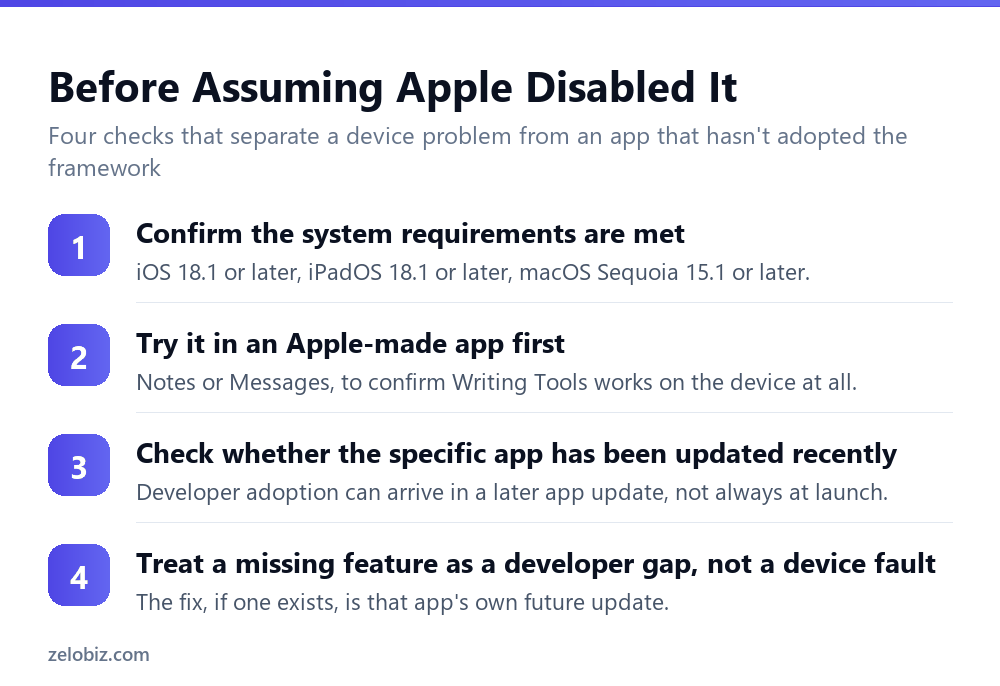
Before assuming Apple has restricted a specific app, four checks separate an actual device or settings problem from a developer adoption gap that has nothing to do with your configuration.
Confirm the system requirements first
iOS 18.1 or later, iPadOS 18.1 or later, macOS Sequoia 15.1 or later. If the device itself doesn’t meet these, covered in full in Apple Intelligence requirements: the language-matching rule nobody expects, no app will show Writing Tools regardless of that app’s own adoption status.
Test it in an Apple-made app
Try Writing Tools in Notes or Messages before troubleshooting a specific third-party app. If it works there, the device and settings are fine, and the missing feature elsewhere is specific to that app rather than to your setup.
Check for a recent update to the specific app
Since adoption is a per-developer decision, a missing feature today can arrive in a future release without you doing anything differently. Checking whether the app has an available update is worth doing before concluding the gap is permanent.
Direct the actual request to the app’s developer, not Apple
If Writing Tools matters to you in a specific app that lacks it, feedback aimed at that app’s own developer is the request that could actually change something. Apple has already built and exposed the framework; the remaining step sits with each individual app maker.
💡 Pro tip: If you regularly need Writing Tools inside a specific app that doesn’t support it, check whether that same task can be done in a note or message first, using Writing Tools there, then pasting the refined text back into the app that lacks native support. It’s an extra step, not a missing capability.
📊 Note: This same system-framework pattern shows up elsewhere in Apple Intelligence. Features built on shared, system-level plumbing tend to spread unevenly across third-party apps based on each developer’s own adoption timeline, which is worth expecting as a general pattern rather than being surprised by it feature by feature.
A Pattern Worth Recognising Beyond Writing Tools
This adoption model, a system framework any app can opt into, with availability determined by each developer’s own choice rather than a platform-wide switch, is common enough across Apple’s platform that recognising it once saves repeated confusion later.
Spell-check, predictive text, and dictation all followed the same pattern years before Writing Tools existed: available system-wide in theory, inconsistent app to app in practice, based entirely on whether that specific app’s developer built on Apple’s standard text input components or rolled their own custom system instead. An app with a fully custom text editor, common in apps built for cross-platform consistency across iOS, Android and web from a single codebase, tends to sit outside these system features by construction, not by exclusion.
That last detail is often the real explanation behind Meta’s apps specifically. Apps built to share one codebase across many platforms frequently use their own custom text components rather than each platform’s native ones, which puts them outside Apple’s system framework as a structural side effect of that engineering choice, independent of any decision about Writing Tools specifically.
What This Means for Choosing Where You Write
Once the mechanism is clear, a practical habit follows for anyone who relies on Writing Tools regularly: draft in an app you already know supports it, rather than discovering app by app which ones do.
- Notes is the safest default. Apple’s own app, always current with the framework, works across iPhone, iPad and Mac.
- Messages and Mail both integrate natively. Useful for anything you’re composing to send directly.
- Safari’s text fields inherit support broadly. Web-based forms and text areas often work even when a dedicated app for the same service doesn’t.
- Treat third-party app support as a bonus, not a given. Confirm it works in a specific app before building a workflow that depends on it being there.
This isn’t a workaround for a limitation so much as a recognition of how the feature actually spreads. Writing in Apple’s own apps first, then moving finished text where it needs to go, sidesteps the whole question of which third-party apps have caught up.
It also means the situation genuinely improves over time without any action needed from you. Every app that adopts the framework adds one more place Writing Tools works natively, and that list has only grown since the feature launched, not shrunk.
None of this requires tracking every individual app’s status yourself. The Apple-app default habit covers the vast majority of real writing tasks, and the gaps that remain tend to be exactly the apps, like Meta’s messaging platforms, that are already well known for building their own custom tooling rather than adopting each platform’s native components.
Common Questions
Does Apple restrict which apps can use Writing Tools?
Apple’s own documentation doesn’t describe a fixed list of supported or excluded apps, stating instead that it works nearly everywhere you can type, even in third-party apps. Availability in a specific app depends on whether that app’s developer has adopted Apple’s underlying text framework.
Why doesn’t Writing Tools work in WhatsApp?
WhatsApp, along with other Meta platforms including Instagram and Facebook, has not adopted the system text framework Writing Tools is built on, based on consistent independent reporting. This is a decision on the app developer’s side, not an Apple restriction.
What does Writing Tools actually do?
Proofread your text, summarise long paragraphs, and rewrite text to be more professional, friendly, or concise, according to Apple’s own description.
What are the system requirements for Writing Tools?
iOS 18.1 or later, iPadOS 18.1 or later, or macOS Sequoia 15.1 or later, along with the general Apple Intelligence hardware requirements.
If Writing Tools is missing from an app today, could it appear later?
Yes. Since availability depends on that app’s own developer adopting the framework, a future app update could add support without any change needed on your device.
How can I tell if a missing Writing Tools feature is a device problem or an app problem?
Test Writing Tools in an Apple-made app like Notes or Messages first. If it works there, your device and settings are fine, and the gap is specific to the other app’s own framework adoption.
Can I use Writing Tools text and move it into an app that doesn’t support it?
Yes. Refining the text in an app that does support Writing Tools, such as Notes, then copying it into the app that lacks native support, is a practical workaround.
The next time a feature seems to be missing selectively from one app while working everywhere else, this same question is worth asking before assuming a restriction: is this a platform limitation, or is it a specific app’s own developer choice about which system tools to build on.
The Short Version
- →Apple describes Writing Tools as working nearly everywhere, without naming an app list.
- →It runs on a system-wide text framework, not a per-app Apple decision.
- →Apple’s own apps integrate it natively. Third-party apps must adopt it themselves.
- →WhatsApp, Instagram and Facebook haven’t adopted it, based on consistent reporting.
- →A missing feature today can appear later through that app’s own update.
- →Test in an Apple app like Notes first to confirm the device itself works correctly.