
You attach a reference document, ask Copilot to draft or summarise from it, and the result reads as though half the source was never there. No error appears. Nothing obviously failed. It just looks like Copilot skipped a chunk of what you gave it.
That single symptom has three separate documented causes, and they need different fixes. Treating it as one mystery is why the usual advice, try rephrasing your prompt, so often does nothing.
Short answer: Check three things in order. Whether the reference document’s format is fully supported for your account type, since older or unusual formats read unreliably. Whether the missing content sits in the middle of a long document, since Microsoft’s own guidance says the model gives more attention to the beginning and end of a file. And whether the fact you expected actually lives in that document at all, since Copilot in Word does not pull in data from outside tools on its own. Verified against Microsoft’s documentation on 3 September 2026.
Three Causes Behind One Symptom
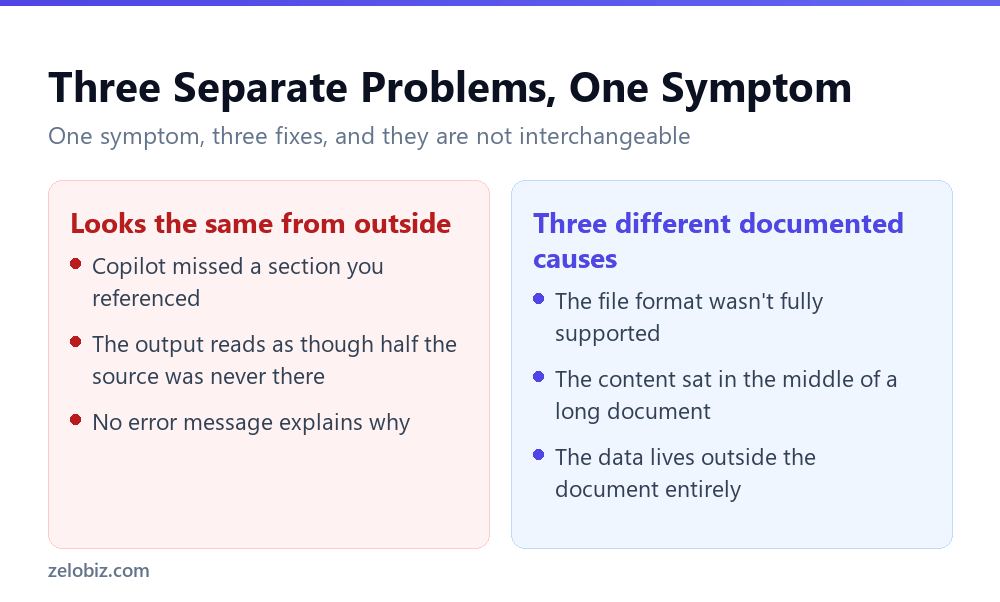
From where you are sitting, a missed section always looks the same: something you knew was in the source didn’t make it into the output. The cause is rarely the same twice.
Cause One: The Format Wasn’t Fully Read
Supported reference formats differ by account type, and the gap is wide enough to explain a lot of confusion between colleagues on different licences.
Microsoft’s own troubleshooting default for a format that isn’t reading correctly is to convert it to .pdf or .docx. An older .doc file in particular is worth converting before you assume Copilot made an error, since Microsoft’s guidance singles that format out by name.
Cause Two: It Was in the Middle

This is the cause people find least intuitive, because it implies the model read the whole document and still under-weighted part of it, rather than skipping something outright.
Microsoft states that large language models tend to prioritise content at the beginning and end of a file, giving less attention to content in the middle. On a sixty page reference document, a fact on page three or page fifty-eight is more likely to surface clearly than the same kind of fact on page thirty.
The official remedy is structural rather than conversational: if you have a long document, split it into smaller documents and reference them separately. A better worded prompt does not fix this, because the problem is not what you asked. It is where the answer happened to sit in a long file.
💡 Pro tip: If a specific section matters more than the rest, put it in its own short reference document rather than relying on it surfacing correctly from the middle of a long one. This is slower to set up and it is the documented way to make sure that section actually gets weight.
Cause Three: It Was Never in the Document
The third cause is the simplest to fix and the easiest to overlook, because it is not about the reference document at all. Copilot in Word does not integrate with tools outside the document. If the fact you expected lives in a spreadsheet, a database, an email thread, or any system Copilot was not shown, no amount of prompting the document will surface it.
⚠️ Watch out: Before assuming Copilot missed something in your reference document, confirm the fact is actually written down inside that document. It is a common mistake to remember a figure from a meeting or another file and expect it to appear because it feels like it should be there.
If the missing information genuinely lives elsewhere, the fix is bringing it into the document manually before you prompt, the same discipline that applies to any external data source. We covered the equivalent constraint for PDFs in what Acrobat’s AI Assistant won’t read, where content outside the file is unreachable in exactly the same way.
A Multi-File Version of the Same Problem
Everything above assumes one reference document. The same three causes compound when you hand Copilot several files at once, and a fourth issue appears that only shows up with multiple sources: which file it actually drew from is not always obvious from the output.
Attention is not spread evenly across files either
The beginning-and-end weighting documented for a single long document has a natural extension across several shorter ones: there is no guarantee equal weight goes to file one and file three just because both were attached. If one reference is noticeably shorter or more directly relevant to your prompt, it is reasonable to expect it surfaces more than a longer, more tangential one.
Conflicting facts between files rarely resolve visibly
If two reference documents disagree, such as an old policy and its replacement, Copilot’s output will reflect one of them without necessarily flagging that a conflict existed. This is the multi-file equivalent of the position bias problem: the fix is not a cleverer prompt, it is removing the outdated file before you ask, so there is nothing left to conflict with.
⚠️ Watch out: Before attaching several reference documents to one prompt, check that none of them supersede each other. An outdated version left in the mix is not obviously wrong from the output, it just occasionally wins.
💡 Pro tip: For a request that depends on getting one specific fact right, attach only the document that actually contains it rather than everything that might be relevant. Fewer, more targeted references outperform a large pile every time this matters.
Working Through the Diagnostic in Order
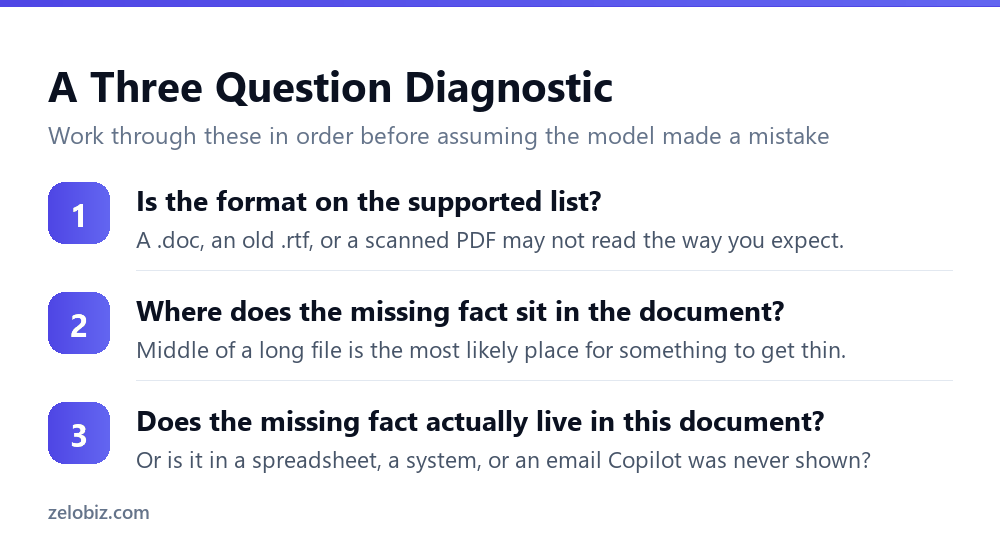
The order matters, because each question is cheaper to check than the next and rules out a common cause before you reach for a more involved fix.
Question one: check the format first
It costs seconds to check and it is the single most common cause. Convert an old .doc or a questionable format to .docx or .pdf before you look anywhere else.
Question two: locate where the missing fact sits
If the format checks out, find the missing content in the source and note roughly where in the document it falls. Middle of a long file points straight at the position bias documented above, and the fix is splitting the document rather than rewriting your prompt.
Question three: confirm it is actually in there
If neither of the first two explains it, search the document itself for the fact you expected. If it is not written down anywhere in that file, the cause was never Copilot missing something. It was expecting a document to contain information that lives somewhere else.
This same three-step habit, format then position then source, applies just as well to the limitations we found in what Copilot in Word still can’t do. Most apparent failures trace back to a documented boundary rather than an unpredictable error.
What Looks Like the Problem but Isn’t
A few complaints that get filed under Copilot ignored my document actually trace back to something else entirely, and it is worth ruling these out before working through the three causes above.
The document was edited after you attached it
If you updated the reference document and kept working from an earlier response, Copilot answered based on what the document said when it read it, not what it says now. This looks exactly like a missed section and is really a timing issue.
You are thinking of a different version of the file
Multiple drafts with similar names are common enough that referencing the wrong one by accident is not rare. Before troubleshooting further, confirm the file you attached is actually the one you think it is, by opening it directly and checking the content yourself.
The chat pane forgot the earlier part of the conversation
Copilot’s chat pane content is not saved between sessions, so a follow-up question that depends on something established several prompts earlier may not have that context anymore. This produces an answer that looks like it skipped something when it actually lost track of an earlier exchange, which is a related but separate problem from the reference document itself.
📊 Note: These three are worth ten seconds each to rule out before assuming one of the three documented causes is at play. They account for a real share of reported cases and none of them need any of the fixes described above.
A Worked Example
A shorter version of this makes the diagnostic concrete. Say you attached a forty page vendor contract, asked Copilot to summarise the payment terms, and the summary describes the deposit and the final payment but says nothing about the milestone payment schedule in the middle of the document.
Working the three questions in order: the format is a clean .pdf exported from the original word processor, so cause one is ruled out. The milestone schedule sits on pages eighteen through twenty two of forty, which is squarely in the middle. That points directly at cause two, the position bias Microsoft documents, rather than at cause three or a mistake in the prompt.
The fix that follows from that diagnosis is specific: pull the milestone schedule out as its own short reference, or ask about it in a separate, targeted prompt rather than folding it into one request covering the whole contract. Rewording the original prompt to say be thorough about the milestones would not have helped, because the cause was never the wording.
💡 Pro tip: When a summary of a long document misses something specific, locate that content’s page position before you touch the prompt. If it sits in roughly the middle third of the file, the position bias is the more likely explanation than anything about how you asked.
Common Questions
Why did Copilot ignore part of my reference document?
Three documented causes, checked in order: the file format may not be fully supported for your account type, the missing content may sit in the middle of a long document where the model gives it less attention, or the fact may not actually be written down in that document at all.
Does Copilot read the whole reference document?
It reads the whole file, but Microsoft states large language models prioritise content at the beginning and end of a file, giving less attention to the middle. This is a weighting effect, not a failure to process the rest of the document.
What is the fix for a document that’s too long for Copilot to use well?
Split it into smaller documents and reference them separately, which is Microsoft’s own stated recommendation. A better worded prompt does not address the underlying cause, since the issue is the document’s length and structure, not what you asked.
Should I convert an old .doc file before using it as a Copilot reference?
Yes if it isn’t reading reliably. Microsoft’s troubleshooting guidance specifically recommends converting .doc files to .docx, and suggests .pdf or .docx generally when a format doesn’t read correctly.
Can Copilot in Word pull data from outside the document, like a spreadsheet or database?
No. Copilot in Word does not integrate with external tools. Any data from outside the current document has to be brought in manually before you prompt.
Why does a scanned PDF work as a reference in some cases and not others?
A scanned page saved as an image has no underlying text layer unless it has been through OCR, so there is nothing for Copilot to read as reference content even though the file opens normally.
Is a missed reference always Copilot’s fault?
Not usually. Most cases trace back to one of three documented causes: an unsupported or unreliable format, position bias in a long document, or content that was never actually written into that document in the first place.
The Short Version
- →A missed reference has three separate documented causes, not one vague failure.
- →Check the file format first. Convert old .doc files to .docx.
- →Long documents get uneven attention. Beginning and end outweigh the middle.
- →Split long references into smaller documents rather than rewording your prompt.
- →Copilot cannot pull data from outside the document. Bring it in manually first.
- →Confirm the missing fact is actually written in the document before assuming an error.